
Few topics spark more debate in PC gaming than performance bottlenecks. One player swears their graphics card is being wasted. Another insists their processor is the real problem. Both might be right, depending on the game, the settings, and how the system is actually being used. Understanding whether your GPU or CPU is holding your rig back is less about chasing buzzwords and more about learning how modern games interact with hardware.
This article breaks down how GPU and CPU bottlenecks really work, how to recognize them in real gameplay, and how to make smart upgrade decisions without throwing money at the wrong component.
What a bottleneck actually means
A bottleneck happens when one part of your system limits the performance of everything else. In gaming, that usually means either the CPU cannot feed the GPU fast enough with instructions, or the GPU cannot render frames as fast as the CPU is requesting them. When one component hits its limit, overall performance stops scaling even if the rest of the system has headroom.
It is important to understand that bottlenecks are not permanent traits of a system. They change based on resolution, graphics settings, game engine design, background tasks, and even what is happening on screen at a given moment. A rig can be CPU limited in one game and GPU limited in another without any hardware changes.
The role of the CPU in games
The CPU handles game logic, physics calculations, AI behavior, draw calls, input processing, audio, and background tasks. In modern engines, it also manages how assets are prepared and sent to the GPU. Strategy games, simulation titles, large multiplayer matches, and games with complex AI tend to lean heavily on CPU performance.
A CPU bottleneck occurs when the processor cannot keep up with the demands of the game engine. When this happens, the GPU sits idle waiting for instructions. Even a high end graphics card cannot render frames that were never prepared by the CPU.
Signs of a CPU bottleneck often include inconsistent frame times, stuttering during busy scenes, and frame rates that do not improve when lowering graphics settings. You might also notice that one or two CPU cores are pegged near 100 percent usage while the GPU remains underutilized.
The role of the GPU in games
The GPU handles rendering tasks such as shading, lighting, textures, shadows, post processing effects, and resolution scaling. As you increase resolution or turn up visual settings, GPU workload rises sharply. Modern visual features like ray tracing, high resolution textures, and advanced anti aliasing are almost entirely GPU bound.
A GPU bottleneck occurs when the graphics card is working at or near full capacity while the CPU still has processing headroom. In this case, the GPU determines your maximum frame rate.
Common signs of a GPU bottleneck include high GPU utilization, stable but capped frame rates, and noticeable performance improvements when lowering resolution or graphics quality. This is the most common and expected bottleneck in gaming, especially at higher resolutions.
Why bottlenecks shift with resolution
Resolution plays a massive role in determining which component is stressed. At lower resolutions such as 1080p, the GPU has less work per frame, which means the CPU can become the limiting factor, especially in high frame rate scenarios. Competitive players chasing very high refresh rates often encounter CPU bottlenecks even with powerful graphics cards.
At higher resolutions like 1440p and 4K, the GPU workload increases significantly. More pixels, more detail, and heavier effects push the graphics card closer to its limits. This often shifts the bottleneck away from the CPU and onto the GPU, even with the same hardware.
This is why a system that feels CPU limited at 1080p can suddenly appear perfectly balanced or GPU limited when moving to a higher resolution monitor.
How game engines influence bottlenecks
Not all games stress hardware the same way. Some engines scale well across multiple CPU cores, while others rely heavily on a few primary threads. Older engines and some competitive shooters tend to favor high single core CPU performance. Large open world games and simulations often spread workloads across more cores but still depend on strong per core speed.
On the GPU side, engines with heavy post processing, advanced lighting, and large texture sets naturally push graphics hardware harder. Features like ray tracing dramatically increase GPU load and can turn even high end cards into the limiting factor.
Because of these differences, you might see your CPU maxed out in one title and barely breaking a sweat in another, all while using the same graphics settings.
How to identify your bottleneck in practice
The most reliable way to identify a bottleneck is through monitoring tools that show real time CPU and GPU usage, frame rates, and frame times. During gameplay, pay attention to which component is consistently hitting high utilization.
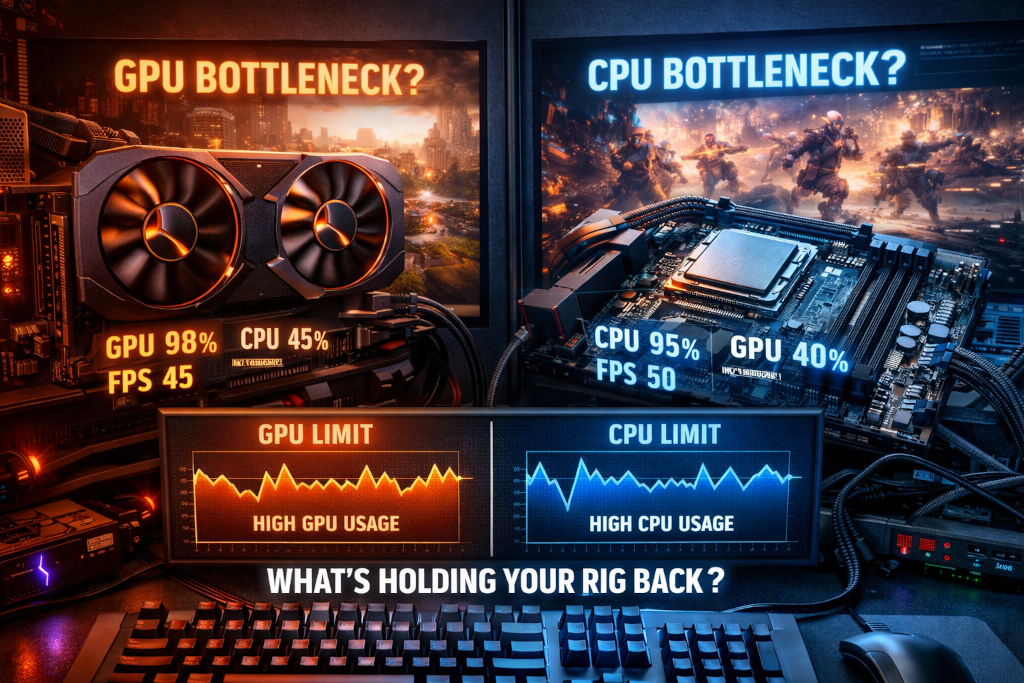
If your GPU usage is near 95 to 100 percent while CPU usage remains moderate, you are likely GPU limited. If GPU usage fluctuates or stays low while one or more CPU cores are maxed out, a CPU bottleneck is likely.
Frame time graphs are especially useful. CPU bottlenecks often show uneven frame times and microstutters during complex scenes. GPU bottlenecks usually result in smoother but capped performance.
It is important to test in actual gameplay scenarios rather than menus or static scenes. Large battles, crowded cities, or intense multiplayer matches reveal bottlenecks far more clearly than empty test areas.
Common misconceptions about bottlenecks
One of the biggest myths is that any bottleneck is inherently bad. In reality, every system has a bottleneck at some point. The goal is not to eliminate bottlenecks entirely but to ensure they align with your priorities. A GPU bottleneck is generally preferred for gaming because it means the graphics card is fully utilized.
Another misconception is that CPU usage percentages tell the whole story. A CPU showing 40 percent total usage can still be bottlenecked if one critical core is maxed out. Many games cannot evenly distribute workloads across all cores, so per core performance matters more than overall usage.
There is also a tendency to assume that pairing a high end GPU with a mid range CPU is always a mistake. In reality, this pairing can make sense depending on resolution, target frame rate, and the types of games being played.
Multiplayer games and CPU pressure
Online multiplayer games often place extra strain on the CPU due to networking, player synchronization, physics interactions, and large numbers of entities. Even visually simple games can become CPU limited during intense matches with many players.
Competitive shooters, battle royales, and large scale shooters frequently hit CPU limits before GPU limits at lower resolutions. This is especially noticeable for players aiming for very high frame rates on high refresh rate monitors.
In these cases, upgrading the CPU or improving memory performance can yield more noticeable gains than upgrading the GPU.
Background tasks and system balance
Background applications can influence bottlenecks more than many players realize. Streaming software, voice chat, browser tabs, overlays, and system utilities all consume CPU resources. While modern CPUs handle multitasking well, these tasks can push a borderline CPU bottleneck over the edge.
Memory speed and configuration also play a role. Slow or improperly configured memory can limit CPU performance, particularly in games that rely heavily on asset streaming and draw calls. Dual channel memory often provides a noticeable uplift compared to single channel setups.
Storage speed can affect loading and asset streaming but rarely causes traditional bottlenecks once a game is fully loaded. However, stutters caused by slow storage can be mistaken for CPU or GPU limitations.
Making smart upgrade decisions
Before upgrading, define your goals clearly. Are you chasing higher frame rates, higher resolution, better visual quality, or smoother performance in specific games. The answer determines which component matters most.
If lowering graphics settings does not improve frame rate and CPU cores are maxed out, a CPU upgrade may help. If lowering resolution or turning off visual effects significantly improves performance and GPU usage is high, a GPU upgrade is the logical choice.
It is also worth considering platform longevity. Upgrading a CPU may require a new motherboard and memory, while upgrading a GPU is often simpler. Budget, power supply capacity, and cooling should all factor into the decision.
Avoid upgrading based solely on synthetic benchmarks or online bottleneck calculators. Real world performance in the games you actually play is far more important.
Accepting balance instead of perfection
A perfectly balanced system for every game does not exist. Hardware evolves, game engines change, and player preferences vary. What matters is building a system that performs well for your use case and understanding why it behaves the way it does.
Recognizing bottlenecks turns frustration into clarity. Instead of guessing or chasing marketing hype, you gain the ability to diagnose performance issues and make informed choices. That knowledge extends the useful life of your hardware and helps you get the most out of every component in your rig.
In the end, a bottleneck is not a failure. It is simply a signal. When you know how to read it, your PC stops being a mystery and starts working with you instead of against you.