
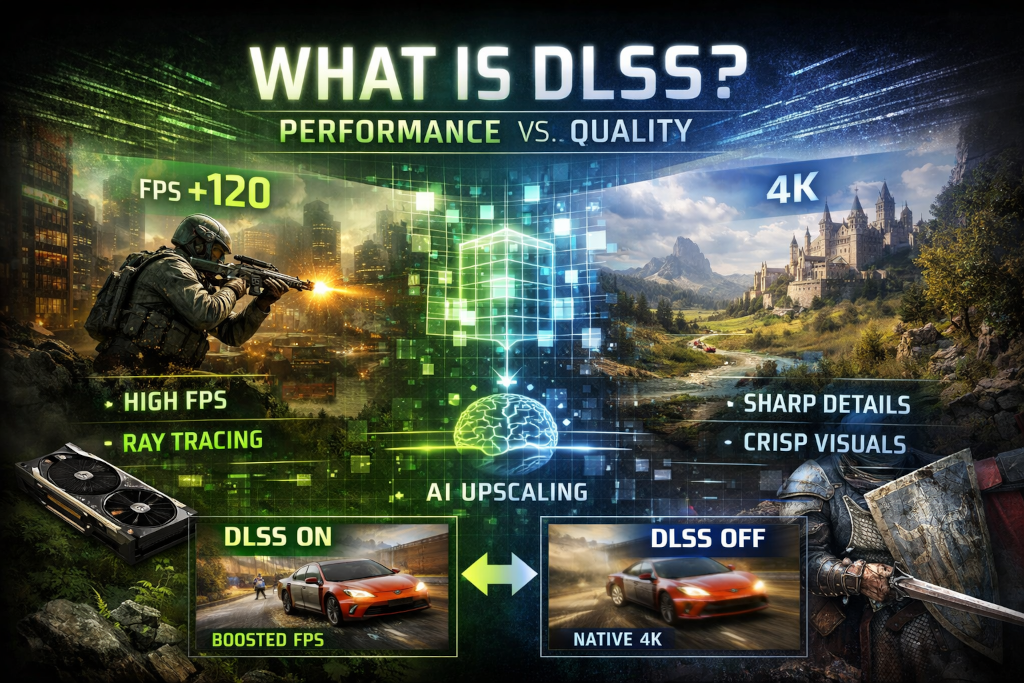
Few graphics features in modern PC gaming generate as much discussion as DLSS. It appears in patch notes, GPU marketing slides, and graphics menus alongside familiar options like resolution scaling, anti aliasing, and texture quality. Some players swear by it, claiming massive performance gains with little visual cost. Others disable it immediately, arguing that native resolution is still the gold standard and that DLSS introduces compromises they would rather avoid.
To understand why opinions are so divided, it helps to step back and look at what DLSS actually is, how it works, and when it meaningfully improves the gaming experience versus when it may not matter at all.
What DLSS Actually Is
DLSS stands for Deep Learning Super Sampling. At its core, it is a rendering technique designed to improve performance by reducing the workload placed on the GPU. Instead of rendering a game at your display’s full native resolution, the game renders at a lower internal resolution. DLSS then reconstructs that image back up to the target resolution using machine learning models trained on high quality reference images.
The key idea is that rendering fewer pixels saves performance. The challenge is making those fewer pixels look like they belong on a high resolution display. DLSS attempts to solve that problem by using trained neural networks to infer detail that was not rendered directly.
This approach differs from traditional upscaling, which typically relies on spatial interpolation. DLSS also incorporates temporal data, meaning it analyzes information from previous frames such as motion vectors, depth data, and prior image history to produce a more stable and detailed output.
Why DLSS Exists in the First Place
Modern games are increasingly demanding. Higher resolution textures, complex lighting models, ray tracing, and expansive worlds all push GPUs harder than ever. Native 4K gaming at high frame rates is still unrealistic for most hardware unless compromises are made.
DLSS exists because brute force rendering no longer scales efficiently. Each jump in resolution dramatically increases the number of pixels that must be shaded every frame. Instead of asking GPUs to do more raw work, DLSS attempts to work smarter by reducing the initial render cost and using reconstruction to bridge the gap.
This is especially important for features like ray tracing, which can be extremely expensive to compute. DLSS often acts as the enabling technology that makes ray tracing practical on consumer hardware.
How DLSS Has Evolved
DLSS today is not the same technology that launched years ago. Early versions were inconsistent, often producing blurry images or visible artifacts. Over time, the models improved, and later iterations introduced more generalized training that works across many games rather than requiring per title tuning.
Modern DLSS versions are significantly more robust. Image stability, edge reconstruction, and fine detail retention have improved enough that in many scenarios DLSS output is difficult to distinguish from native resolution during gameplay. In some cases, it can even lead to cleaner edges than traditional anti aliasing solutions.
That evolution is part of why opinions vary so widely. Players who tested DLSS early and never revisited it may remember a very different experience than what is available now.
When DLSS Matters
DLSS tends to matter most in a few specific scenarios.
High Resolution Gaming – If you are targeting 1440p or 4K, DLSS can offer substantial performance improvements. Rendering internally at a lower resolution significantly reduces GPU load, often resulting in smoother frame rates without a dramatic drop in perceived image quality.
Ray Tracing Enabled – Ray tracing is one of the biggest performance drains in modern graphics. DLSS often shifts ray tracing from an impractical novelty to a usable feature. Many games are designed with the assumption that DLSS or a similar upscaling solution will be enabled when ray tracing is active.
GPU Limited Systems – If your GPU is the bottleneck rather than your CPU, DLSS can directly address the problem. Lowering the internal render resolution gives the GPU breathing room, which translates to higher and more stable frame rates.
Laptop and Power Constrained Hardware – Mobile GPUs benefit heavily from DLSS. Thermal and power limits often prevent sustained high performance. DLSS allows these systems to deliver playable frame rates at higher display resolutions than native rendering would allow.
When DLSS Might Not Matter
Despite its strengths, DLSS is not universally beneficial.
Low Resolution Displays – At 1080p, the performance gains from DLSS are smaller, and the visual trade offs are more noticeable. Upscaling from a much lower internal resolution can introduce softness or artifacts that are harder to ignore at this resolution.
CPU Bottlenecks – If your system is limited by the CPU rather than the GPU, DLSS will not solve the underlying issue. Reducing GPU workload does nothing if the processor cannot feed frames fast enough.
Competitive Play Preferences – Some competitive players prefer native rendering for maximum clarity and minimal processing. Even subtle reconstruction artifacts or temporal smoothing can feel undesirable when precision matters more than visual flair.
Games With Poor Implementation – Not all DLSS implementations are equal. Some games integrate it well, while others exhibit ghosting, shimmering, or loss of fine detail. In these cases, disabling DLSS may produce a better experience despite the performance cost.
Image Quality Considerations
One of the most common debates around DLSS is image quality. The reality is nuanced.
In motion, DLSS often looks excellent. Temporal reconstruction smooths edges and reduces aliasing, leading to stable visuals during gameplay. Still images and paused frames, however, can reveal differences. Fine textures, foliage, and thin geometry may appear softer or slightly altered compared to native rendering.
This difference highlights an important point. Games are experienced in motion, not as still screenshots. DLSS is optimized for real time play, where its strengths are most apparent.
That said, some players value absolute pixel accuracy and prefer native resolution even if it means lower frame rates. Neither preference is wrong.
DLSS Versus Other Upscaling Techniques
DLSS is not the only solution in this space. Other techniques aim to achieve similar goals using different methods.
Traditional resolution scaling simply renders at a lower resolution and stretches the image, which often looks blurry. Temporal upscalers improve on this by incorporating data from previous frames, but they lack the machine learning component that DLSS uses to infer missing detail.
The practical takeaway is that DLSS generally offers better reconstruction quality than older methods, but it is also tied to specific hardware capabilities. That hardware dependency is part of why it remains a point of contention.
Does DLSS Replace Native Resolution
No. Native resolution remains the reference standard for image fidelity. DLSS is a trade off, albeit a very sophisticated one. It prioritizes performance efficiency over pure pixel accuracy.
The real value of DLSS is choice. It allows players to decide whether higher frame rates, ray tracing, or smoother performance are worth a slight compromise in image reconstruction. In many cases, the compromise is small enough that the benefits outweigh the costs.
The Broader Impact on Game Development
DLSS influences how games are designed. Developers increasingly assume that some form of upscaling will be available. This assumption allows them to push visual complexity further than would otherwise be feasible.
That shift has implications for PC gaming as a whole. It changes the baseline expectations for hardware and performance. While this can be frustrating for players who prefer native rendering, it also enables visual experiences that would not exist without these techniques.
Whether that trade off is positive depends on perspective. Some see it as progress through innovation. Others view it as a workaround that masks inefficient rendering pipelines.
So Does DLSS Matter or Not
The answer depends on how you play and what you value.
DLSS matters if you want higher frame rates at high resolutions, plan to use ray tracing, or are working within the limits of mid range or mobile hardware. In those scenarios, it can meaningfully improve the experience.
DLSS matters less if you play at lower resolutions, prioritize competitive clarity, or already achieve your desired performance with native rendering. In those cases, it becomes an optional feature rather than a necessity.
The most important thing is that DLSS is not a magic switch that universally improves every game. It is a tool. Like any tool, its value depends on how and when it is used.
For modern PC gaming, DLSS represents a shift away from brute force rendering and toward smarter image reconstruction. Whether that shift excites or frustrates you likely says more about your priorities as a player than about the technology itself.