
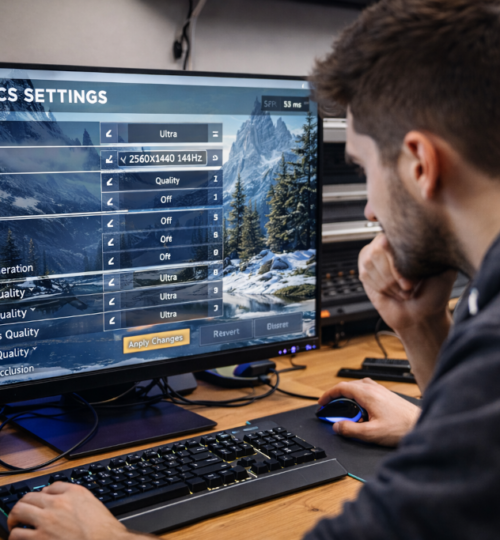
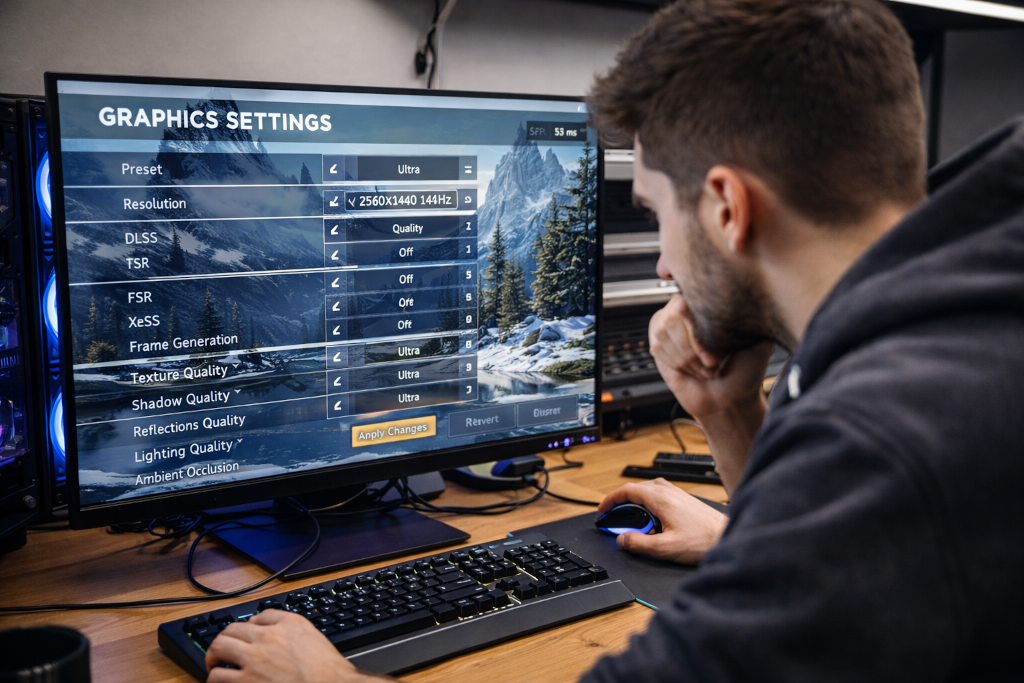
Modern PC gaming is in a strange place. Graphics look better than ever, but hardware demands have climbed faster than many players can reasonably upgrade. Even experienced PC gamers are feeling it. A new release drops, settings get pushed to “High” or “Ultra,” and suddenly frame rates fall off a cliff. This is where upscaling technologies like DLSS, FSR, and XeSS enter the conversation.
You have probably seen these acronyms in graphics menus or patch notes. You may have turned one on, noticed higher frame rates, and moved on without fully understanding what actually happened. Or maybe you tried one, saw visual artifacts, and swore them off entirely. The truth is more nuanced than either reaction.
These technologies are not magic. They are tools. When understood and used properly, they can extend the life of older hardware, make demanding games playable, and give players more control over performance without completely sacrificing image quality.
This article breaks down what DLSS, FSR, and XeSS actually do, how they differ, where they succeed, where they fail, and which situations they make the most sense for. No marketing hype. No blind loyalty to any vendor. Just how they work in practice.
The Core Problem They Are Trying to Solve
Rendering games at native resolution is expensive. A game running at 2560×1440 has to calculate nearly twice as many pixels as one running at 1920×1080. Jump to 4K and the workload explodes. Every effect layered on top of that, shadows, reflections, volumetrics, post processing, adds even more strain.
Upscaling flips the problem around. Instead of rendering fewer frames at full resolution, the game renders more frames at a lower internal resolution, then reconstructs the final image to match your display. The idea is simple. The execution is not.
Traditional upscaling methods like bilinear or bicubic scaling were fast but soft. Image quality took a clear hit. Modern upscalers try to recover lost detail using motion data, temporal information, and in some cases machine learning.
All three technologies discussed here exist to solve the same problem, but they approach it differently.
DLSS: The Neural Network Approach
DLSS, or Deep Learning Super Sampling, is developed by NVIDIA and is exclusive to RTX graphics cards. At its core, DLSS uses a trained neural network to reconstruct a higher resolution image from a lower resolution input.
The key detail is that DLSS relies on specialized hardware called Tensor Cores. These are dedicated AI processing units present on RTX GPUs. Without them, DLSS does not function.
How DLSS Actually Works
DLSS renders the game at a lower resolution, collects data such as motion vectors and depth information, and feeds that data into a trained neural network. The network predicts what the final image should look like at the target resolution.
Early versions of DLSS struggled. The first generation often produced blurry images, ghosting, or unstable fine detail. DLSS 2.x dramatically improved this by moving away from per game training and relying on a generalized model that could adapt to different titles.
DLSS 3 introduced frame generation, which is a separate feature that creates entirely new frames between real ones. While impressive, frame generation comes with caveats like increased latency and reliance on newer GPUs. For many players, DLSS Super Resolution remains the most relevant part.
Where DLSS Shines
DLSS performs best when the input resolution is reasonably high. Using DLSS Quality mode at 1440p or 4K often produces an image that is very close to native while delivering a substantial performance boost.
It is particularly effective in games with heavy ray tracing, where native rendering can be extremely expensive. In these scenarios, DLSS often makes the difference between a game being playable or not.
Where DLSS Falls Short
DLSS is locked to RTX hardware. If you are running an older NVIDIA card or anything from AMD or Intel, it is not an option.
Visual artifacts can still appear, especially in fast motion, transparent effects, or UI elements. Some players are sensitive to these issues, while others barely notice them.
Latency is another concern. DLSS itself does not inherently add much input lag, but when combined with frame generation, the experience can feel less responsive if not tuned carefully.
FSR: The Open and Flexible Option
FidelityFX Super Resolution, or FSR, is developed by AMD. Unlike DLSS, FSR does not rely on dedicated AI hardware and is designed to run on a wide range of GPUs, including NVIDIA and Intel cards.
This openness is one of FSR’s biggest strengths.
The Evolution of FSR
FSR 1 was a purely spatial upscaler. It took a lower resolution image and scaled it up using edge detection and sharpening. Performance gains were solid, but image quality often lagged behind DLSS, especially at lower resolutions.
FSR 2 changed the game by introducing temporal upscaling. It uses motion vectors and frame history to reconstruct detail over time. This brought FSR much closer to DLSS in terms of visual stability and sharpness.
FSR 3 added frame generation, similar in concept to DLSS 3, but implemented without proprietary hardware requirements. Adoption is still limited, and real world results vary widely by game.
Where FSR Excels
FSR’s biggest advantage is compatibility. It works on almost anything reasonably modern. That includes older GPUs that struggle with newer titles.
For players running mid range or aging hardware, FSR can be a lifeline. It allows demanding games to hit playable frame rates without forcing an immediate upgrade.
FSR also gives developers and players more freedom. Because it is not locked to a single vendor, it appears in more games and across more platforms.
Where FSR Struggles
FSR generally requires a higher input resolution to look good. Running FSR in Performance mode at 1080p can result in noticeable shimmering, loss of fine detail, and unstable edges.
Temporal artifacts can appear in motion, especially in foliage, particles, or fine geometry. Sharpening can help, but too much introduces its own problems.
FSR’s frame generation is promising but still inconsistent, and not all games implement it well.
XeSS: Intel’s Hybrid Strategy
XeSS, or Xe Super Sampling, is developed by Intel. It sits somewhere between DLSS and FSR in terms of philosophy.
XeSS supports two modes. One uses Intel’s XMX AI hardware found on Arc GPUs. The other runs on standard shader hardware, allowing it to work on non Intel GPUs.
How XeSS Positions Itself
When running on Intel Arc hardware with XMX support, XeSS behaves similarly to DLSS, using machine learning for reconstruction. On other GPUs, it falls back to a more traditional approach, closer to FSR.
This hybrid design aims to balance quality and compatibility.
Strengths of XeSS
XeSS can deliver excellent image quality on Intel Arc cards, often rivaling DLSS in supported titles. It also provides a viable option for non Intel users when DLSS is unavailable.
Because it is vendor neutral in its fallback mode, developers can include XeSS without excluding large portions of their audience.
Limitations of XeSS
Game support is still limited compared to DLSS and FSR. Intel’s GPU ecosystem is newer, and adoption takes time.
Performance and quality can vary depending on which mode is used. The shader based fallback is solid but does not always match the AI accelerated version.
Image Quality vs Performance: The Real Tradeoffs
No upscaler is free. Every option involves tradeoffs between sharpness, stability, and responsiveness.
Quality modes generally preserve more detail and are best used at higher resolutions. Performance modes provide bigger frame rate gains but can introduce artifacts that some players find distracting.
The type of game matters. Fast paced competitive titles often benefit less from aggressive upscaling because visual clarity and input responsiveness are critical. Slower paced or visually dense games tend to hide artifacts better and benefit more from these technologies.
Your tolerance matters too. Some players notice every shimmer. Others just want smoother gameplay.
When You Should Use Upscaling
Upscaling makes sense when native performance is not meeting your needs. If you are dipping below your target frame rate, experiencing stutter, or forced to lower multiple settings, an upscaler can be a smarter compromise.
It also makes sense when ray tracing is involved. Ray traced effects are expensive, and upscaling often offsets that cost effectively.
If you are already comfortably hitting your target frame rate at native resolution, there is little reason to enable upscaling unless you are experimenting.
When You Should Not
If you are playing competitive shooters where visual precision matters more than raw performance, native resolution may still be preferable.
If a game’s implementation is poor, with visible ghosting or instability, turning the feature off may provide a cleaner experience.
Upscaling should not be treated as a universal default. It is a situational tool.
The Bigger Picture for PC Gamers
DLSS, FSR, and XeSS are not just stopgap solutions. They reflect a broader shift in how games are rendered. As visual complexity increases, brute force rendering becomes less sustainable.
For players trying to stretch older hardware or balance performance and visuals, these technologies offer meaningful options. For developers, they provide flexibility in targeting a wide range of systems.
No single solution is best for everyone. DLSS often leads in raw image quality but is hardware locked. FSR offers unmatched compatibility. XeSS is evolving rapidly and could become a serious contender as Intel’s ecosystem matures.
The best choice depends on your GPU, the game you are playing, and what you value most when you sit down to play.
Understanding how these tools work lets you make that choice intentionally, instead of blindly flipping a switch and hoping for the best.
As PC gaming continues to evolve, smart compromises like these are becoming part of the experience. Used correctly, they keep games playable, hardware relevant, and players in control.