
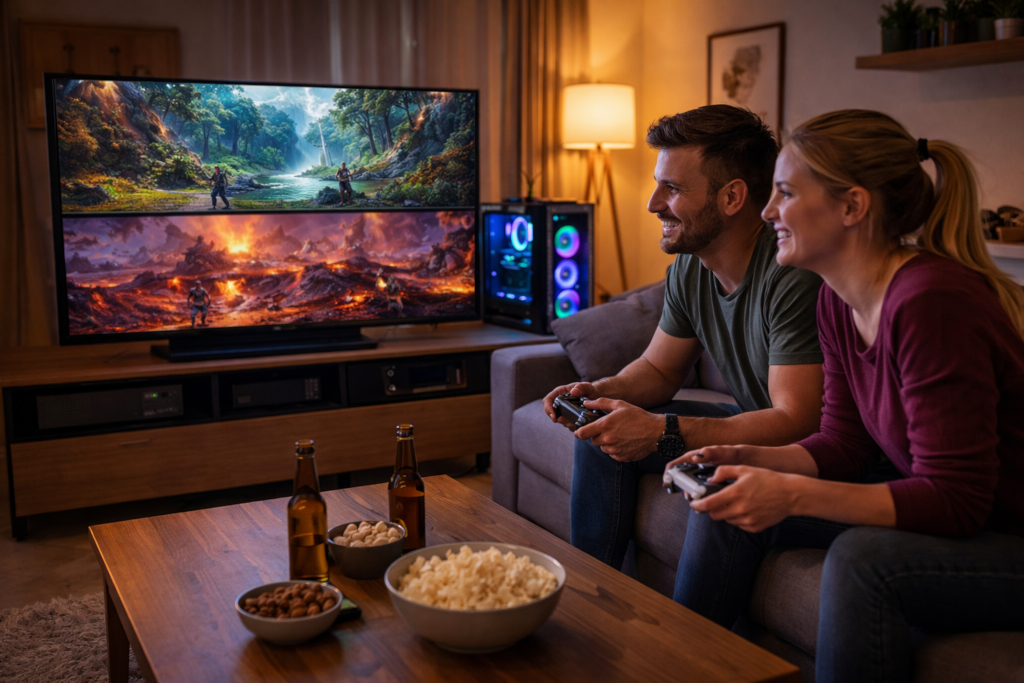
There is something timeless about couch co-op gaming. It is not just about playing a game. It is about sharing a space, reacting in real time, and turning a living room into a competitive or cooperative arena. While online multiplayer dominates much of modern gaming, local co-op continues to offer an experience that feels more immediate and personal.
A Home Theater PC, or HTPC, is one of the best ways to bring that experience back into focus. When set up correctly, an HTPC becomes more than a gaming system. It becomes the centerpiece of a living room, blending entertainment, performance, and flexibility in a way that consoles and traditional desktops cannot quite match.
This guide walks through how to build and configure an HTPC specifically for couch co-op gaming. The goal is not just performance, but comfort, accessibility, and reliability.
Understanding the Role of an HTPC
An HTPC sits somewhere between a gaming PC and a console. It is designed to live in your entertainment center, connect to a large display, and be controlled from a distance. Unlike a standard desktop setup, you are not sitting inches from a monitor with a keyboard and mouse. You are on a couch, often with multiple players, navigating menus with controllers.
That shift changes everything about how the system should be built.
You are optimizing for:
- Quiet operation in a shared space
- Controller friendly navigation
- Seamless switching between games and media
- Stable performance at resolutions suited for large displays
The end result should feel as close to a console experience as possible, but with the power and flexibility of a PC.
Choosing the Right Hardware
CPU and GPU Balance
For couch co-op, you are often rendering multiple characters, split screens, or physics heavy environments. A balanced system matters more than chasing extreme high end parts.
A mid to high range CPU with strong single core performance is ideal. Many co-op games are not heavily multi-threaded, so per-core speed still matters. Pair that with a GPU capable of consistent 60 FPS or higher at your target resolution.
If you are targeting a 4K TV, you do not necessarily need native 4K rendering. Technologies like upscaling or resolution scaling can help maintain smooth gameplay without pushing hardware too far.
RAM and Storage
16 GB of RAM is a practical baseline. It gives enough headroom for modern games, background processes, and media applications.
For storage, an NVMe SSD is almost mandatory. Fast load times matter more in a living room environment where interruptions break immersion. Consider a secondary larger SSD or HDD for storing a broader game library or media content.
Case and Cooling
The HTPC form factor matters. A large tower sitting next to a TV stand breaks immersion. Look for cases designed for horizontal placement or compact builds that blend with other home theater equipment.
Cooling should be efficient but quiet. Large, low RPM fans are often better than smaller, high speed ones. The goal is to keep the system nearly silent during gameplay and media playback.
Display Setup and Optimization
Resolution and Scaling
Most living room setups revolve around a 1080p or 4K television. The key is consistency rather than raw resolution.
If your system struggles to maintain smooth performance at 4K, it is better to run at 1440p or even 1080p with proper scaling than to deal with stuttering gameplay. Smoothness is far more noticeable on a large screen than minor resolution differences.
Refresh Rate Considerations
Many modern TVs support 60 Hz or higher refresh rates, with some reaching 120 Hz. If your hardware can support it, higher refresh rates can make gameplay feel significantly smoother, especially in fast paced co-op games.
Be sure to enable the correct refresh rate in your operating system and GPU control panel. TVs often default to lower refresh modes if not configured correctly.
Input Lag and Game Mode
Most TVs include a “Game Mode” that reduces input lag by disabling certain post processing effects. This is critical for co-op gaming, where timing and responsiveness matter.
Without it, even powerful hardware can feel sluggish.
Controller First Design
Choosing Controllers
For couch co-op, controllers are the primary input method. Compatibility and ease of use are key.
Popular options include:
- Xbox style controllers for native Windows support
- PlayStation controllers for flexibility and familiarity
- Third party controllers for budget setups
Wireless controllers reduce clutter and make it easier to manage multiple players.
Managing Multiple Controllers
An HTPC should be able to handle at least four controllers without issues. Bluetooth works for many setups, but a dedicated USB wireless adapter can provide more stable connections, especially in environments with interference.
Labeling controllers or assigning player slots can help avoid confusion during sessions.
Software That Makes It Feel Like a Console
Big Picture Interfaces
A traditional desktop interface is not ideal for couch use. You want a UI that can be navigated entirely with a controller.
Steam’s Big Picture Mode or similar full screen launchers provide a console like experience. They allow users to browse games, launch titles, and manage settings without needing a keyboard.
You can configure your HTPC to boot directly into this mode, creating a seamless startup experience.
Game Launchers and Libraries
One challenge with PC gaming is fragmentation across multiple launchers. Organizing your library into a single interface helps reduce friction.
Tools that aggregate games from different platforms into one menu can improve usability. The goal is to avoid jumping between multiple apps while players are waiting.
Optimizing for Couch Co-Op Games
Game Selection Matters
Not all PC games support local multiplayer. When building your HTPC library, focus on titles that are designed for shared play.
Look for:
- Split screen modes
- Local co-op campaigns
- Party style games
- Emulation of classic console titles where appropriate
Curating your library ensures that your HTPC delivers the experience it was built for.
Performance Stability
Consistency is more important than peak performance. Frame drops are more noticeable when multiple players are involved.
Lowering graphics settings slightly to maintain a stable frame rate is often the better choice. A smooth experience keeps everyone engaged and avoids frustration.
Audio and Atmosphere
Sound Setup
Audio plays a major role in immersion. A basic stereo setup works, but a surround sound system or soundbar can elevate the experience significantly.
Positioning speakers correctly ensures that all players can hear clearly, regardless of where they are sitting.
Lighting and Environment
The physical environment matters more than many expect. Soft lighting behind the TV or around the room can reduce eye strain during long sessions.
Comfortable seating arrangements that allow multiple players to see the screen clearly are just as important as the hardware itself.
Networking and Online Integration
Even though the focus is local co-op, online features still play a role. Many games include hybrid modes that combine local and online multiplayer.
A stable wired connection is always preferable for an HTPC. It ensures consistent performance for downloads, updates, and online features.
Wi-Fi can work, but it introduces variability that can affect the experience.
Maintenance and Long Term Reliability
Keeping the System Updated
Regular updates for drivers, the operating system, and game platforms help maintain compatibility and performance. However, automatic updates during gameplay sessions can be disruptive.
Scheduling updates during off hours keeps the system ready without interrupting use.
Managing Storage
As your game library grows, storage management becomes important. Removing unused titles or archiving them to secondary storage can keep your system running efficiently.
An organized library also makes it easier to find games quickly during sessions.
Bringing It All Together
An HTPC built for couch co-op is not just about specifications. It is about creating an experience that feels effortless. Players should be able to sit down, pick up a controller, and jump into a game within seconds.
That requires thoughtful decisions at every level, from hardware and software to room layout and controller management.
When everything comes together, the result is something unique. It is a system that blends the openness of PC gaming with the accessibility of a console, while bringing back a style of play that many players still value deeply.
Couch co-op is not a relic of the past. It is an experience waiting to be rediscovered, and the right HTPC setup can make it feel better than ever.