
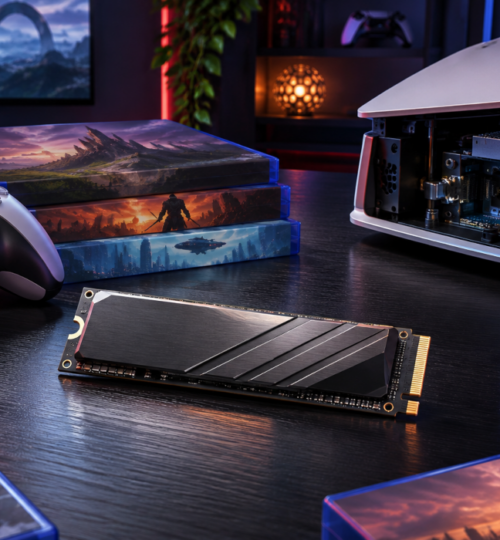

A 2TB SSD sounds generous until several multiplayer games, a handful of major single-player releases, and their updates begin competing for the same space. Consoles can launch games faster than ever, yet players who move regularly between titles still face a familiar choice: delete something, transfer it elsewhere, or buy more storage. Larger built-in drives have eased that pressure without making it disappear.
The PlayStation 5 Pro and the 2TB Xbox Series X offer considerably more room than many earlier configurations. For players who finish one game before installing the next, that may be plenty. The calculation changes for people who maintain a standing library for ranked matches, scheduled community events, and occasional sessions with friends, especially when the next large release arrives before anything in the existing rotation can be removed.
A 2TB Label Is Not 2TB of Available Game Space
Sony launched the PS5 Pro with a 2TB SSD in November 2024. Microsoft also offered the 2TB Xbox Series X Galaxy Black Special Edition, which doubled the advertised capacity of the original 1TB Series X. These configurations marked a useful improvement over smaller internal drives, but neither gives owners the full advertised capacity for game installations.
Manufacturers generally specify storage in decimal units, while software may display capacity using binary measurements. Two trillion bytes amount to approximately 1.82 tebibytes before system files and reserved storage are taken into account. The usable figure therefore differs from the number on the box, and it can vary by console model and system software.
A hypothetical library shows how quickly the remaining space can go. Ten games averaging 150GB apiece, plus four smaller games averaging 80GB, total 1.82TB in decimal units. That example is not a claim about typical game sizes, but it leaves just 180GB of the advertised 2TB before system reservations, captures, or other content. One new release or a few substantial installations could force a decision about what stays.
Game Size Depends on More Than Visual Fidelity
Detailed textures, extensive audio, cinematic sequences, and large environments all consume storage. Some games also package multiple modes or language files that a particular player may never use. The final installation size reflects the developer’s choices about compression, file organization, optional content, and the amount of data shipped with the game.
Faster SSDs do not automatically produce larger installations. When Forza Horizon 5 was preparing for launch in 2021, its official preload announcement listed 103GB for Xbox Series X|S and 116GB for Xbox One. Playground Games explained that faster asset streaming on the newer consoles helped reduce the installation footprint. Those figures describe the launch build, not the game’s current size, but they provide a clear example of storage efficiency improving with newer hardware.
Older hard-drive-based systems sometimes benefited from duplicating assets to reduce mechanical seek delays. SSDs remove much of that constraint, giving developers more flexibility in how they arrange and retrieve files. Modern compression techniques can also reduce the data stored on disk, though their effectiveness varies with the content and engine.
At the same time, high-speed storage supports rapid access to more detailed assets, and production budgets can allow teams to create much larger collections of them. One game may use aggressive compression and optional downloads, while another ships most of its content as a single package. Treating every AAA release as a 150GB installation would be misleading; the problem is the combined footprint of the specific games a player wants available at once.
Live-Service Updates Complicate the Calculation
A finished single-player campaign may remain installed for years with relatively few changes. A live-service game can receive new maps, events, weapons, and revised assets throughout its lifespan. Its footprint may rise or fall as developers add content, remove older files, and reorganize packages, leaving players with less predictable storage needs.
Call of Duty illustrates the value of separating game components. Activision’s content-management instructions describe how players can install or remove selected titles and modes, along with options for on-demand texture streaming. Someone who plays only certain modes may be able to reclaim space without deleting the entire collection.
Patch download sizes deserve careful interpretation. A 40GB update does not necessarily make an installation 40GB larger, because the download may replace existing files rather than simply add to them. Depending on the platform and update method, installing a patch may nevertheless require temporary working space. A drive pushed close to capacity can make routine maintenance inconvenient even when the final updated game would fit.
Texture streaming shifts part of the storage burden to the network. It can reduce the amount of high-quality texture data held permanently on the console, but performance and data usage depend on the game’s implementation and the player’s connection. For households with bandwidth caps or unreliable service, accepting a larger local installation may be preferable when the game provides that option.
Competitive Players Keep Games Installed for Different Reasons
The easiest library to manage belongs to someone who plays one title at a time. Multiplayer communities rarely operate on that schedule. A player might keep Street Fighter 6 ready for ranked sets, Gran Turismo 7 for league races, Tekken 8 for occasional tournaments, and a current Call of Duty release for sessions with friends. Each title can remain relevant even during weeks when it is barely touched.
Organized events add a practical reason to preserve installations. A team may schedule practice on short notice, or a community may return to a game that has been inactive for several weeks. If a participant deleted it to free space, reinstalling the game and downloading accumulated updates becomes a barrier to joining the session. That inconvenience matters more when the player has a limited connection or a fixed match time.
Subscriptions can make the library harder to contain. Xbox Game Pass and eligible PlayStation Plus tiers provide access to downloadable catalogs, reducing the need to commit to a separate purchase before trying a game. Discovering several worthwhile titles in succession is easy; finding enough space to keep them all available is another matter. The issue comes from having more appealing options than a single drive can comfortably hold.
Competitive play also favors predictability. Nobody wants to discover shortly before a scheduled event that a required game has been moved off playable storage or that its latest update cannot install. For players rotating among several communities, some unused capacity is effectively a reserve for the next patch or unexpected invitation.
Physical Discs Usually Don’t Save SSD Space
Buying a disc does not generally bypass the installation requirement for modern PlayStation and Xbox games. Gameplay files are installed locally, while the disc commonly supplies installation data and serves as proof of ownership. Some releases also require substantial downloads, so the amount of data available on the disc varies.
Physical editions can still be useful for resale, lending where supported, and reducing part of an initial download. Their advantages should not be confused with lower SSD usage, however. A large game purchased on disc can occupy much the same installed space as its digital counterpart, and subsequent updates still need room.
PS5 and Xbox Offer Different Expansion Paths
For PS5 owners, a compatible internal M.2 NVMe SSD is the most flexible way to add playable storage. Sony’s installation and compatibility guidance specifies PCIe Gen4 x4 support, capacities from 250GB to 8TB, and effective heat dissipation. A sequential read speed of at least 5,500MB/s is recommended, and physical dimensions matter because the drive must fit inside the console.
Once installed, supported M.2 storage can hold and launch PS5 games directly. Owners can choose among many drives rather than relying on one proprietary card format, although they must check compatibility and cooling before purchase. Sony also cautions that performance may differ from the built-in SSD in some games, even when an expansion drive meets the stated speed recommendation.
Xbox Series X|S uses dedicated Storage Expansion Cards for equivalent high-speed capacity. Microsoft’s explanation of the Xbox storage architecture describes how compatible cards extend the console’s playable SSD storage with performance designed to match its internal drive. The cards are easy to connect and require no internal installation, but the dedicated interface means fewer choices than the broad PC-style M.2 market available to PS5 owners.
Standard external USB drives occupy a different category. A PS5 can store native PS5 games on USB storage but must copy them back to console storage or a compatible M.2 drive before they can run; supported PS4 games can play directly from USB. On Xbox Series X|S, most optimized games require the internal SSD or a compatible expansion card, while many backward-compatible games can run from USB. Players should confirm the requirements of individual titles rather than assume every game carrying a newer-console label behaves identically.
USB storage remains useful even when it cannot launch the newest games. A spacious external hard drive can hold infrequently played installations, allowing players to transfer them back later without downloading everything again. That makes it an inexpensive archive rather than a full substitute for SSD expansion.
Connection Speed Determines Whether Deleting Games Is Practical
For players with fast, uncapped internet, reinstalling a game may be an acceptable alternative to buying another drive. Under ideal conditions, downloading 100GB at a sustained 100Mbps takes roughly two hours and thirteen minutes. At 25Mbps, the same transfer takes nearly nine hours, before accounting for network overhead, server limitations, and installation time.
The difference changes how players value local storage. Someone who can replace a deleted game during an afternoon may tolerate frequent library changes, while another player could lose the better part of a day preparing for a match. Repeated downloads can also be costly for households with data limits, regardless of the speed advertised by their internet provider.
Moving a stored installation from USB back to playable SSD storage can be faster than downloading it again, depending on the external drive and connection. Cloud gaming offers another route for supported titles, but it trades local installation for a continuing dependence on network quality and service availability. Input responsiveness and consistency remain especially relevant for competitive matches, where streaming may not meet a player’s expectations.
Better Storage Management Starts With the Actual Play Rotation
A sensible arrangement puts frequently played multiplayer titles and demanding current-generation games on playable SSD storage. Completed campaigns and seldom-used games are stronger candidates for removal or archival storage, while compatible older games can remain on USB drives. The best division depends on what a player returns to regularly, not simply on which game occupies the most space.
It is also worth checking whether a game offers selective installations. Removing an unused campaign, language package, or optional mode can free space without disturbing the multiplayer component a player needs. Keeping some headroom for updates is similarly useful, although no fixed free-space percentage works for every platform and game.
Expansion purchases should follow that assessment. A player whose library is mostly completed single-player releases may gain enough breathing room through archiving, while someone participating in several active leagues may have a stronger case for another high-speed SSD. Comparing capacity, compatibility, and cost per terabyte matters more than buying the largest drive available.
Developers Have Room to Reduce the Pressure
Better storage hardware solves only part of the problem. Developers control whether games install unused modes by default, how patches replace existing files, and whether players can remove older or optional content without compromising the features they use. Those choices shape the experience of managing a console library long after a game’s launch.
Modular installation can be particularly valuable for long-running multiplayer games. If a player needs current competitive maps and shared assets but never opens the campaign, the ability to leave that campaign uninstalled can preserve space for another active title. Clear reporting of component sizes and temporary update requirements would also help players plan downloads without discovering storage shortages halfway through the process.
More capable compression and asset-streaming systems may continue to reduce some installation footprints, although they cannot eliminate the cost of storing increasingly elaborate game content. For a player keeping multiple competitive titles ready throughout the year, a well-organized installation with genuinely optional components can be as valuable as another increase in a console’s advertised SSD capacity.