
Disclaimer: The views and opinions expressed in this article are solely those of the author. The mention of any products, services, or methods does not constitute an endorsement.
For years, PC gamers treated the power supply as the boring box at the bottom of the case. It mattered, sure, but it rarely got the same attention as the graphics card, CPU, monitor, or cooling setup. That mindset is getting harder to defend in the RTX 50-series era.
NVIDIA’s Blackwell-based GeForce cards have pushed the conversation back toward power delivery, not because every card is impossible to run, but because the upper end of the stack asks more from a system than raw wattage alone. The RTX 5090 user guide lists a 1000 W minimum system power supply, along with either four independent PCIe 8-pin cables through NVIDIA’s adapter or one 600 W or greater PCIe Gen 5 16-pin cable. The RTX 5080 guide lists an 850 W minimum, with either three independent PCIe 8-pin cables through the adapter or one 450 W or greater PCIe Gen 5 16-pin cable. Even the RTX 5070 Founders Edition guide calls for a 650 W minimum, with either two independent PCIe 8-pin cables or one 360 W or greater 16-pin cable.
That tells us something important: modern GPU power is not just a question of “Do I have enough watts?” It is now also about connector quality, cable routing, transient response, and whether the PSU was built for the behavior of current high-end graphics cards.
What ATX 3.1 Actually Means for Gamers
ATX 3.1 is the newer desktop power supply design guidance associated with modern PCIe graphics power delivery. For builders, the practical headline is support for the updated 12V-2×6 connector and the PCIe CEM 5.1-era approach to GPU power signaling. Intel’s ATX power supply design guide revision history notes updates tied to PCIe CEM 5.1, including updated power excursion limits and current values for different 12V-2×6 power levels.
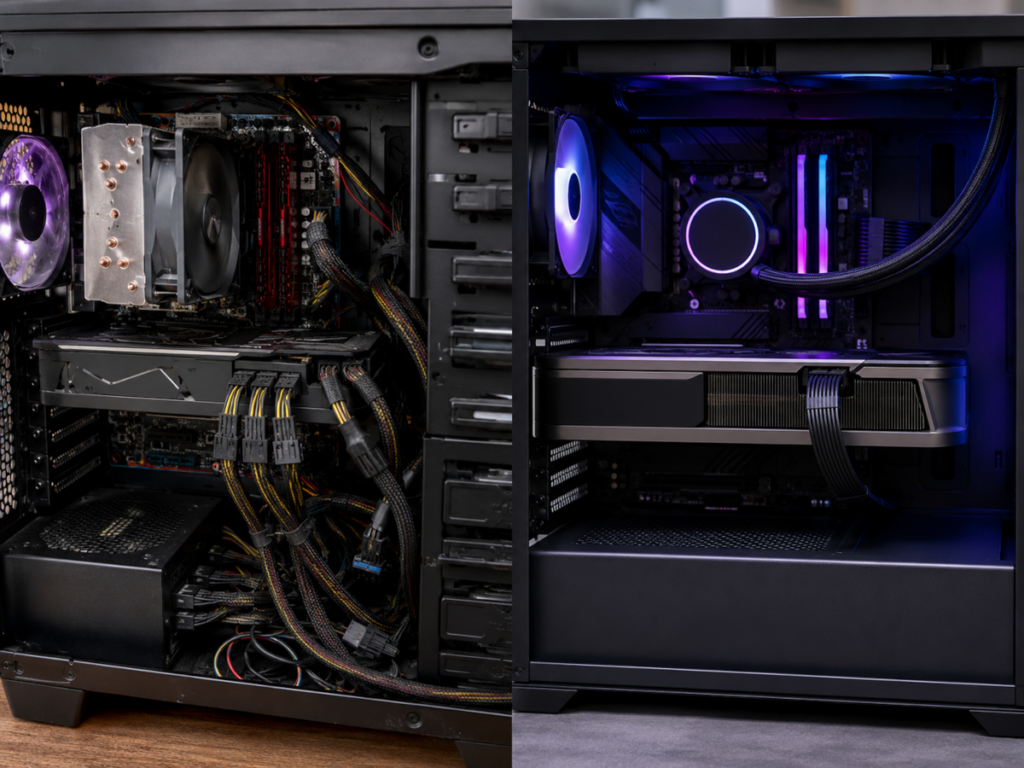
In plain gamer English, ATX 3.1 is meant to make high-power GPU builds cleaner, safer, and better prepared for sudden changes in power draw. Instead of feeding a flagship GPU with three or four separate 8-pin PCIe cables and a bulky adapter, an ATX 3.1 PSU can provide a native 16-pin cable designed around modern graphics cards.
That does not mean every older PSU instantly becomes junk. A good ATX 3.0 unit, or even a strong older PSU with the correct dedicated cables, may still work depending on the card, the total system load, and the manufacturer’s guidance. But if you are building fresh around an RTX 5080 or RTX 5090, ATX 3.1 gives you a cleaner starting point.
The difference is not just convenience. It is about reducing the number of potential weak points between the PSU and the GPU. Fewer adapters, fewer cable bundles, and clearer power signaling can make a build easier to manage and easier to inspect.
The 12V-2×6 Connector: Small Plug, Big Responsibility
The 12V-2×6 connector is the revised version of the controversial 16-pin GPU power connector family. It can deliver high wattage through a single cable, but because that much current is moving through one compact connection, proper seating matters. A slightly loose connector is not a tiny cosmetic issue. It can become a heat issue.
Intel’s documentation describes the 12V-2×6 connector as carrying four sideband signals between the power supply and PCIe card: SENSE0, SENSE1, CARD_PWR_STABLE, and CARD_CBL_PRES#. These signals help communicate power availability and cable status between the PSU and GPU.
The physical connector was also revised from the original 12VHPWR design. Corsair’s technical explainer notes that 12V-2×6 uses shorter sensing pins and slightly longer conductor terminals compared with the original 12VHPWR connector, a change meant to help ensure the connector is properly inserted before the GPU is allowed to pull its intended power level.
That design improvement matters, but it does not remove the builder’s responsibility. You still need to fully seat the connector. You still need to avoid harsh bends near the plug. You still need to use the correct cable for your PSU. You still need to check the connector after installation instead of assuming “it clicked, so it is fine.”
For veteran PC builders, this is a shift in muscle memory. The old 6-pin and 8-pin PCIe connectors were chunky, obvious, and forgiving. The new 16-pin ecosystem is more compact and more elegant, but it rewards careful installation.
Peak Demands Are the Real Story
A power supply does not only deal with average load. Gaming workloads spike. Ray tracing workloads spike. AI-assisted rendering workloads spike. Menus, loading screens, shader compilation, benchmark transitions, alt-tabbing, and sudden GPU boost behavior can all produce momentary swings. That is why “my GPU only uses X watts most of the time” does not tell the whole story.
ATX 3.x power supplies are designed with GPU power excursions in mind. These are short bursts where the GPU may demand more power than its steady-state average. A system that looks fine on paper can still become unstable if the PSU cannot respond cleanly to those spikes.
This is especially important for RTX 50-series cards because the high-end models sit in a zone where the GPU alone can represent a massive share of the system’s power budget. The RTX 5090’s official 1000 W minimum PSU guidance and 600 W 16-pin cable support make it clear that NVIDIA expects builders to treat power delivery as a core part of the platform, not an afterthought.
For competitive gamers, unstable power delivery can show up in ways that feel like everything except the PSU. Random black screens. Driver crashes. Sudden reboots. Game crashes under heavy load. Benchmark passes one day and fails the next. A match runs fine for twenty minutes, then crashes during a heavy scene. Before blaming Windows, drivers, anti-cheat, or the game engine, the PSU and GPU cable path deserve a real inspection.
Wattage Recommendations: Where the RTX 50-Series Lands
The practical buying conversation starts with NVIDIA’s minimums, then moves into headroom.
For an RTX 5070-class build, NVIDIA lists a 650 W minimum for the Founders Edition RTX 5070, with support for either two independent 8-pin PCIe cables through the adapter or a 360 W or greater PCIe Gen 5 16-pin cable. That makes a quality 650 W to 750 W PSU realistic for many balanced systems, especially with a mainstream CPU.
For an RTX 5080 build, NVIDIA lists 850 W minimum power, with either three independent 8-pin PCIe cables through the adapter or a 450 W or greater PCIe Gen 5 16-pin cable. That puts 850 W in the sensible baseline category, while 1000 W becomes attractive for builders running power-hungry CPUs, lots of drives, heavy cooling, or overclocking.
For an RTX 5090 build, the official minimum is 1000 W, and the card supports a 600 W or greater PCIe Gen 5 16-pin cable. This is where many serious builders should think beyond the minimum. A high-quality 1000 W ATX 3.1 unit can be enough for a well-balanced system, but 1200 W or higher starts to make sense for enthusiast CPUs, overclocking, custom loops, lots of peripherals, or anyone who wants quieter PSU fan behavior under load.
The key phrase is “high quality.” A cheap 1000 W PSU is not automatically safer than an excellent 850 W PSU in a lower-power build. Efficiency rating, platform quality, protection circuits, cable design, warranty, brand reputation, and independent testing all matter.
Native Cable vs Adapter: Which Should You Use?
For a new RTX 50-series build, a native 12V-2×6 cable from a reputable ATX 3.1 PSU is the cleanest route. It reduces cable clutter and avoids the bulky multi-8-pin adapter hanging off the GPU. That is valuable in modern cases where large graphics cards, glass side panels, vertical GPU mounts, and tight cable clearance can all collide.
Adapters are not automatically unsafe. NVIDIA’s own Founders Edition guides include adapter instructions and specify the required number of independent 8-pin PCIe cables for each card class. The RTX 5090 guide, for example, says to connect at least four independent dedicated 8-pin PCIe cables from the system power supply to the adapter. It also recommends plugging the dongle into the graphics card first to ensure it is firmly and evenly plugged in before installing the card into the motherboard.
That “independent dedicated cables” detail is critical. Do not treat one daisy-chained cable with multiple plugs like it is the same thing as multiple separate cables from the PSU. For high-end GPUs, each required 8-pin line should be a dedicated cable unless the PSU and GPU manufacturer explicitly state otherwise.
Also, never mix modular PSU cables between brands or even between different models from the same brand unless the manufacturer confirms compatibility. The GPU-side connector may look standardized, but the PSU-side pinout is not universally interchangeable. That is how expensive hardware gets cooked.
The Connector Safety Conversation Is Not Over
The move from 12VHPWR to 12V-2×6 was supposed to address some of the concerns that emerged during the RTX 4090 generation. The revised connector helps, but real-world reports have kept the issue alive. Publications have reported RTX 5090 connector melting cases, and more recent coverage has also focused on monitoring technologies and cable design changes intended to detect abnormal current or prevent overheating.
The fair takeaway is not panic. It is discipline.
Make sure the connector is fully inserted and seated flush. Avoid sharp bends right at the GPU socket. Give the cable enough room before it curves toward the side panel. Avoid forcing angled adapters or third-party cables into tight spaces where the connector cannot seat evenly. If the side panel presses against the cable, rethink the routing.
Also, inspect the connection after moving the PC. A system that was safe on the bench can become questionable after shipping, cleaning, upgrading, or dragging the tower out from under a desk.
What Competitive Players Should Care About
For a casual single-player build, a crash is annoying. For a competitive player, a crash can cost a scrim, a tournament round, a broadcast segment, or a team practice night. Power stability is part of competitive readiness.
The same goes for community organizers, streamers, and league admins. A machine used for capture, streaming, observing, editing, or running production tools may have more than a GPU under load. OBS, browser sources, Discord alternatives, capture cards, storage writes, overlays, replay buffers, and local recording can stack on top of the game itself. That makes PSU headroom more than a bragging point.
In the old ladder days, the dream upgrade was often a faster GPU and a better ping. In today’s ecosystem, the “reliable rig” is a full platform. GPU, CPU, PSU, cooling, storage, drivers, cables, and monitoring all matter. The player with a stable system has one less enemy on match night.
Buying Advice: The Practical Checklist
When shopping for an RTX 50-series-ready PSU, start with the GPU manufacturer’s minimum wattage, then add realistic headroom for your CPU and usage. Look for ATX 3.1 support, a native 12V-2×6 cable rated for the power level your GPU requires, strong 12 V rail capability, and reputable independent reviews.
For RTX 5070-class builds, a good 650 W to 750 W unit may be enough. For RTX 5080, treat 850 W as the real floor and consider 1000 W if the rest of the system is high end. For RTX 5090, 1000 W is the official minimum, but 1200 W to 1600 W can be reasonable for enthusiast builds depending on CPU, cooling, overclocking, and future upgrade plans.
Do not buy purely by wattage. Buy by platform quality. A PSU is one of the few components that can protect or endanger everything else in the build.
Final Word: Future-Proofing Means Power-Proofing
The RTX 50-series generation has made one thing obvious: the power supply is no longer a background part. It is part of the performance platform. ATX 3.1 does not magically make every build safer, faster, or more stable, but it gives modern rigs the right foundation for high-power GPUs, cleaner cabling, and better handling of peak demands.
For anyone reviving an old battle station or building a new competitive machine, the rule is simple. Do not spend flagship money on a GPU and then gamble on the one component feeding it power. The PSU is not where the highlight reel happens, but when it fails, it becomes the whole story.
In the RTX 50-series era, readying your rig means more than checking benchmarks. It means checking the cable, the connector, the wattage, the standard, and the headroom. That is not boring. That is how you keep the match going.