Disclaimer: The views and opinions expressed in this article are solely those of the author. The mention of any products, services, or methods does not constitute an endorsement.
Console streaming used to feel like a strange technical side quest. Back in the early online multiplayer era, the serious competitive player needed a mess of cables, adapters, splitters, software, and patience just to show gameplay to an audience. Today, going live from a console can be as simple as pressing a button, linking an account, and talking into a headset.
That convenience matters. For a revived competitive community with roots going back to 2004, easy broadcasting lowers the barrier for match coverage, casual scrims, ladder challenges, tournament warmups, and community nights. A player who would never build a full creator setup might still stream a ranked match directly from a console. That kind of visibility helps communities feel alive again.
But 2026 has also made the divide clearer than ever: native broadcasting is great for speed, while capture cards are still the serious tool for control, quality, branding, and long-term content creation.
Native Broadcasting Is the Fastest Path to Going Live
Native console broadcasting is built for the player who wants to stream without turning the room into a production studio. On PlayStation 5, players can broadcast directly by linking a YouTube or Twitch account, pressing the Create button, choosing Broadcast, selecting the streaming service, and going live. PS5 also supports options like microphone audio, party audio, camera placement, viewer comment overlays, and chat-to-speech for supported languages.
Xbox also supports direct live streaming through the console’s capture and share workflow. Twitch’s own Xbox help page notes that the Twitch app on Xbox is for viewing only, while broadcasting uses native Xbox streaming or cloud broadcasting services.
For players, that simplicity is powerful. You do not need a gaming PC. You do not need OBS. You do not need a capture card. You do not need to think about HDMI 2.1 passthrough, audio routing, scene collections, or encoder settings. You just start the stream and play.
That is the biggest argument for native broadcasting in 2026: it makes streaming feel like part of the console, not a separate hobby. For community events, casual tournament check-ins, quick post-match reactions, or spontaneous public lobbies, native streaming is often good enough.
The Tradeoff: Native Streaming Still Feels Barebones
The downside is that “good enough” can become limiting fast. Native broadcasting usually gives players basic control over title, destination, camera, microphone, party chat, and simple overlays. That is fine when the goal is raw gameplay. But once a player or league wants professional presentation, the limits show up immediately.
A native stream generally cannot match a PC-based OBS scene with a custom scoreboard, animated transitions, sponsor panels, multiple cameras, instant replay tools, music routing, browser overlays, custom alerts, lower thirds, or separate audio tracks. For a legacy esports community, those details matter. A tournament stream is not just gameplay. It is identity, structure, history, and presentation.
A direct console stream can show the match. A capture-card setup can make the match feel like an event. That difference matters even more for communities trying to rebuild momentum. A ladder match streamed from a console is useful. A ladder match streamed with player names, team logos, division graphics, commentary audio, and a clean intro screen feels like organized competition.
Capture Cards Still Own the Serious Production Lane
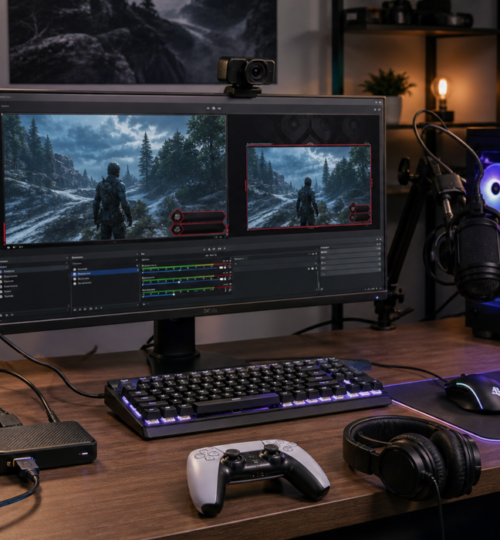
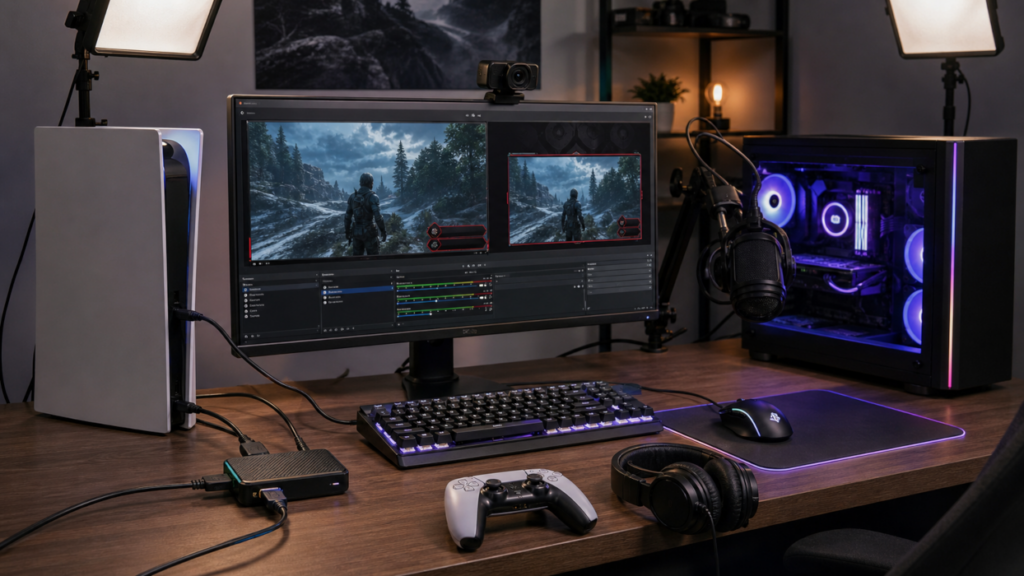
A capture card sits between the console and the display, taking the HDMI signal from the console and sending it to a PC, Mac, or supported device for recording or streaming. From there, software like OBS Studio can capture the device, combine it with other sources, and send the final production to Twitch, YouTube, or another platform.
OBS describes its Video Capture Device source as supporting devices such as webcams and capture cards, while its console capture FAQ states that using console footage in OBS requires either a game capture device or another supported capture method. OBS is also free, open-source software for video recording and live streaming on Windows, macOS, and Linux.
That opens the door to real production work. With a capture card and OBS, a console player can build scenes for starting soon screens, match overlays, live commentary, team introductions, sponsor reads, stream breaks, replays, and post-match analysis. They can also record a high-quality local file while streaming a compressed version online.
This is where capture cards remain the better choice in 2026. They are not just about getting the video out of the console. They are about taking ownership of the broadcast.
HDMI 2.1 Changed the Capture Card Conversation
A few years ago, many capture cards were judged mainly by whether they could handle 1080p60 or 4K60. In 2026, the conversation is more complicated because modern consoles and displays push higher refresh rates, VRR, HDR, and 1440p workflows.
The Elgato 4K X, for example, supports HDMI 2.1 input and output, USB 3.2 Gen 2, passthrough up to 2160p144, 1440p240, 1080p240, VRR, and HDR. It can capture up to 2160p144, 2160p30 HDR, 1440p144, 1440p60 HDR, and 1080p240, with support for PS5, Xbox Series X|S, Xbox One, Nintendo Switch, PC, and other unencrypted HDMI sources.
AVerMedia’s Live Gamer Ultra 2.1 similarly targets modern HDMI 2.1 workflows, listing passthrough up to 2160p144 HDR and VRR, 1440p240 HDR and VRR, and 1080p360 HDR and VRR, with capture up to 2160p144 on Windows and 2160p60 on macOS.
That matters because competitive players do not want their stream setup to make the game feel worse. A capture card with weak passthrough can become a bottleneck. If a player has a 120 Hz or 144 Hz display, VRR support, HDR, or 1440p output, buying the wrong card can force compromises.
For competitive console players, passthrough is as important as capture quality. The stream can be 1080p60, but the player should still be able to play on the display settings they prefer.
Native Broadcasting Is Best for Accessibility
Native broadcasting wins when the goal is participation. For a revived gaming league, this matters more than people sometimes admit. Not every player wants to be a creator. Not every team captain has a spare PC. Not every old-school competitor wants to troubleshoot audio delay or USB bandwidth. Native streaming lets more people contribute footage, host quick community streams, or document matches without needing a full setup.
The best use cases for native broadcasting are simple and practical:
- A player wants to stream a ladder match from PS5 to Twitch.
- A community member wants to show a scrim without overlays.
- A console gamer wants to test whether streaming is even enjoyable.
- A tournament organizer wants players to provide live proof-of-play or VOD evidence.
- A casual team wants to hang out with viewers while playing.
For these situations, native broadcasting is not the cheap option. It is the low-friction option. That distinction matters. The best stream setup is the one a player will actually use.
Capture Cards Are Best for League Identity
Capture cards win when the goal is presentation, consistency, and reusable content.
A competitive community is more than a stream title and gameplay feed. It has history. It has rivalries. It has names people remember. It has match records, brackets, teams, divisions, champions, and old stories that deserve better than a bare console broadcast.
With a capture card and OBS, a league can create a broadcast package that looks consistent across games. Even if the match is on PS5 one night, Xbox the next, and Switch 2 later in the week, the stream can still carry the same identity: same intro, same community logo, same lower thirds, same scoreboard style, same caster layout.
Nintendo Switch 2 makes the capture-card conversation especially relevant. The console supports HDMI output in TV mode up to 4K at 60 fps, supports 120 fps at 1080p and 1440p, and supports HDR10, but Nintendo’s current feature set centers on console play, GameChat, and screen sharing among friends rather than native public Twitch or YouTube broadcasting.
For Switch and Switch 2 content creators, a capture card remains the practical route for public live streaming and production. For multi-platform leagues, that means a capture card setup is still the universal solution.
Quality Is Not Just Resolution
One trap in the streaming debate is thinking only in resolution. A stream is not automatically better because it says 4K. Bitrate, encoder quality, motion clarity, platform limits, network stability, and viewer device all matter.
Twitch’s broadcasting guidance describes 1080p60 as Full HD and notes that higher resolution and higher frame rate require higher bitrate. Twitch also offers Enhanced Broadcasting with multiple encodes, where renditions can vary from 6 Mbps down to much lower bitrates for smaller versions.
YouTube’s live encoder guidance supports much higher bitrate targets than many Twitch workflows, including recommended ranges for 1080p60, 1440p60, and 4K60 depending on codec.
This is where capture cards become valuable beyond simple live streaming. If a player streams at 1080p60 but records locally at a higher bitrate, the final edited YouTube video, highlight reel, or tournament recap can look much cleaner than the live version. Native broadcasting usually does not give that same level of recording control.
For communities trying to create lasting archives, this matters. A live stream is temporary. A clean recording can become a highlight, promo clip, match archive, tutorial, recruitment post, or historical record.
Audio Is Often the Real Deciding Factor
Video quality gets the attention, but audio usually separates amateur streams from watchable streams. Native broadcasting can handle headset microphones and party chat, but it can be awkward when you need more control. Maybe you want caster audio separate from game audio.
Maybe you want Discord commentary instead of console party chat. Maybe you want music before the match, but not during gameplay. Maybe you want to record clean voice tracks for later editing.
A capture-card setup gives more flexibility because everything can be routed through the streaming PC. OBS scenes can include different microphones, audio filters, game capture, browser alerts, music sources, and separate monitoring. For a solo streamer, that may be overkill. For a league broadcast, it is the difference between “we are live” and “we are producing a show.”
For esports, commentary is not decoration. It is how viewers understand stakes, rivalries, momentum, and storylines. If audio is messy, the match feels smaller than it is.
Cost Still Matters
Native broadcasting is effectively free if the player already owns the console, game, headset, and internet connection. That makes it perfect for beginners and community participation.
Capture-card setups vary widely. A basic HDMI capture card can be inexpensive, but serious console streaming in 2026 often pushes people toward higher-quality USB 3.2 or PCIe devices with HDMI 2.1 passthrough, VRR support, HDR handling, and reliable driver support. Then there is the cost of the streaming PC, microphone, camera, lights, cables, USB ports, and possibly a Stream Deck or audio interface.
- That does not mean everyone needs the expensive route. A smart community can use both approaches:
- Players stream natively for casual activity, match proof, and personal channels.
- League staff or dedicated casters use capture cards for official broadcasts.
That hybrid model is probably the healthiest path. It avoids turning every player into a technician while still allowing major matches to look polished.
The Best Choice in 2026 Depends on the Job
For casual players, native broadcasting is the answer. It is quick, simple, and built into the console experience. It helps players share more matches with less setup.
For aspiring creators, a capture card becomes worth it once they care about overlays, camera layouts, audio control, local recording, multi-platform workflows, or better production polish.
For competitive teams, native streaming is useful for scrims and quick visibility, but capture cards are stronger for analysis, coaching, recruitment clips, and higher-quality VODs.
For leagues, capture cards are still the better foundation for official broadcasts. They create consistency, polish, and archival value across platforms.
Final Verdict: Native for Participation, Capture Cards for Legacy
The real answer is not that capture cards beat native broadcasting, or native broadcasting makes capture cards obsolete. The two tools serve different layers of the modern console ecosystem.
Native broadcasting is the doorway. It gets more players live. It makes community activity visible. It removes the technical wall that used to keep console players from sharing their matches.
Capture cards are the production booth. They give serious streamers, teams, and leagues the tools to shape a broadcast instead of merely sending gameplay to a platform.
For a legacy esports community, that distinction is everything. The casual console stream keeps the lights on during the week. The polished capture-card broadcast turns a match into a memory.
In 2026, the smartest communities will not force one answer. They will use native broadcasting to grow participation and capture cards to preserve the moments worth remembering.