
The Glow-Up Era of Gaming Hardware
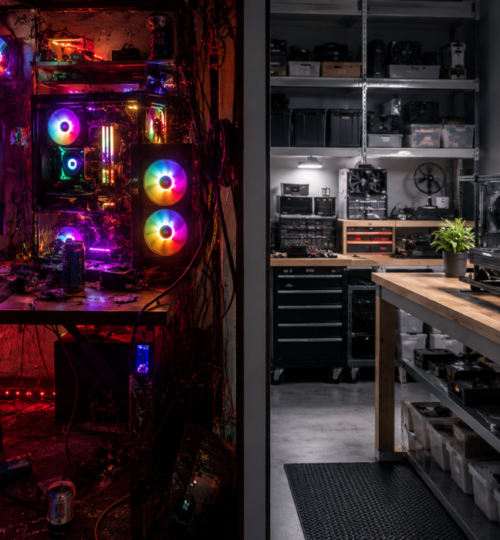
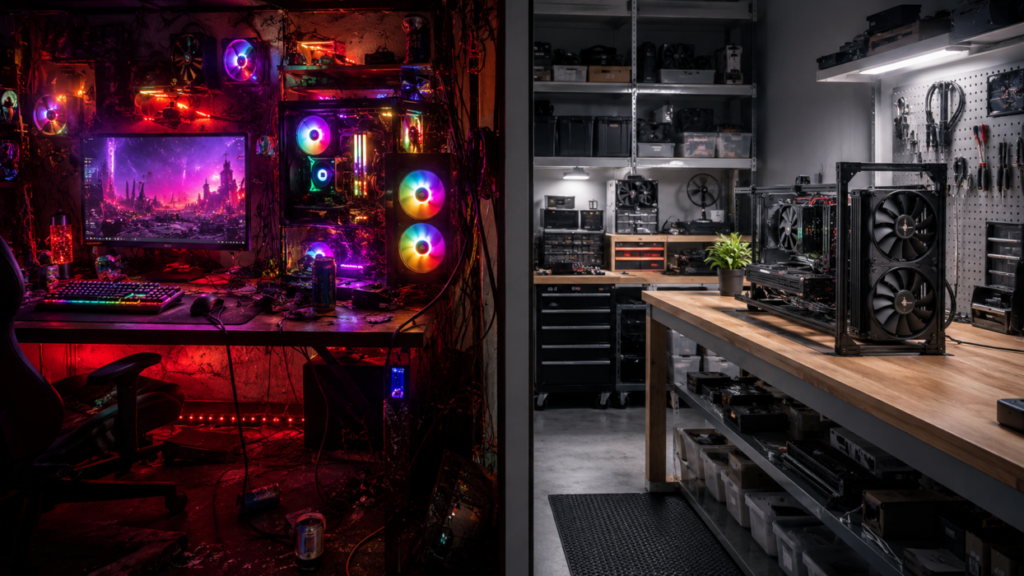
Gaming hardware has never looked better. Walk through any modern PC build gallery, esports room, streaming setup, or gaming desk showcase and you will see the same visual language everywhere: tempered glass, glowing fans, synchronized RGB strips, animated keyboards, braided cables, desk lighting, vertical GPUs, themed mousepads, and monitor backlighting that makes the whole room feel like a command center.
Honestly, some of it looks awesome. The modern gaming setup has become more than a tool. It is part workstation, part entertainment center, part identity piece. For many players, the setup is where gaming happens, where friendships are built, where clips are captured, where ranked matches are won, and where late-night community memories are made. So it makes sense that gamers want that space to feel personal.
But somewhere along the way, the gaming hardware conversation got a little backwards. A lot of players started thinking about how a build looks before asking how well it actually works. RGB became a selling point. Glass panels became a flex. Product pages started leading with lighting zones, aesthetic themes, and “battle station” appeal before talking about airflow, noise, serviceability, reliability, or upgrade paths.
That is where the old-school competitive mindset needs to step back into the room. Before the glow, there has to be the go.
What “Go Before Show” Really Means
“Go before show” does not mean RGB is bad. It does not mean every gaming setup needs to look like a beige office tower from 2002. It does not mean you should hide your hardware under a desk and pretend aesthetics do not matter. It means performance, comfort, stability, and function should be the foundation. The visual style should come after that foundation is solid.
A gaming PC that looks amazing but thermal throttles under load is not a good gaming PC. A keyboard with rainbow lighting but mushy switches and poor rollover is not helping your gameplay. A mouse that matches your setup but has the wrong shape for your hand will hurt you over long sessions. A headset with glowing earcups but bad imaging can make you miss footsteps. A case with a gorgeous glass front panel but poor airflow can cook your GPU while looking premium doing it.
In competitive gaming, function is not boring. Function is the difference between consistency and frustration. It is the hidden layer that lets you focus on the match instead of fighting your own setup.
That has always been true, whether we were talking about CRT monitors, early optical mice, wired headsets, mechanical keyboards, or today’s high-refresh displays and massive graphics cards.
RGB Is Not the Enemy
Let’s be fair to RGB for a second. Lighting has real value when it is done right.
RGB can help personalize a setup. It can make a room more comfortable. It can help streamers create a recognizable visual identity. It can make a PC feel less like an appliance and more like something the owner actually built. It can even serve functional purposes, such as profile indicators, temperature warnings, macro layers, or visual cues for different applications.
There is also something satisfying about a clean, well-lit build. Anyone who has spent hours routing cables, mounting fans, tuning curves, and finally seeing the system boot with everything glowing in sync knows that feeling. It is part pride, part relief, part “yeah, I built that.”
The issue is not RGB existing. The issue is when RGB becomes the main event. A good gaming setup can have lighting. A bad gaming setup can also have lighting. The lights are not what determine whether the system is built well. They are decoration unless they support the experience.
That is the distinction gamers should keep in mind.
The Performance Cost of Bad Priorities
The most obvious example is the PC case. A case can look incredible in product photos but still choke airflow. Modern gaming hardware can generate serious heat, especially with high-end CPUs and GPUs. Independent case testing continues to focus heavily on thermals, acoustics, cable management, and build quality because those factors directly affect real-world usability, not just appearance.
When a case prioritizes sealed glass panels over ventilation, the fans often have to work harder. Harder-working fans mean more noise. More heat can mean lower boost clocks, less stable performance, and shorter component lifespan over time. Even if the system technically works, it may not be performing as well as the hardware inside it should.
This is especially important now because PC components are physically larger and more power-hungry than many older builders remember. Big GPUs need clearance. Power cables need room to bend safely. Radiators need space. Intake and exhaust paths matter. Cable clutter can block airflow and make maintenance painful.
A beautiful build that is difficult to clean, hard to upgrade, and loud under load is not a win. It is a showroom piece pretending to be a competition machine.
Competitive Gaming Rewards Consistency
For casual play, a little inconvenience may not matter. For competitive play, consistency matters a lot.
You want predictable frame rates. You want stable temperatures. You want peripherals that feel the same every session. You want low input latency. You want a monitor that can keep up. You want a desk setup that does not make your wrist, neck, or shoulders hate you after three hours. You want audio that helps you understand the game space. You want a network setup that is not randomly dropping packets because the router is buried behind a cabinet with six devices overheating around it.
None of that is flashy, but all of it affects play. Veteran players know this from experience. Back in the older ladder and tournament days, most setups were not built for Instagram. They were built to work. Players cared about ping, frames, mouse feel, monitor clarity, voice comms, and whether the system could survive long sessions without crashing. A messy desk with a reliable setup was better than a glowing shrine that failed mid-match.
That mindset still matters. A player chasing rank, running scrims, streaming matches, or competing in community tournaments should always ask one question first: does this help me play better, longer, or more reliably? If the answer is no, it belongs lower on the priority list.
The Trap of Aesthetic Marketing
Gaming hardware companies know that visuals sell. A box showing synchronized lighting and a dramatic glass-panel build grabs attention faster than a paragraph about airflow impedance or switch durability.
That is not necessarily evil. Companies are trying to stand out in a crowded market. The problem is that gamers can get pulled into buying based on what looks premium rather than what functions best for their specific use case.
A good example is the budget build. A player with limited money might be tempted to buy RGB fans, a fancy case, a glowing AIO cooler, and a themed cable kit before upgrading the actual performance pieces. But for many gamers, that money may be better spent on a stronger GPU, more reliable power supply, better monitor, larger SSD, quality mouse, better chair, or improved cooling.
The same applies to prebuilt PCs. A prebuilt with tons of RGB can look powerful, but buyers still need to check the CPU, GPU, RAM configuration, storage, motherboard, power supply quality, cooling layout, and upgrade options. The lights do not tell you whether the system is balanced. A bad build with RGB is still a bad build. It is just easier to photograph.
Functionality Is Bigger Than FPS
When gamers talk about function, they often jump straight to performance numbers. Frames per second matter, but functionality is bigger than raw FPS.
Functionality includes:
- Comfort during long sessions.
- Easy access to ports.
- Good cable routing.
- Quiet operation.
- Stable Wi-Fi or wired networking.
- Enough storage for modern game installs.
- A monitor positioned at the right height.
- A mouse that fits your grip.
- A keyboard layout that suits your games.
- A headset or speaker setup that gives clear positional awareness.
- A chair and desk height that do not wreck your posture.
These things are not glamorous, but they shape the experience. A system that feels good to use every day is more valuable than one that only looks good in a dark room.
This is especially true for players who do more than play. Many modern gamers also stream, edit clips, run Discord or Matrix communities, manage tournament pages, write posts, record gameplay, and multitask across multiple monitors. Functionality becomes a whole ecosystem. The setup has to support the person, not just the game.
When RGB Actually Supports Function
There are good ways to use lighting. The trick is to make it serve the setup instead of dominate it.
Subtle case lighting can make maintenance easier by helping you see inside the system. Keyboard lighting can help with visibility in low-light rooms. Color profiles can separate work mode, gaming mode, and streaming mode. A red lighting cue tied to high CPU or GPU temperatures can be useful. A different keyboard color layer for macros can help players avoid mistakes.
Ambient lighting behind a monitor can also reduce perceived eye strain in dark rooms by lowering the contrast between the bright screen and the wall behind it. That does not require turning the entire room into a rave. Sometimes the best lighting is simple, soft, and practical.
For streamers and content creators, lighting also matters for camera quality. But even there, functional lighting beats random glow. A cheap but well-placed key light will usually do more for video quality than a dozen RGB strips behind the desk. RGB is strongest when it adds clarity, comfort, identity, or atmosphere without hurting thermals, usability, or budget.
Building With the Right Order of Operations
A smarter gaming setup starts with priorities. First, decide what the system needs to do. Is it for competitive shooters? MMOs? racing games? fighting games? streaming? editing? casual couch play? esports events? The answer changes what matters most.
Second, build around performance and reliability. That means a balanced CPU and GPU, enough RAM, quality storage, a trustworthy power supply, and cooling that matches the hardware. It also means choosing a case with good airflow and enough room for the parts you actually plan to use.
Third, focus on control and comfort. Mouse, keyboard, controller, monitor, headset, desk height, chair position, and network stability all affect the human side of the setup. This is where a lot of players accidentally cheap out after overspending on appearance.
Fourth, make it clean and maintainable. Good cable management is not just about looks. It improves airflow, makes troubleshooting easier, and reduces the chance of accidentally yanking or stressing connections.
Fifth, add the style. Pick the lighting, theme, colors, figure displays, wall panels, desk accessories, and visual identity after the core setup is already strong. That order keeps the build honest.
The Console Side Has the Same Problem
This conversation is not only about PC players. Console setups can also fall into the “show before go” trap. A gaming room can have LED strips, wall lights, collectible displays, and a beautiful entertainment center, but still have terrible ventilation around the console. That matters. Modern consoles need breathing room. Stuffing them into tight cabinets for a cleaner look can cause heat buildup and fan noise.
Console players should also care about practical choices: low-latency display settings, proper HDMI cables, wired networking when possible, headset comfort, controller charging, storage expansion, and screen placement. A clean setup is great, but not if it makes the system harder to use or maintain. A good entertainment setup should make it easier to play, not harder.
The Legacy Gamer Perspective
For a community with roots going back to 2004, this topic hits differently. A lot of veteran players came from an era where gaming setups were often built from whatever worked. People played on mismatched monitors, secondhand desks, loud towers, tangled wires, and headsets repaired with tape. What mattered was whether you could show up, join the server, compete, and stay connected.
That does not mean the old days were better in every way. Modern hardware is incredible. Today’s players have better displays, faster storage, better peripherals, stronger GPUs, cleaner cases, and more ways to personalize their space than ever before.
But the old mindset still has value. The player comes first. The match comes first. The community comes first. The setup exists to support the experience. Everything else is decoration. That is a lesson worth carrying into the modern RGB era.
Final Thought: Build Something That Works, Then Make It Yours
There is nothing wrong with wanting a gaming setup that looks great. Style is part of the fun. A clean RGB build, a themed desk, or a polished streaming corner can make gaming feel more personal and more immersive. But the best setups earn their looks.
They boot reliably. They stay cool. They are comfortable. They are easy to clean. They are easy to upgrade. They support long sessions. They help players compete, create, communicate, and enjoy the games they love. That is the real standard. RGB can make a setup shine, but functionality makes it survive.
Go first. Show second.