
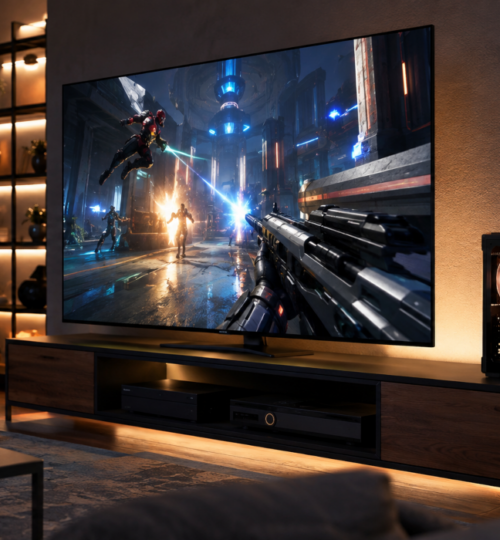
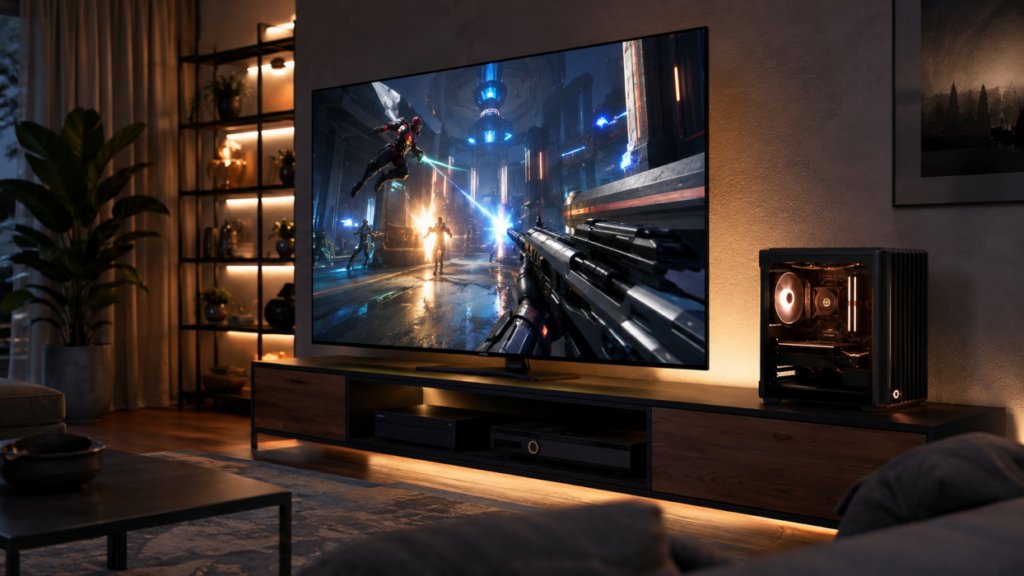
A living room gaming PC has a harder job than a desktop tower. It has to push modern games at television resolutions, remain quiet enough to disappear during a movie, fit into furniture designed for receivers and consoles, handle controllers and couch-friendly interfaces cleanly, and still behave like a real PC when the workload shifts to compiling code, rendering video, running virtual machines, or chewing through a heavily modded game. The easy route is a mini PC or low-power box, but that gives away exactly what many experienced PC gamers want to keep: full desktop CPU performance, discrete graphics, replaceable parts, and room to grow.
The better approach in 2026 is to treat the HTPC as a compact desktop workstation that happens to live beside the television. Modern small-form-factor hardware makes that possible without forcing the machine into laptop-class silicon or an underpowered GPU. The challenge is balancing heat, noise, dimensions, display connectivity, and power delivery so the system feels at home in an entertainment center while still performing like the machine you would normally keep under a desk.
Start With Desktop Silicon, Then Control the Heat
For a gaming-first build, AMD’s Ryzen 7 9850X3D is an obvious high-end starting point. It is an eight-core, sixteen-thread Zen 5 desktop processor with 96 MB of L3 cache, a boost clock up to 5.6 GHz, and a 120-watt default TDP. AMD launched it in January 2026, and it keeps the same AM5 platform used by the wider Ryzen 9000 family, which gives an HTPC builder access to standard desktop motherboards, DDR5 memory, PCIe 5.0 storage, and conventional cooling rather than a soldered mobile platform.
A machine that also serves as a serious workstation can go much farther. AMD’s Ryzen 9 9950X3D offers sixteen cores and thirty-two threads with a 170-watt default TDP, while the newer Ryzen 9 9950X3D2 Dual Edition raises total L3 cache to 192 MB and default TDP to 200 watts. That 9950X3D2 is aimed as much at developers and creators as gamers, which makes it appealing for someone who wants one box to handle gaming, code compilation, content creation, and heavier desktop workloads.
The catch is physics. A 200-watt CPU can fit in a compact chassis, but dumping that heat into a closed media cabinet while a high-end GPU is doing the same thing is a recipe for fan noise and thermal throttling. For most living room builds, the 9850X3D is the cleaner gaming choice, while the 9950X3D is a more balanced workstation option. The 9950X3D2 makes sense when multi-threaded desktop work really matters and the enclosure can support a strong 240 mm or 280 mm liquid cooler, or an unusually capable low-profile airflow layout.
The GPU Determines Whether the Box Feels Like a Console or a Desktop
The graphics card is where older HTPC designs usually had to compromise hardest. That has changed because current high-end GPUs are available in models built specifically around small-form-factor dimensions, including cards that can drive a 4K television at high refresh rates without resorting to mobile graphics.
NVIDIA’s GeForce RTX 5080 is a strong fit for an uncompromised 4K gaming HTPC. The reference specification includes 16 GB of GDDR7 memory, AV1 encode and decode support, HDMI 2.1b, DisplayPort 2.1b, and a 360-watt total graphics power rating. NVIDIA specifies an 850-watt system power requirement for the reference configuration, and the Founders Edition measures 304 mm long, 137 mm wide, and two slots thick.
That size matters because NVIDIA’s SFF-Ready program defines an enthusiast card as no more than 304 mm long, 151 mm high including power-cable bend clearance, and 50 mm thick. Several RTX 5080 partner cards meet those limits, which means a living room builder no longer has to assume that high-end graphics require a huge tower. The standard also calls for extra case clearance around the card, which is exactly the sort of detail that prevents a compact build from turning into a cable-routing fight.
AMD’s Radeon RX 9070 XT is another sensible path. AMD lists 16 GB of GDDR6, AV1 encode and decode, DisplayPort 2.1a, HDMI 2.1b, a 304-watt typical board power figure, and a 750-watt minimum PSU recommendation. That lower board power can be attractive in a living room chassis where every watt eventually becomes heat that has to leave through a limited number of vents.
The best choice depends on the games and workloads attached to the machine, but the design principle stays the same. Buy the GPU class you would be comfortable using in a desktop tower, then choose the case around its exact dimensions instead of buying a tiny enclosure first and trying to force performance into whatever space remains.
Small Form Factor Does Not Mean Smallest Possible
The most effective high-performance HTPCs usually live in the middle ground between a console-sized case and a conventional mid-tower. Once a build includes a desktop X3D processor, a 300-watt-plus GPU, multiple NVMe drives, and an 850- to 1000-watt power supply, chasing the absolute minimum case volume starts producing bad tradeoffs.
A slightly larger Mini-ITX or compact microATX enclosure gives the GPU room to breathe, allows larger fans to spin more slowly, makes cable routing easier, and leaves enough space around the power connector to avoid sharp bends. In a living room, two or three extra liters of case volume are often less noticeable than a high-pitched fan ramping up every time a match loads. A horizontal chassis can still look like traditional AV equipment, while a compact vertical case can sit beside a TV stand with a footprint closer to a console than a tower.
Airflow should be designed before the hardware is purchased. Intake fans need access to fresh room air, exhaust needs a clear path out, and the case should not depend on breathing through the same sealed shelf where a receiver is already dumping heat. If the machine is going inside furniture, rear ventilation in the cabinet matters almost as much as ventilation in the PC case itself.
Power Supply Headroom Is Part of the Acoustic Design
An RTX 5080-class HTPC should be built around a high-quality SFX or SFX-L power supply with enough headroom that it is not operating near its ceiling during every demanding game. NVIDIA lists 850 watts as the required system power for the RTX 5080 reference configuration, while AMD recommends at least 750 watts for the RX 9070 XT. Those figures are minimum system recommendations, not targets for the quietest possible living room build.
For a Ryzen 9 paired with an RTX 5080, a 1000-watt SFX-L unit is a reasonable design choice if the case supports it. The extra capacity is less about chasing huge power numbers and more about thermal behavior, transient headroom, and keeping the PSU fan from working harder than necessary. A native modern GPU power cable is also preferable to stuffing a bulky adapter into a tight side panel, particularly because compact cases offer much less room for safe cable routing.
The Television Connection Has Become a First-Class Gaming Link
A modern HTPC should be planned around the television’s gaming features, not treated like a media player that happens to run games. HDMI 2.1b supports features such as variable refresh rate, Auto Low Latency Mode, and Quick Frame Transport, while current gaming televisions commonly expose 4K at 120 Hz over compatible HDMI ports. HDMI Licensing also introduced HDMI 2.2 in 2026 with higher-bandwidth options, but existing 48 Gbps Ultra High Speed HDMI cables remain valid for systems operating within that bandwidth.
That makes the TV behave much more like a large gaming monitor than older living room displays did. VRR can reduce visible tearing as frame rate moves around, while ALLM can switch the television into its low-latency game mode when the PC is gaming. The GPU, TV, receiver, and cable all have to cooperate, so the cleanest setup is often a direct GPU-to-TV HDMI connection with audio returned through eARC to the receiver or soundbar, especially when an older AVR cannot pass the full video signal.
Windows 11 is much better suited to this arrangement than previous versions of Windows were. Microsoft supports HDR, Auto HDR for supported DirectX 11 and DirectX 12 games, VRR-related windowed-game optimizations, and a dedicated HDR Calibration app. The calibration tool uses test patterns to set dark detail, peak brightness, and color behavior, which is worth doing on any HTPC connected to a capable HDR television.
Storage, Networking, and Controllers Matter More From the Couch
A high-end HTPC should use NVMe storage for the operating system and current game library, with capacity chosen around how many large multiplayer titles stay installed at once. Two M.2 slots are preferable even if only one drive is installed initially, since adding storage later is easier than rebuilding the machine around SATA cabling inside a packed enclosure. A 2 TB boot-and-games drive is a practical floor for a premium system, while 4 TB gives much more breathing room for modern game libraries, capture files, mods, and local media.
Wired Ethernet remains the safest choice for competitive play when the TV room can be reached with cable. Wi-Fi is perfectly workable for many homes, especially with current 6 GHz-capable hardware, but the goal of an “ultimate” multiplayer HTPC should be removing avoidable variables between the machine and the game server. Bluetooth is still useful for controllers, keyboards, and remotes, although a dedicated 2.4 GHz controller or keyboard receiver can be preferable when latency consistency matters.
Input also determines whether the system feels natural from ten feet away. A wireless controller should wake into a predictable launcher, while a compact keyboard with an integrated pointing device handles the moments when Windows decides to remind everyone that it is still Windows. Steam Big Picture Mode remains one of the easiest ways to make a PC game library usable from the couch, but keeping a normal desktop available preserves everything a full PC can do.
Build for Silence Before Chasing the Last Few Percent
The most impressive living room PC is the one that stops calling attention to itself. A desktop tower can get away with an aggressive fan curve because it sits under a desk with headphones nearby; a media-center machine shares space with dialogue, music, and people who may not be gaming at all. Large, slow fans, an oversized cooler, a ventilated chassis, and sensible CPU and GPU power tuning often improve the experience more than a small benchmark gain from running every component at its maximum factory limit.
Undervolting or applying conservative power limits can be especially effective in a compact build because the last portion of a CPU or GPU’s performance curve often costs disproportionate power and heat. The exact tradeoff varies by silicon sample and workload, so stability testing still matters, but the goal is straightforward: keep the desktop-class hardware, then tune it for the room it lives in rather than downgrading to weaker hardware just to control temperature.
That is what separates a serious HTPC gaming rig from a console-shaped PC experiment. The machine can carry a top-tier desktop processor, a full discrete GPU, fast NVMe storage, high-refresh HDR output, and the same software stack used on a workstation, yet remain quiet and compact enough to sit beside an amplifier. Once the case, cooling, and power system are chosen around the performance target instead of against it, the living room stops being a place where PC performance has to be surrendered.