
Disclaimer: The views and opinions expressed in this article are solely those of the author. The mention of any products, services, or methods does not constitute an endorsement.
A game that looks exceptional in a 4K promotional screenshot can become difficult to read on a 1080p monitor. Fine environmental details lose definition, interface elements compete for limited screen space, and effects that appear impressive at higher resolutions can obscure information during fast-paced gameplay. For developers, supporting different display resolutions involves decisions that extend well beyond rendering a sharper image.
The continued popularity of 1080p presents a challenge as 4K monitors become more established among PC enthusiasts. Competitive players often prioritize high refresh rates and consistent frame times, while gamers investing in higher-resolution displays expect sharper textures and greater environmental detail. Meeting those expectations requires developers to account for differences in rendering performance, interface scaling, visual readability, and hardware capabilities without compromising the underlying gameplay.
Why 1080p Remains the Most Common Gaming Resolution
Despite years of increasingly affordable 1440p and 4K monitors, 1920 × 1080 continues to dominate PC gaming. Valve’s Steam Hardware & Software Survey for October 2026 reported that 50.23% of surveyed systems used 1080p as their primary display resolution. By comparison, 2560 × 1440 accounted for 21.82%, while 3840 × 2160 represented 5.05%.
These figures provide a useful indication of the PC gaming hardware population, although participation in Steam’s survey is voluntary and does not represent every gaming platform. A system’s primary display resolution also does not establish the resolution at which every participant plays. Nevertheless, the distribution demonstrates why developers cannot reasonably treat 1080p as an obsolete standard.
Competitive gaming helps explain its longevity. A 1080p monitor with a 240Hz refresh rate remains attractive to players who value responsiveness, particularly when paired with hardware capable of producing consistently high frame rates. During a fast-paced firefight, smoother motion and lower display latency may offer more practical benefits than the additional detail available at higher resolutions.
Hardware affordability reinforces this preference. Entry-level and older graphics cards can deliver acceptable performance at 1080p in games that would struggle at native 4K, particularly with demanding lighting and post-processing effects enabled. Players using gaming laptops or maintaining older desktop systems also have little incentive to replace functioning displays simply because higher resolutions are available.
The market is more varied than a division between 1080p and 4K suggests. The substantial 1440p audience occupies an important middle ground, while ultrawide monitors, 16:10 laptop panels, and handheld gaming PCs introduce additional display configurations. Developers must account for these differences when determining how their games should scale across the hardware players actually own.
The Performance Cost of Rendering Four Times the Pixels
The mathematical difference between 1080p and 4K is substantial. A standard 1920 × 1080 image contains approximately 2.07 million pixels, while a 3840 × 2160 image contains approximately 8.29 million. Rendering at native 4K therefore involves four times as many output pixels as native 1080p, creating additional demands on graphics hardware.
That increase places greater pressure on GPU operations associated with pixel shading, memory bandwidth, and screen-space effects. Higher-resolution render targets can also consume more graphics memory, depending on the rendering pipeline and the formats involved. Complex scenes featuring expensive lighting, reflections, transparency, and post-processing become particularly demanding as resolution increases.
Performance does not decline according to a fixed four-to-one ratio, however. Some rendering operations scale closely with pixel count, while others depend more heavily on geometry, draw calls, scene complexity, or CPU processing. A game limited by CPU performance at 1080p might experience a comparatively modest frame-rate reduction when resolution increases, at least until GPU workload becomes the primary limitation.
Developers must also accommodate different frame-time expectations. A game targeting 60 FPS has approximately 16.7 milliseconds to produce each frame, while 120 FPS reduces that budget to roughly 8.3 milliseconds. Reaching 240 FPS requires an average frame time of approximately 4.2 milliseconds, leaving considerably less room for expensive rendering operations and intermittent processing spikes.
These targets influence decisions about shadow quality, volumetric lighting, particle effects, and ray tracing. A competitive shooter designed around high frame rates may require different optimization priorities from a single-player adventure emphasizing detailed environments. The difficult part is preserving a coherent visual presentation across settings while allowing players to reduce expensive effects.
Poorly implemented graphics presets can introduce problems beyond reduced image quality. Excessively simplified shadows, foliage, or environmental details may alter the appearance of gameplay areas enough to affect object recognition. Developers must determine which visual elements can be reduced safely and which need to remain consistent regardless of resolution or quality settings.
Rendering Resolution and Display Resolution Are Different Settings
Modern rendering techniques have weakened the traditional connection between display resolution and the resolution used to construct each frame. A game can output a 4K image while rendering much of its three-dimensional environment at a lower internal resolution. The resulting image is then enlarged or reconstructed before presentation, reducing the workload associated with native 4K rendering.
Resolution scaling provides a straightforward example. A player using a 4K display might lower the internal rendering resolution to improve performance while keeping the monitor’s output at 3840 × 2160. This approach can preserve a sharp interface when the engine renders UI elements separately at the output resolution.
Epic Games explains this separation in Unreal Engine’s screen percentage and temporal upscaling documentation. The system allows developers to adjust internal rendering resolution independently of the final display output, with different scaling stages available in the rendering pipeline. It provides a foundation for balancing image quality against GPU workload without requiring players to change their monitor settings.
Technologies such as NVIDIA DLSS, AMD FidelityFX Super Resolution, and Intel XeSS expand these capabilities through different image reconstruction methods. Depending on the implementation, they can combine information from current and previous frames with motion data and other inputs to produce higher-resolution images.
AMD’s published FSR 3 quality-mode specifications illustrate the principle. Its Quality preset can reconstruct a 3840 × 2160 output from a 2560 × 1440 rendering resolution, reducing the internal pixel count while retaining the higher output dimensions. Actual performance improvements and image quality depend on the game, hardware, scene content, and implementation.
Upscaling introduces limitations that developers must evaluate carefully. Thin geometry, distant foliage, transparent effects, and rapidly moving objects can reveal reconstruction artifacts such as shimmering, ghosting, or unstable details. These problems may be especially noticeable in competitive games where players repeatedly scan environments for small moving targets.
The output resolution also affects reconstruction quality. Producing a 1080p image from a substantially smaller internal resolution leaves less source information available than reconstructing 4K from 1440p. An upscaling preset that performs well at higher output resolutions may produce noticeably softer results when applied aggressively at 1080p.
Frame generation introduces a separate consideration because it increases displayed frame output without equivalently increasing the frequency of ordinary game simulation and input processing. Generated frames can improve perceived smoothness under suitable conditions, but they do not automatically provide the responsiveness associated with the same number of traditionally rendered frames. Competitive players benefit from graphics menus that distinguish native rendering, upscaling, and frame generation rather than presenting them as interchangeable performance improvements.
Designing Interfaces That Remain Readable at Every Resolution
Interface design creates persistent problems in multi-resolution development. Menus, HUD elements, inventory screens, maps, and notification systems must remain readable without occupying an unreasonable portion of the display. Poor scaling can make an otherwise well-optimized game frustrating to operate.
A fixed-size interface can behave badly when transferred between resolutions. Elements designed around 1080p coordinates may appear exceptionally small on a 4K display if their pixel dimensions remain unchanged. Conversely, an interface designed around generous high-resolution spacing can consume too much room when forced into a smaller viewport.
Physical display size complicates matters further. A 27-inch 4K monitor viewed from a desk and a large 4K television viewed from across a room have identical pixel counts but different viewing conditions. Pixel density, viewing distance, and individual visual needs all affect how comfortably players can read text and identify interface elements.
Modern game engines provide tools for adapting layouts. Unity’s screen-size and anchoring guidance explains how interface elements can be positioned and scaled relative to different display dimensions and aspect ratios. Unreal Engine offers DPI scaling controls, including configurable rules and scaling curves for adjusting interface size according to viewport dimensions.
These tools establish a foundation, but automatic scaling does not guarantee a usable interface. Developers still need to examine how text wraps, whether navigation panels become crowded, and what happens when longer translations replace the original labels. Inventory grids, settings menus, and multiplayer scoreboards may require different layout behavior rather than uniform enlargement.
Adjustable HUD scaling provides greater flexibility. Players should ideally be able to increase text and icon sizes independently of rendering resolution, with additional controls for subtitles and interface opacity where appropriate. Microsoft’s gaming accessibility feature guidance establishes specific criteria for features such as large text, readable subtitles, and visual clarity.
Asset quality matters as well. Vector graphics, scalable fonts, and appropriately prepared interface textures help prevent icons and text from appearing blurry or uneven when enlarged. These approaches are especially useful for games expected to remain active across multiple generations of display hardware.
Competitive Readability and Visual Consistency
Multiplayer games introduce concerns that extend beyond appearance. Players need to identify opponents, interpret movement, recognize environmental objects, and react to information presented through the HUD. Resolution and graphical settings can influence how easily those tasks are performed.
At 1080p, distant characters occupy relatively few pixels, making silhouette clarity and contrast especially important. Heavy post-processing, excessive motion blur, or visually dense particle effects can interfere with recognition. A scene that looks detailed in a high-resolution screenshot may become difficult to interpret once movement, explosions, and multiple players enter the frame.
Higher resolutions can improve the definition of distant objects when the game supplies sufficient detail, but they do not automatically guarantee better target visibility. Screen size, viewing distance, anti-aliasing behavior, and display characteristics all influence the result. Developers therefore need to evaluate gameplay readability under realistic conditions rather than relying exclusively on still-image comparisons.
Graphics customization introduces another concern. Competitive players frequently lower settings to improve performance, and some configurations can significantly change how foliage, shadows, or environmental clutter appear. When those changes affect visibility, developers must decide which visual elements are essential to maintaining consistent gameplay conditions.
There are legitimate reasons to offer extensive graphical controls, particularly across different hardware generations. However, allowing one preset to remove meaningful concealment while another retains it can create unwanted differences between players. Competitive titles benefit from minimum presentation requirements for important environmental information, even when optional effects remain adjustable.
Aspect ratio deserves similar attention. Wider displays can reveal additional horizontal space when a game’s camera system supports it, potentially changing peripheral awareness. Some developers accommodate this through field-of-view controls, while others impose restrictions in particular competitive modes.
These decisions require deliberate testing and clear communication. Camera behavior, HUD boundaries, aiming systems, and scope presentation should remain predictable across supported aspect ratios. Players also need to understand which adjustments are available and whether competitive modes apply different limits.
Building Graphics Options Around Different Player Priorities
Developers traditionally organize graphical settings into presets such as Low, Medium, High, and Ultra. Although convenient, these categories rarely capture the different reasons players modify their settings. Two gamers using similar hardware may prefer substantially different configurations because they value different aspects of the experience.
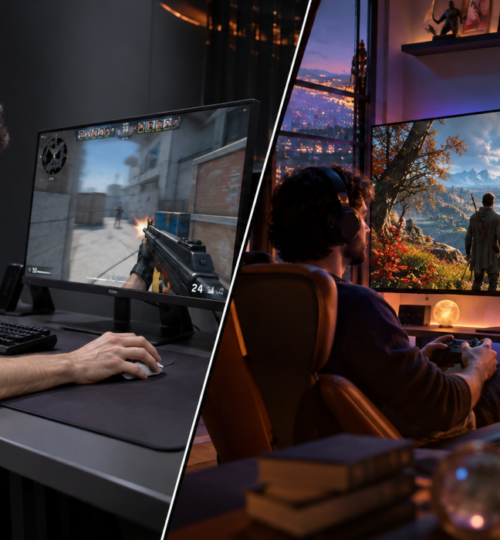
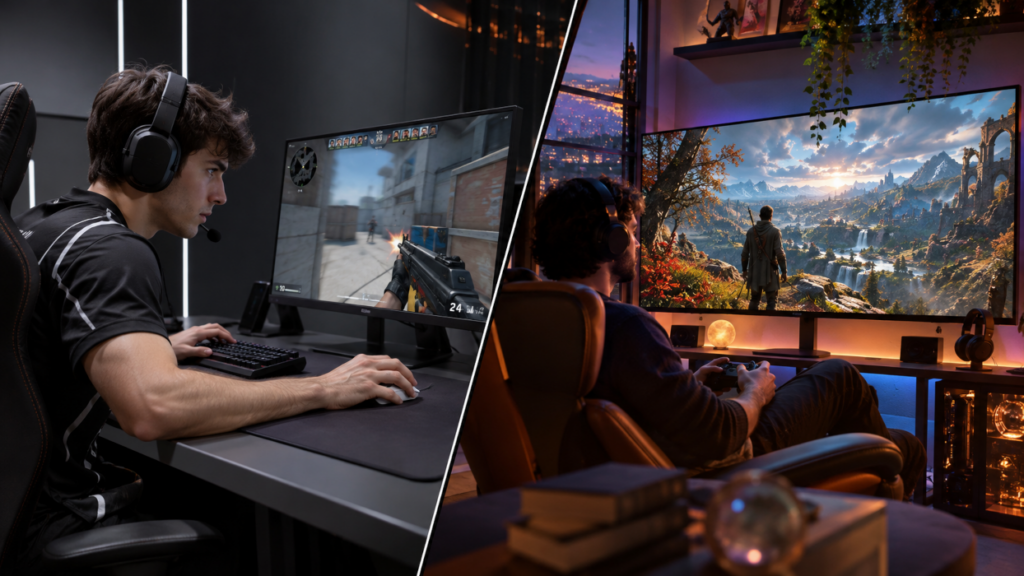
A player using a high-refresh 1080p monitor may prioritize frame-time consistency, minimal visual interference, and reduced input latency. Someone playing at 4K may accept lower frame rates in exchange for better reflections, finer environmental detail, and greater image clarity. Neither preference necessarily indicates a more powerful system or a more demanding player.
Useful graphics menus separate display resolution, internal render scale, upscaling methods, texture quality, shadow detail, and frame-rate controls. This arrangement allows players to adjust individual performance costs without unnecessarily sacrificing unrelated graphical features. It also makes troubleshooting easier when a particular effect causes instability or an undesirable appearance.
Texture quality demonstrates why these settings should remain independent. A 4K output does not automatically require every texture to have 4K dimensions, nor does 1080p necessarily benefit from uniformly low-resolution assets. Texture requirements depend on viewing distance, the amount of screen space a surface occupies, and how the engine manages texture streaming.
Developers must also account for available VRAM when selecting default quality levels. Excessively large texture allocations can create stuttering or other performance problems, particularly when the engine repeatedly transfers resources between different memory pools. Sensible presets should consider memory capacity alongside GPU processing power.
Dynamic resolution scaling provides another option for games with variable workloads. Instead of maintaining a fixed internal resolution, the engine adjusts rendering resolution to help meet a selected frame-time target. Large battles or effects-heavy sequences may trigger temporary reductions, followed by higher internal resolution when the workload decreases.
This behavior requires carefully chosen limits. Aggressive adjustments can make image sharpness fluctuate noticeably, especially when combined with temporal reconstruction. Developers need to determine whether the resulting frame-time stability justifies those visual changes for their particular game.
Testing Across Resolutions, Hardware, and Display Formats
Supporting multiple resolutions requires more than changing a graphics setting and confirming that the game launches. Quality assurance must examine how the entire presentation behaves under different display configurations. Problems often appear during ordinary interactions rather than during carefully prepared benchmark scenes.
A sensible PC testing plan includes 1080p, 1440p, and 4K, with additional coverage for common 16:10 and ultrawide formats. Testing should include native rendering, available upscaling modes, different interface scales, and graphics presets appropriate to each hardware configuration. Supported fullscreen and borderless windowed modes also deserve attention because they can expose different display-handling problems.
Changing resolution while a menu is open, moving a window between monitors, or returning to a game after minimizing it can reveal defects involving interface positioning and rendering resources. Multimonitor systems introduce further complications when displays use different resolutions or operating-system scaling settings. These situations are easy to overlook when development and testing occur primarily on identical workstation configurations.
Automated screenshot comparisons can identify missing interface elements, clipping, and unexpected layout changes. They are less effective at evaluating temporal image quality because ghosting, shimmering, and unstable details become apparent during movement. Motion-based testing remains necessary for rendering techniques that depend on information from multiple frames.
Performance testing must also reflect representative gameplay. A multiplayer shooter might run comfortably at 4K during an empty-map benchmark but encounter significant frame-time spikes when a full server generates additional characters, effects, and simulation work. Crowded matches, demanding environments, and prolonged sessions provide more useful performance information than isolated scenes.
Lower-resolution testing deserves equal attention. Developers need to verify that menus remain readable, distant objects retain sufficient definition, and aggressive optimization does not interfere with gameplay. Hardware configurations with limited VRAM or older CPUs can expose problems that never appear on the development team’s most powerful machines.
Making Multi-Resolution Support Part of Development
Resolution support becomes more difficult when treated as a collection of adjustments made shortly before release. Interface layouts, rendering systems, texture budgets, and camera behavior are easier to manage when teams establish flexible rules early in development. Decisions made during initial production can prevent expensive corrections when a game approaches release.
A practical workflow begins with representative display targets and realistic performance budgets. Interface designers can establish consistent scaling behavior while rendering engineers determine how expensive effects should respond to different internal resolutions. Artists can prepare assets that retain useful detail across expected viewing conditions without assuming every player has identical hardware.
These considerations continue after launch, particularly for multiplayer and live-service games. New menus, seasonal events, gameplay systems, and cosmetic items can introduce presentation problems that were absent from the original release. A newly added notification panel might display correctly at 4K while overlapping another HUD element at 1080p, especially when the player has customized interface scaling.
Maintaining automated layout checks and repeatable performance tests helps catch these problems before updates reach production. Teams can establish review requirements for interface changes, rendering modifications, and newly introduced effects, ensuring that each receives appropriate testing across supported configurations. This becomes increasingly valuable as the number of supported hardware combinations grows.
Player-reported issues provide another source of evidence after release. Reports that include display resolution, GPU information, rendering settings, and reproduction steps can help developers distinguish hardware-specific problems from defects affecting the wider player population. Patterns in these reports may also identify configurations that deserve greater attention during future testing.
Major rendering updates present particularly demanding situations. Introducing another upscaling technology or changing anti-aliasing behavior can improve performance for some players while producing artifacts or unexpected interactions for others. Each additional rendering option expands the testing workload, making predictable defaults and reliable fallback behavior valuable parts of long-term maintenance.
For an established multiplayer title, these decisions can affect years of subsequent development. A new map with dense foliage, a redesigned scoreboard, or a revised rendering pipeline may alter the experience differently for someone using a high-refresh 1080p monitor and someone playing at native 4K. Evaluating those changes across both configurations gives development teams a practical way to protect competitive readability while continuing to improve graphical quality.