
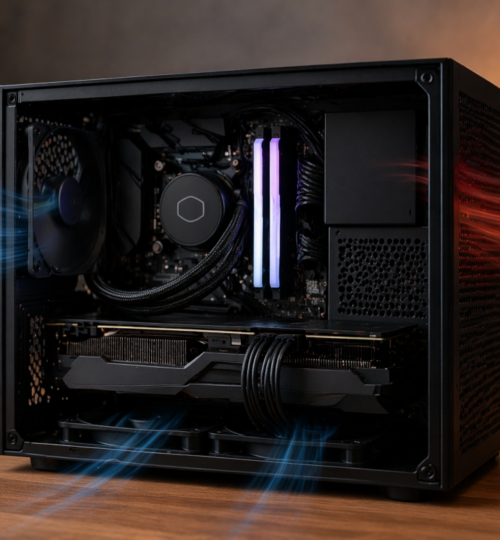
There is something undeniably appealing about a small form factor gaming rig. Clean lines, minimal footprint, and the kind of build that looks like it belongs on a tournament desk rather than under it. But anyone who has spent real time inside competitive multiplayer environments knows that performance stability matters far more than aesthetics. Frame pacing, sustained boost clocks, and system responsiveness under pressure are what separate a smooth match from a frustrating one.
That is where thermal dynamics becomes the quiet battleground of small builds. In a full tower, airflow is forgiving. In a compact chassis, every millimeter matters, every cable matters, and every degree of heat has consequences. Building a small form factor system that can handle modern competitive titles without thermal throttling is not just about parts. It is about understanding how heat moves, how air behaves, and how to design a system that works with physics instead of fighting it.
Why Small Form Factor Changes the Game
Traditional mid and full tower cases rely on volume to solve thermal problems. More space allows for larger coolers, more fans, and natural dispersion of heat. In contrast, small form factor systems compress high performance components into tight enclosures where heat density becomes a real concern.
Modern CPUs and GPUs are more powerful than ever, but they also generate significant thermal output. In a confined environment, that heat builds quickly. Without proper airflow, internal temperatures rise, boosting behavior becomes inconsistent, and components start to throttle.
In competitive gaming, especially in titles where timing and reaction matter, that inconsistency shows up as stutter, input delay, or frame dips at the worst possible moment. For a community built on ladders, tournaments, and long-term performance tracking, that is not acceptable.
Understanding Heat Flow in a Compact Case
Before optimizing airflow, it helps to understand how heat behaves inside a small enclosure. Heat naturally rises, but airflow direction can override that tendency. Fans create pressure zones that either push hot air out or pull cool air in.
In a small form factor case, airflow paths are shorter and more constrained. This means turbulence becomes a bigger factor. Instead of smooth front to back flow, air can bounce off components, get trapped in pockets, or recirculate hot exhaust back into intake zones.
The goal is not simply to add more fans. The goal is to create a controlled path where cool air enters, passes over key components, and exits efficiently without mixing excessively with hot air already inside the case.
Positive Pressure vs Negative Pressure in Tight Spaces
Air pressure inside a case is one of the most debated topics in PC building, and in small form factor systems, the stakes are higher.
Positive pressure means more air is being pushed into the case than pulled out. This helps reduce dust intake through unfiltered gaps and can ensure that cool air is consistently supplied to components. However, if exhaust is insufficient, hot air can become trapped.
Negative pressure means more air is being pulled out than pushed in. This can improve heat removal but may pull in dust from every opening and create uneven airflow paths.
In compact builds, a slightly positive pressure setup tends to be more forgiving. It ensures that intake air is controlled and filtered, which is important since small cases often sit on desks or near peripherals where dust accumulates quickly. The key is balancing intake and exhaust so that heat does not linger.
Fan Placement: Less Is More When Done Right
It is easy to assume that more fans equal better cooling. In small form factor cases, that assumption can backfire.
Each fan introduces airflow direction and turbulence. Poorly placed fans can cancel each other out or create chaotic airflow patterns that reduce overall efficiency.
A typical effective setup in a compact case might include:
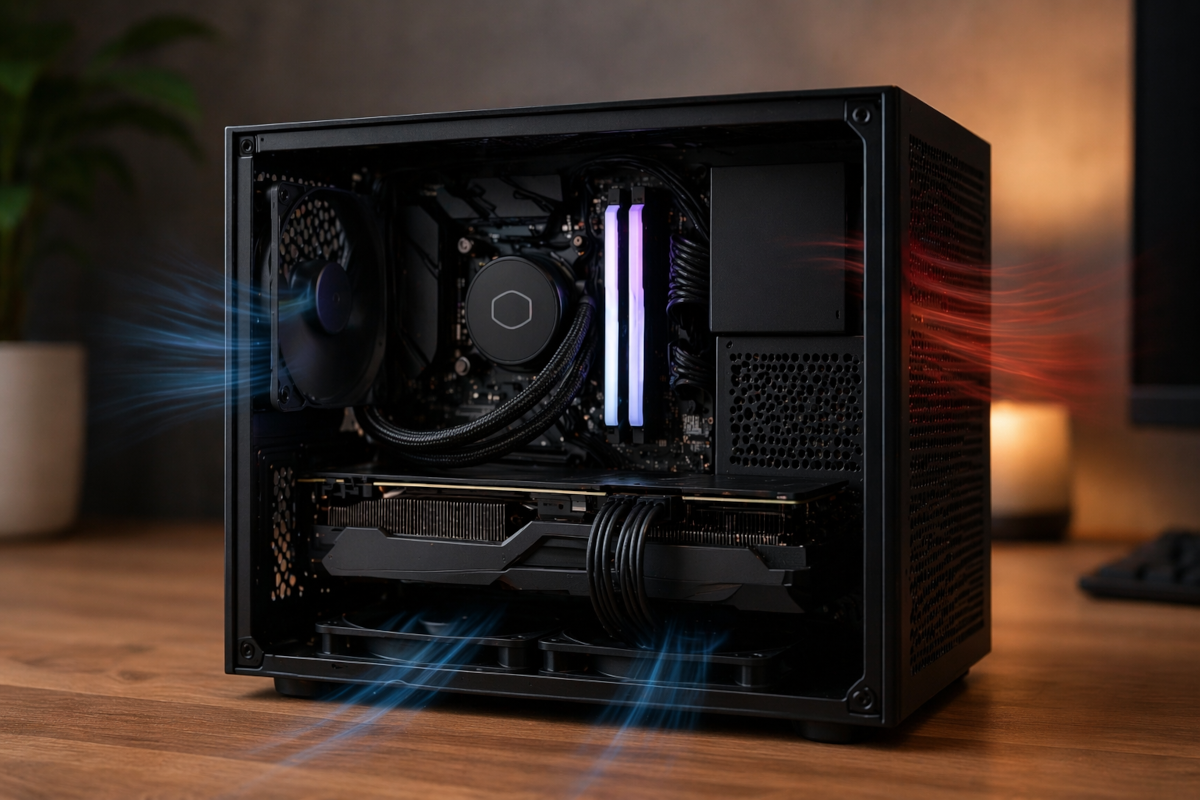
Front or bottom intake fans that bring in cool air directly toward the GPU and CPU area.
Rear or top exhaust fans that remove hot air as it rises or accumulates.
Side panel fans, if available, can be used strategically to feed fresh air directly to high heat components like GPUs.
The key is alignment. Intake fans should feed components, not just fill space with moving air. Exhaust fans should have a clear path to remove heat without obstruction.
CPU Cooling: Air vs Liquid in Tight Builds
Choosing between air cooling and liquid cooling becomes more nuanced in small form factor systems.
Air coolers are simple, reliable, and often quieter. High quality low profile or compact tower coolers can perform well if airflow is properly managed. However, they rely heavily on case airflow to remove heat.
All in one liquid coolers offer the advantage of moving heat directly to a radiator, which can be positioned near an exhaust point. This can reduce heat buildup around the CPU socket. However, radiator placement in small cases is limited, and airflow through the radiator can introduce additional resistance.
In many compact builds, a well chosen air cooler combined with optimized case airflow can match or even outperform a poorly placed liquid cooler. The decision often comes down to case compatibility and how airflow is structured.
GPU Thermals: The Real Heat Source
In modern gaming systems, the GPU is usually the dominant heat generator. In small form factor builds, managing GPU thermals is often the biggest challenge.
Many compact cases position the GPU close to side panels or use vertical mounting. This can restrict airflow if not designed carefully. Some cases rely on mesh panels to allow the GPU to draw fresh air directly from outside the case.
Blower style GPUs, which exhaust hot air out the back, used to be popular for small builds. Today, most GPUs use open air designs that recirculate heat inside the case. This makes case airflow even more important.
Ensuring that the GPU has access to fresh intake air is critical. This might mean prioritizing bottom intake fans or choosing a case with strong side ventilation. In some builds, undervolting the GPU can also significantly reduce heat output without sacrificing noticeable performance.
Cable Management: The Hidden Thermal Factor
Cable management is often treated as an aesthetic concern, but in small form factor systems, it directly impacts airflow.
Loose cables can block airflow paths, create turbulence, and trap heat around components. In a compact case, even a few poorly routed cables can disrupt the entire airflow strategy.
Using custom length cables or carefully routing cables behind panels can open up clear airflow channels. This allows intake air to move smoothly toward components and exit without obstruction.
For competitive players who demand consistency, this level of detail can make the difference between stable performance and unpredictable thermal behavior.
Case Selection: Designing Around Airflow
Not all small form factor cases are created equal. Some prioritize aesthetics over airflow, using solid panels or restrictive designs that limit ventilation.
For a performance focused build, cases with mesh panels, well placed vents, and thoughtful internal layouts are essential. The best designs allow for direct airflow paths from intake to exhaust without unnecessary barriers.
Some cases are built specifically with GPU thermals in mind, offering dedicated airflow channels or additional fan mounting options near the graphics card. Others prioritize CPU cooling with top mounted radiator support.
Choosing a case should be based on how well it supports your thermal strategy, not just how it looks on a desk.
Noise vs Performance: Finding the Balance
Small form factor builds often operate closer to thermal limits, which can lead to higher fan speeds and increased noise. Balancing noise and performance becomes an important consideration.
Aggressive fan curves can keep temperatures low but may introduce distracting noise during gameplay. More conservative curves can reduce noise but risk higher temperatures and potential throttling.
Finding the right balance involves tuning fan curves based on real usage. Monitoring temperatures during actual gameplay sessions, not just synthetic benchmarks, provides a more accurate picture of thermal performance.
In a competitive environment, consistent performance usually takes priority over absolute silence, but a well tuned system can achieve both to a reasonable degree.
Advanced Techniques: Undervolting and Custom Profiles
For those willing to go deeper, advanced tuning can significantly improve thermal performance in small form factor systems.
Undervolting CPUs and GPUs reduces power consumption and heat output while maintaining performance. Many modern components have headroom that allows for lower voltage operation without stability issues.
Custom fan profiles, thermal limits, and power settings can be adjusted to match the specific airflow characteristics of the case. This level of control allows builders to fine tune their systems for optimal performance under real world conditions.
These techniques are especially valuable in compact builds where thermal margins are tighter.
Real World Impact on Competitive Gaming
All of this effort comes back to one thing: consistency. In competitive multiplayer environments, consistency is everything.
A system that runs cool and stable maintains higher boost clocks, smoother frame delivery, and predictable performance. This translates directly into better gameplay experiences, whether it is tracking targets in a fast paced shooter or managing inputs in a fighting game.
For a community rooted in legacy competition, where performance history and player skill are tracked over time, hardware stability becomes part of the competitive equation. A well built small form factor system proves that you do not need a massive tower to compete at a high level, but it also shows that precision in building matters.
The Philosophy of Efficient Design
There is a deeper appeal to mastering thermal dynamics in small form factor builds. It reflects the same mindset that defined early competitive gaming communities.
Back when external ladders and community driven tournaments were the backbone of multiplayer competition, players learned to optimize everything within their control. Hardware, settings, connections, and systems all mattered.
Small form factor builds bring that philosophy back into focus. They require intentional design, thoughtful decisions, and a willingness to understand the fundamentals rather than relying on brute force solutions.
In a way, they mirror the evolution of competitive gaming itself. Efficiency, precision, and control define both the player and the system.
Final Thoughts
Achieving peak airflow in a small form factor gaming rig is not about chasing extremes. It is about balance. Balancing intake and exhaust, cooling and noise, performance and space.
When done right, a compact system can deliver performance that rivals much larger builds while maintaining a clean and focused footprint. It becomes a reflection of both engineering and intent.
For a community that values legacy, competition, and the pursuit of improvement, mastering thermal dynamics is just another layer of the game.