
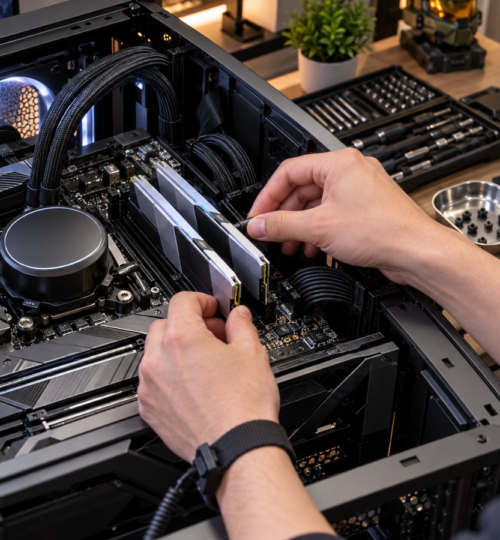
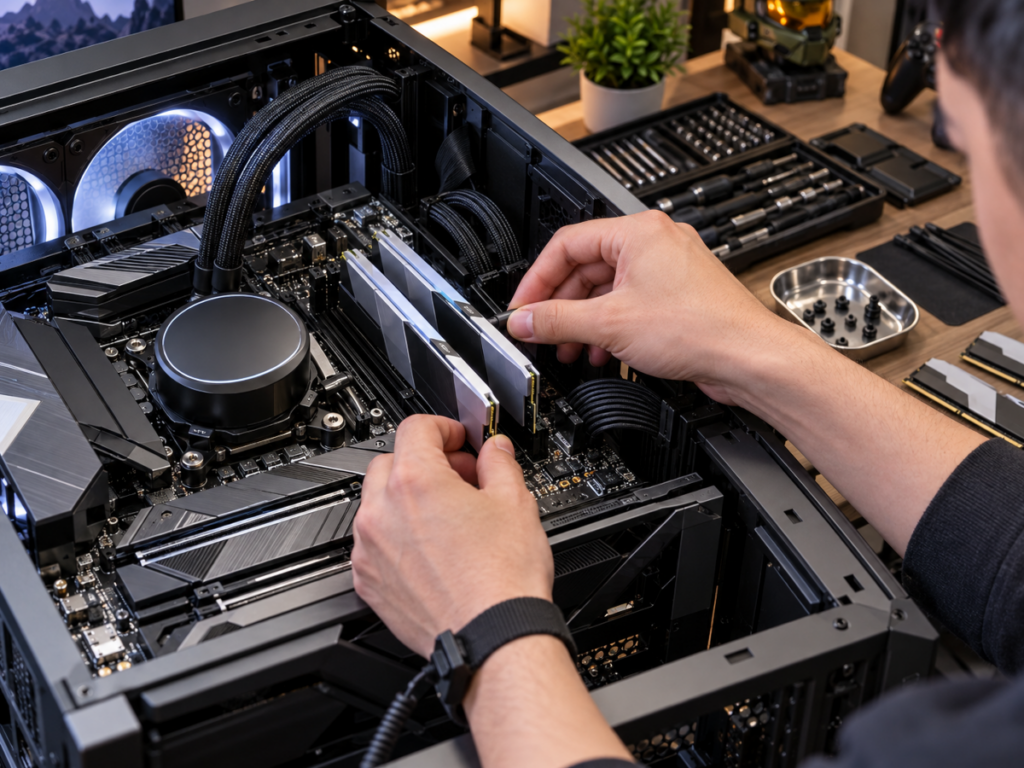
For years, 16GB of RAM was the comfortable middle ground for PC gaming. It gave players enough memory to run demanding titles, keep Discord open, and handle everyday applications without spending heavily on a component that rarely received the same attention as a graphics card or processor. That balance is shifting, and the growing number of gamers moving beyond 16GB reflects a broader change in how gaming PCs are being used.
Modern systems increasingly serve several purposes at once. Competitive players record matches, stream gameplay, maintain multiple communication applications, and keep performance-monitoring software running alongside their games. Content creators edit high-resolution footage, developers run virtual machines, and enthusiasts experiment with locally hosted artificial intelligence. For these users, 64GB of DDR5 is becoming an increasingly reasonable target, even while 32GB remains the practical choice for most gaming-focused builds.
The distinction matters because the evidence does not suggest that every gamer suddenly needs 64GB. Instead, the definition of a power-user PC is expanding, and memory capacity is becoming a more meaningful part of the conversation.
The Shift From 16GB to 32GB Is Already Visible
The clearest evidence of changing memory configurations comes from Valve’s September 2026 Steam Hardware Survey. For the first time, 32GB became the most common system RAM configuration among participating Steam users, accounting for 42.22% of surveyed machines. Systems with 16GB represented 37.82%, while 64GB configurations accounted for approximately 3.71%.
Those figures establish an important distinction. The transition from 16GB to 32GB is visible in actual hardware adoption, while 64GB remains a relatively small part of the gaming market. Steam’s voluntary survey measures participating systems rather than the entire PC population, and monthly results can fluctuate with changes in the surveyed audience.
Even with those limitations, the direction is meaningful. A memory configuration once considered excessive for ordinary gaming has become the most common among surveyed Steam users. For enthusiasts building machines intended to remain capable for several years, that raises a reasonable question about whether today’s premium capacity could eventually become tomorrow’s comfortable baseline.
Hardware history offers plenty of examples of memory expectations changing gradually. Eight gigabytes remained practical for years before 16GB became the preferred gaming configuration, and 32GB followed a similar path. These transitions generally occurred as applications became more demanding and the cost of higher-capacity kits became easier to justify.
Why 16GB Still Works, but Offers Less Flexibility
Modern games have become more demanding, although their actual memory requirements vary considerably. Large environments, high-resolution assets, complex simulations, background streaming systems, and extensive modification support can increase memory consumption. How efficiently a game manages its resources matters just as much as the amount of content being displayed.
Independent testing provides a useful reality check. In TechSpot’s January 2026 memory benchmarks, numerous modern titles performed well with 16GB of system RAM. Games including ARC Raiders, Battlefield 6, Marvel Rivals, and Cyberpunk 2077 generally showed little benefit from increasing system memory to 32GB or 64GB under the tested conditions.
Other games exposed the limitations more clearly. Mafia: The Old Country, for example, demonstrated poor frame-time behavior with 16GB in those tests, with approximately 20GB needed for a smoother experience. Moving to a larger memory configuration addressed a problem that additional CPU or GPU performance alone would not necessarily solve.
This explains why 32GB remains such a strong recommendation for new gaming systems. It provides enough capacity for demanding games and leaves room for ordinary background activity without requiring a substantial investment in unused memory. Sixteen gigabytes can still deliver excellent results, particularly in competitive multiplayer games that run comfortably within that capacity.
The concern for power users begins when the game is only one part of a much larger workload. A system that handles the game comfortably may behave differently when recording software, a browser, development tools, and other memory-hungry applications are running simultaneously.
The Modern Gaming PC Is Becoming a Workstation
The strongest argument for 64GB comes from the changing role of enthusiast gaming computers. A competitive player might run a demanding multiplayer title while simultaneously capturing gameplay through OBS Studio, keeping Discord active, reviewing match statistics, and managing browser-based tournament tools. Each additional process contributes to the total memory workload, although the amount consumed depends heavily on configuration and actual activity.
Content creation adds another layer. Editing 4K footage, generating proxies, managing large media projects, and working with multiple creative applications can place substantial demands on memory. Someone who records several hours of gameplay and regularly produces edited videos has different requirements from someone who simply launches a game and joins a voice channel.
For gaming-community administrators and developers, the demands can expand further. Local development servers, databases, browser debugging sessions, Docker containers, virtual machines, and coding environments can all remain active while other tasks are underway. These applications do not necessarily consume enormous amounts of memory individually, but their combined requirements can make 32GB feel restrictive.
Locally hosted AI models introduce another possible source of demand. Model size, quantization, context length, and available GPU memory determine how much system RAM may be required. Some smaller models run comfortably on modest hardware, while larger models or workloads that offload data from the GPU can benefit considerably from additional system memory.
A 64GB configuration becomes attractive when these activities overlap regularly. The advantage comes from keeping more applications and working data available in physical memory, reducing the frequency with which the operating system must reclaim memory or retrieve data from slower storage.
Frame-Time Consistency Matters More Than a Bigger FPS Number
Competitive gamers tend to evaluate performance through average FPS, 1% lows, frame pacing, and input responsiveness. Memory capacity becomes relevant when a shortage creates interruptions that are more noticeable than a small difference in average frame rates. A momentary hitch during an important engagement can be frustrating even when a performance overlay reports an otherwise excellent average.
Windows manages memory dynamically, moving less-active data out of physical RAM when necessary. The page file allows the operating system to support workloads that exceed available physical memory, but retrieving paged-out data can create delays when an application suddenly needs it again. Modern NVMe storage is fast, although its latency and access characteristics remain substantially different from DDR5 memory.
Additional RAM can reduce these problems when insufficient capacity is the underlying cause. It cannot correct shader-compilation stutter, poor game optimization, network instability, CPU limitations, or inconsistent GPU performance. Identifying the source of the interruption remains essential before spending money on an upgrade.
Graphics memory also complicates the equation. When a GPU runs out of available VRAM, games may place additional resources in system RAM, increasing pressure on the memory subsystem. TechSpot’s 2026 testing demonstrated that certain games paired with an 8GB graphics card benefited significantly from moving from 16GB to 32GB of system memory.
However, increasing system RAM does not turn it into an equivalent replacement for dedicated VRAM. Data transfers and memory bandwidth limitations can still reduce performance, and moving to 64GB will not automatically eliminate those problems. The practical benefit depends on whether the existing system is genuinely running short of physical memory.
Why Large Modded Games and Simulations Change the Calculation
Competitive shooters are only part of the gaming market, and their memory behavior does not represent every enthusiast workload. Simulation games, expansive sandbox titles, heavily modified RPGs, and custom multiplayer environments can create substantially different demands. These are areas where larger memory configurations are particularly worth examining.
Microsoft Flight Simulator 2024 offers a clear example. Microsoft’s published PC specifications identify 16GB as the minimum, 32GB as recommended, and 64GB as the ideal system memory configuration. That does not mean the simulator always consumes 64GB, but it demonstrates that some developers already recognize higher capacities as appropriate for premium experiences.
Modding introduces additional variables that official system requirements cannot fully anticipate. High-resolution texture replacements, extensive asset collections, custom environments, simulation modifications, and multiple supporting applications may increase memory requirements beyond those of the original game. The effect depends on how the game engine loads and manages those resources.
A player running a lightly modified game may see no benefit from 64GB. Someone maintaining extensive mod collections, running dedicated game services, or switching between memory-intensive applications has a stronger reason to consider it.
DDR5 Capacity and DDR5 Speed Are Different Upgrade Decisions
DDR5 introduced improvements in memory bandwidth and architecture, but advertised transfer rates remain only one part of performance. A configuration with DDR5-6000 memory, for example, describes a data-transfer rate of 6,000 megatransfers per second. Actual performance also depends on memory timings, processor architecture, memory-controller behavior, and the applications involved.
For gaming, faster memory can improve performance in CPU-sensitive situations, although the gains vary substantially by platform and title. Lower latency can also matter, particularly when comparing kits operating at similar speeds. Increasing capacity from 32GB to 64GB will not automatically increase frame rates if the original configuration already satisfies the workload’s memory requirements.
This creates a practical buying dilemma. A 32GB kit with favorable speeds and timings may outperform a slower 64GB kit in games that never approach the smaller configuration’s capacity. Once an application exceeds available physical memory, however, the additional capacity can become much more valuable than a modest bandwidth or latency advantage.
The ideal configuration balances both factors. Memory capacity should accommodate the intended workload, while frequency and timings should remain appropriate for the processor and motherboard. Buying the largest kit available without checking compatibility can introduce unnecessary cost and stability concerns.
Two DDR5 Modules Are Often Preferable to Four
A 64GB DDR5 configuration is commonly achieved using two 32GB modules. This arrangement allows a typical dual-channel desktop platform to operate with one module per memory channel, assuming the modules are installed in the motherboard’s recommended slots.
Four-module configurations can be more demanding on the processor’s integrated memory controller. As electrical loading increases, achieving higher memory speeds and stable timings may become more difficult. This is particularly relevant for enthusiasts enabling AMD EXPO or Intel XMP profiles, which can operate beyond officially supported default memory specifications.
AMD’s published specifications for the Ryzen 9 9950X3D illustrate the difference. The processor officially supports DDR5-5600 with certain two-module configurations, while the listed maximum supported speed falls to DDR5-3600 with four modules. Actual achievable speeds depend on the motherboard, firmware, memory kit, and processor, and qualified overclocked configurations may run faster.
For someone planning to purchase 64GB, a matched two-module kit is generally the more straightforward starting point. It can simplify memory tuning, leave unused slots available on four-slot boards, and avoid some of the complications associated with combining separate kits.
Motherboard memory compatibility lists remain valuable references. Updating the BIOS, selecting an appropriate memory profile, and testing stability after installation are sensible steps, especially on systems used for long gaming sessions or demanding production work.
The 48GB Alternative Deserves More Attention
The choice between 32GB and 64GB is less rigid than it once was. DDR5 kits containing two 24GB modules offer 48GB of total capacity, creating an intermediate option for builders who need more headroom without committing to a full 64GB configuration.
For someone regularly approaching the limits of 32GB, a 48GB kit may provide enough additional space for background applications, content creation, and heavier multitasking. It can also be useful for enthusiasts who want to preserve a two-module configuration while controlling the cost of an upgrade.
That intermediate capacity does come with a planning consideration. If workloads are already approaching 40GB or are expected to grow significantly, 64GB may provide a more comfortable margin. Otherwise, 48GB can be an effective compromise, provided the price difference and compatibility make sense.
The 2026 Memory Market Complicates the Upgrade
Higher-capacity DDR5 has become more practical from a hardware-compatibility standpoint, but affordability is a different matter. During 2026, strong demand for memory associated with AI infrastructure and data centers has contributed to significant pressure on DRAM supply and pricing.
Industry forecasts and reporting throughout the year have described steep increases in memory contract prices and tighter availability. These developments have affected consumer memory purchasing decisions, making the familiar advice to simply buy twice as much RAM considerably harder to justify financially.
This matters because the cost of 64GB needs to be weighed against other possible upgrades. A competitive player with 32GB of RAM and a weak graphics card may gain far more from investing in the GPU. A player using an older processor in CPU-limited esports titles may benefit more from a platform upgrade than from doubling memory capacity.
There is also a difference between preparing for future workloads and paying heavily for capacity that remains unused. Purchasing 64GB can be reasonable for a system intended to handle gaming, development, streaming, and media production for several years. That decision becomes less attractive when the extra memory consumes a disproportionate share of the build budget.
The most sensible upgrade depends on the buyer’s actual applications, projected requirements, and current component prices. Higher memory capacity provides flexibility, but flexibility still has a cost.
How to Determine Whether 32GB Is Already Holding You Back
Windows provides several useful indicators for evaluating memory pressure. Task Manager’s Performance tab displays physical memory usage, available memory, and committed memory, while Resource Monitor and Performance Monitor offer more detailed information. These measurements are more useful when collected during the workloads that place the greatest demand on the system.
A single high memory-usage reading does not necessarily indicate a problem. Windows makes use of available RAM for caching and can reclaim some of that memory when applications need it. Committed memory also represents memory commitments backed by physical RAM or paging storage, so it should not be confused with the amount of physical RAM currently occupied.
The more useful signs involve sustained low available memory, frequent paging activity, application slowdowns, or memory-related interruptions during demanding tasks. Monitoring these conditions while gaming, recording, rendering, or running multiple applications can reveal whether capacity is contributing to performance problems.
For a competitive gamer, testing should include the normal environment rather than an artificially clean desktop. Discord, recording software, browsers, game launchers, overlays, and monitoring applications should be running if they are usually active during competition. Measuring realistic workloads provides a better basis for deciding whether the system needs additional memory.
The same principle applies to developers and creators. A system that rarely exceeds 24GB during normal work has a very different upgrade case from one repeatedly approaching or exceeding 32GB while running several applications.
What 64GB Means for the Next Generation of Power-User Builds
For gaming alone, 32GB remains an excellent target in 2026. Many modern titles continue to perform well with 16GB, and current benchmark evidence does not support the idea that 64GB has become a universal gaming requirement. The case for 64GB grows substantially stronger when a computer regularly handles several demanding workloads at once.
For enthusiasts assembling premium gaming and production systems, the decision increasingly centers on how the machine will be used between matches. Recording high-bitrate gameplay, editing video, operating development environments, running simulations, and experimenting with local AI can turn a gaming PC into an unusually demanding multipurpose workstation.
The remaining challenge is ensuring that a larger memory kit operates reliably at an appropriate speed. A stable 64GB configuration with verified compatibility and thoroughly tested memory settings is more useful than an aggressively tuned setup that develops intermittent errors under sustained workloads.
Those errors can be difficult to identify because they may appear as occasional game crashes, failed application launches, corrupted work, or unexplained system instability. Extended memory testing and realistic workload validation are therefore worthwhile after a major capacity upgrade, particularly when EXPO or XMP profiles are enabled. For a machine expected to handle competitive gaming alongside serious production work, predictable behavior under sustained load is worth more than a marginal benchmark improvement.