
The Invisible Delay That Decides Visible Fights
Competitive gaming has always been a battle against more than the opponent. Players fight map design, weapon balance, matchmaking systems, netcode, display settings, controller feel, and their own reaction speed. Somewhere inside that stack is one of the most misunderstood performance factors in console gaming: input lag.
Input lag is the delay between a player’s action and the visible result on screen. Press the trigger, move the stick, tap jump, block low, dodge, parry, or flick toward a target, and the system needs time to process that command. The controller sends the input. The console receives it. The game engine processes it. The next rendered frame includes the result. The display then shows that frame. Every step adds time.
For casual play, a few milliseconds may sound meaningless. Ten milliseconds is one hundredth of a second. That feels too small to matter. But competitive games are built on stacked margins. A player does not lose a duel because of only one factor. They lose because the enemy peeked first, the animation read was late, the display was slower, the server favored the other angle, or the input response was just soft enough to make correction feel delayed. In that environment, 10ms is not magic, but it is not nothing either.
Modern gaming displays often measure input lag as the time it takes for a TV or monitor to display a signal after receiving it, and low input lag is especially important for reaction-based games. Game Mode exists because many TVs normally apply image processing that improves movies but slows down games. Disabling that processing can dramatically improve responsiveness.
What 10ms Actually Represents
To understand 10ms, we need to compare it to frame time. At 30 frames per second, each frame lasts about 33.3ms. At 60 frames per second, each frame lasts about 16.7ms. At 120 frames per second, each frame lasts about 8.3ms.
That means 10ms is less than one 60 FPS frame, but more than one 120 FPS frame. It is not a giant delay by itself, but it is large enough to shift when feedback arrives. If two players are both reacting to the same visual cue, a 10ms disadvantage will not automatically decide the fight. Human reaction time is much larger than that. But competitive play is rarely about raw reaction alone. It is about prediction, rhythm, muscle memory, and correction.
In shooters, 10ms can affect how quickly your aim correction appears after a stick movement. In fighting games, it can change how tight a punish window feels. In racing games, it can make steering feel slightly floaty through fast corners. In rhythm games, it can shift timing windows enough to make a player feel like the game is “off,” even if they cannot explain why.
The real danger of 10ms is that players may not notice it as a single obvious delay. Instead, they feel it as inconsistency. Shots feel like they land late. Movement feels heavy. Defense feels reactive instead of confident. That is why input lag is so frustrating. It is not always loud. Sometimes it is just enough to make a good player doubt their hands.
Console Latency Is a Full Pipeline, Not One Number
When players talk about input lag, they often blame one piece of hardware. The TV is laggy. The controller is bad. The console feels slow. The game is poorly optimized. Sometimes one of those things is true, but the better way to think about latency is as a pipeline.
The controller contributes delay. Wired and wireless implementations vary, though modern first-party controllers are generally strong enough that the display and game frame rate are often bigger factors. The console operating system and game engine add processing time. The game’s frame rate matters because inputs are usually reflected on the next rendered frame. The display adds its own processing and pixel response behavior. Online games also add network latency, though network delay and local input lag are different problems.
This is why input lag discussions get messy. A player may buy a new controller and feel no difference because their TV is still outside Game Mode. Another player may switch from 60Hz to 120Hz and immediately feel improvement because the entire output chain is updating more often. A third player may have a fast monitor but still feel delay because the game itself has a heavy animation system or poor performance mode.
For competitive players, the question should not be “What is my input lag?” as if there is one universal answer. The better question is “Where is my delay coming from, and which part can I actually reduce?”
Why 120Hz Feels Better Even When the Game Is Not Perfect
The jump from 60Hz to 120Hz matters because the screen refreshes twice as often. At 60Hz, a new refresh happens every 16.7ms. At 120Hz, it happens every 8.3ms. That does not mean every game becomes twice as responsive, but it does mean the display has more chances per second to show updated information.
This is one reason modern consoles pushed so hard into 120Hz modes for competitive titles. On PlayStation 5 and Xbox Series X|S, games such as shooters, racers, sports games, and fighting games benefit from high-refresh output when the game supports it. Even when resolution or visual settings are reduced, many competitive players accept the trade because response time matters more than prettier shadows during a ranked match.
There is also an important distinction between 120Hz output and 120 FPS rendering. A game running at a true 120 FPS can feel extremely responsive because the engine updates and renders more often. A game outputting in a 120Hz container while rendering at a lower internal frame rate may still benefit in some cases, but it is not the same as native 120 FPS gameplay. The best competitive experience usually comes from a game mode that prioritizes frame rate, stable pacing, and low latency over cinematic visual quality.
Some community testing and technical analysis around console settings have shown that 120Hz modes can reduce perceived or measured latency compared with 60Hz setups, although results vary by game, display, VRR behavior, and console settings.
The Competitive Meaning of 10ms by Genre
In first-person shooters, 10ms matters most during aim correction and close-range engagements. When you snap toward a target, track a strafe, or adjust recoil, you are constantly making small corrections. A delayed visual response means your brain receives slightly older information. You may overcorrect, undercorrect, or feel like your reticle is sliding through the fight instead of locking in.
In fighting games, 10ms can affect defensive confidence. Blocking, teching throws, whiff punishing, and reacting to jumps are all timing-sensitive. Many fighting game players are extremely sensitive to delay because they train around specific frame windows. If a setup adds delay, even a small amount, the player’s practiced rhythm can feel wrong.
In racing games, input lag affects steering precision. A car that responds late feels heavier. The player starts turning sooner to compensate, then counter-steers later, and the whole driving line becomes less natural. At high skill levels, that can cost corners, lap time, and confidence.
In sports games, 10ms can affect shot timing, passing windows, tackling, and defensive switching. These games often combine animation commitment with online latency, so local input lag can make an already delayed situation feel worse.
In platform fighters and action games, 10ms can change the feel of jumps, dodges, cancels, and movement tech. The player may still perform well, but execution feels less crisp. Competitive players often describe low-latency setups with words like “sharp,” “clean,” or “connected.” Those words matter because feel is part of performance.
Why 10ms Does Not Always Matter Equally
It would be misleading to say 10ms always decides games. It does not. Skill, positioning, matchup knowledge, teamwork, map control, communication, and decision-making matter far more than any single hardware setting. A great player on a decent setup will beat an average player on a perfect setup most of the time.
But that does not mean latency is irrelevant. Competitive gaming is full of small edges. A better monitor does not aim for you. A faster controller does not teach matchups. A 120Hz mode does not replace game sense. What it does is remove friction between intention and execution.
Ten milliseconds matters most when the players are close in skill. It matters when both players understand the fight. It matters when both teams are coordinated. It matters when the difference between winning and losing is who confirms the opening first. In those moments, lower latency gives your practiced decision a cleaner path to the screen.
For veteran communities like ours, this is familiar territory. Back in the old ladder days, players argued about mouse sensitivity, refresh rates, server tick rates, host advantage, and whether someone’s setup gave them an edge. The tools have changed, but the argument is the same. Competitive players want the match decided by execution, not by hidden delay.
TV Settings Can Be the Silent Killer
The biggest mistake console players still make is using a TV like a TV instead of configuring it like a gaming display. Many televisions ship with motion smoothing, noise reduction, dynamic contrast, AI picture processing, and other features designed for movies and broadcasts. Those features can add processing time before the image appears.
Game Mode is the first setting players should check. On many displays, Game Mode reduces or disables extra image processing to lower input lag. Auto Low Latency Mode, or ALLM, can help by automatically switching the display into its low-latency mode when a console is detected. But automatic systems are not perfect on every setup, so competitive players should confirm that the display is actually in the correct mode.
VRR, or variable refresh rate, is another setting worth understanding. VRR can smooth out frame pacing and reduce tearing when frame rates fluctuate. For many players, it is a net positive. However, some games, displays, and console configurations may introduce different latency behavior depending on VRR, 120Hz mode, HDR, and other settings. That does not mean VRR is bad. It means competitive players should test the feel rather than assume every advanced feature automatically lowers delay.
Modern TVs are much better for gaming than older sets, and many now advertise low input lag, HDMI 2.1, 120Hz, ALLM, and VRR. Even so, reviews and input-lag measurements remain useful because two displays with the same buzzwords can perform differently. RTINGS notes that Game Mode exists because low lag generally requires reducing image processing, and input lag remains especially important for reaction-based gaming.
Controller Feel: Wired, Wireless, Polling, and Practical Reality
Controller latency is another hot topic, but it needs perspective. Modern console controllers are designed for low-latency play, and first-party wireless performance is usually good enough for most competitive players. Going wired can help with consistency in some setups, but it is not always a guaranteed night-and-day improvement.
Where controllers do matter is in mechanical feel and input consistency. Stick tension, dead zones, trigger travel, button actuation, back buttons, and paddle layouts can all influence how quickly a player can perform an action. A hair trigger does not reduce the console’s rendering delay, but it can reduce the physical time needed to fire. Back buttons do not lower display lag, but they can let a player jump, crouch, reload, or slide without removing their thumb from the stick.
That is why pro-style controllers remain popular. The advantage is not only electronics. It is ergonomics. If a controller lets you perform important actions with less hand movement, it effectively reduces execution friction.
Still, players should avoid assuming expensive means faster. A premium controller with extra features is only useful if those features match the game and the player’s habits. For competitive play, consistency matters more than gimmicks.
Online Latency and Input Lag Are Cousins, Not Twins
One of the most common mistakes is confusing input lag with ping. Ping measures network round-trip time between your system and a server. Input lag measures how long your local action takes to appear on your screen. They interact, but they are not the same.
A player can have a low-ping connection and still feel sluggish because their TV is adding delay. Another player can have a fast monitor and responsive local setup but still lose online fights because the server, matchmaking region, Wi-Fi instability, or packet loss is hurting hit registration.
Competitive players should treat these as separate troubleshooting lanes. Local latency is improved through display settings, frame rate modes, controller setup, and console video configuration. Network latency is improved through wired Ethernet, stable routing, good matchmaking regions, avoiding congested Wi-Fi, and making sure other devices are not saturating the connection.
In online shooters, both types of delay stack into the final experience. Local input lag determines how quickly your action appears to you. Network latency determines how quickly that action reaches the server and how the server reconciles it against other players. When both are bad, the game feels underwater.
The Best Console Setup for Competitive Responsiveness
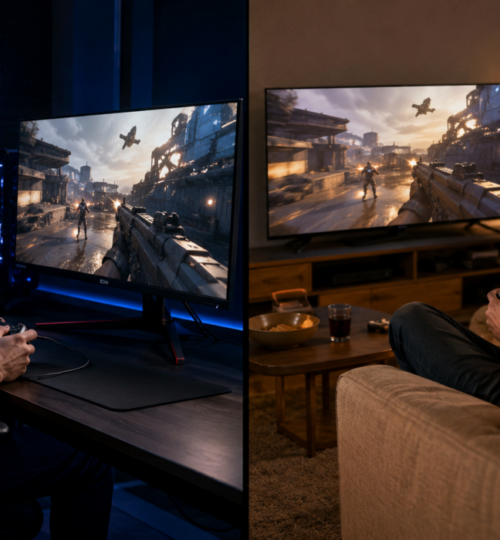
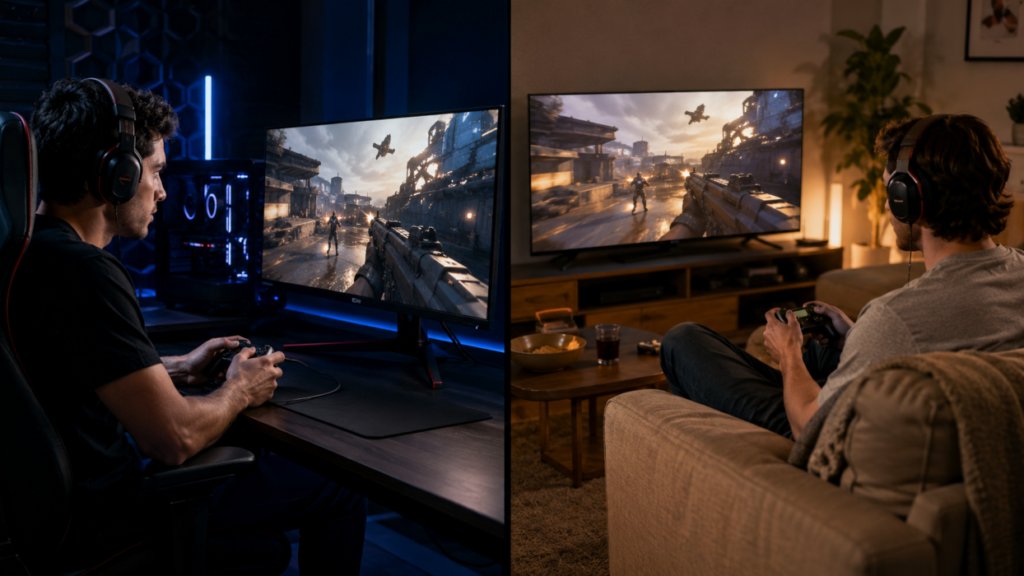
For most console competitors, the best practical setup is straightforward. Use a gaming monitor or a modern low-latency TV. Enable Game Mode. Use 120Hz output when the game supports it. Choose performance mode over quality mode for ranked or tournament play. Check that your console is outputting the refresh rate you expect. Use wired Ethernet for online games. Test VRR on and off if the game feels inconsistent. Keep HDR if you like it, but test whether it affects feel on your display.
Most importantly, do not chase numbers so hard that you destroy your own consistency. A slightly faster setting is not useful if it makes the image unstable, introduces flicker, hurts visibility, or causes frame pacing problems. Competitive settings should make the game feel clearer, faster, and more predictable.
A player who constantly changes settings may never build stable muscle memory. Once you find a responsive setup that feels good, stick with it long enough to adapt. Consistency is part of latency optimization.
So, Does 10ms Matter?
Yes, but with context.
Ten milliseconds will not turn a bronze player into a champion. It will not replace aim training, matchup knowledge, map awareness, or team coordination. But in competitive games, 10ms can absolutely influence feel, timing, and confidence. At 120Hz, it is more than a full refresh interval. At 60 FPS, it is over half a frame. In tight duels, difficult punishes, fast reactions, and precision movement, that is enough to matter.
The better way to frame it is this: 10ms is not a cheat code, but it is a layer of drag. Remove enough drag from your setup, and your inputs feel more connected. Your corrections become cleaner. Your timing feels more honest. Your losses become easier to diagnose because you are not fighting your own hardware chain.
For a revived competitive community built on leaderboards, ladders, tournaments, and player history, that matters. We want matches decided by decision-making, execution, and teamwork. Console input lag is not the whole story, but it is part of the battlefield. And in competitive games, every hidden millisecond is either working with you or against you.