
Disclaimer: The views and opinions expressed in this article are solely those of the author. The mention of any products, services, or methods does not constitute an endorsement.
Graphics card performance has traditionally been measured by frame rates, clock speeds, memory bandwidth, and the ability to handle demanding resolutions. Video memory capacity often receives less attention, particularly when comparing graphics cards within the same performance tier. Modern games are exposing the weakness in that approach as high-resolution textures, complex environments, ray tracing, and advanced rendering techniques compete for available memory. A graphics card can possess sufficient processing power to run a game comfortably while lacking the memory necessary to maintain its intended visual quality.
As 2026 draws to a close, 16GB of VRAM is becoming a sensible purchasing target for gamers building or upgrading systems intended to handle demanding releases over the next several years. Cards equipped with 8GB remain capable of running numerous modern games, while 12GB offers a reasonable middle ground. However, independent benchmarks comparing otherwise similar graphics cards with different memory capacities demonstrate that insufficient VRAM can affect everything from texture quality to frame-time consistency, even at 1080p.
Why Modern Games Need More Video Memory
Video random access memory, commonly referred to as VRAM, provides a graphics processor with fast access to the data required to render a game. Textures represent a substantial portion of that workload, but video memory also accommodates geometry data, render targets, shadow maps, lighting information, and intermediate resources generated throughout the rendering process. These resources compete for available capacity while the graphics processor continues preparing upcoming frames.
A single building in a modern game might contain separate textures for brickwork, windows, damaged surfaces, interior furnishings, and weathering effects. Individual materials may also require additional texture maps that define surface roughness, reflectivity, and apparent physical detail. Across an expansive open world filled with vehicles, characters, vegetation, and environmental objects, those individual requirements accumulate into a substantial memory workload.
Texture resolution has a particularly significant effect on memory consumption. A 4096-by-4096 texture contains four times as many pixels as a 2048-by-2048 texture, despite its dimensions being only twice as large. Assuming identical storage formats and compression settings, increasing the resolution in this manner approximately quadruples the memory required. Modern texture compression reduces the overall burden, although the relationship between resolution and memory consumption remains.
Developers must also account for resources that may be needed as players move through an environment. Loading and unloading every asset the moment it becomes visible would introduce delays and distracting visual interruptions. Game engines therefore attempt to anticipate which resources will be needed and retain useful assets in memory whenever capacity allows.
Texture Streaming and the Problem with Limited VRAM
Most modern games employ some form of texture streaming to manage environments whose combined assets would otherwise exceed the available graphics memory. These systems dynamically determine which textures should be loaded and at what resolution. Objects close to the player generally require higher-resolution textures, while distant surfaces can often be represented using smaller versions without producing noticeable differences.
Epic Games describes this process in its Unreal Engine texture streaming documentation. The engine calculates appropriate texture resolutions based on the current viewpoint, object visibility, and available streaming memory. When the desired resolutions exceed the allocated memory budget, the system reduces the quality of selected textures until the resources fit within its limits.
Players may recognize the consequences as blurry surfaces, textures that become sharper several seconds after appearing, or environmental details that change noticeably as they approach. Some degree of texture streaming is normal, even on powerful graphics cards, and temporary visual inconsistencies can also result from storage limitations or engine-related problems. Persistent degradation becomes more likely when the available graphics memory cannot accommodate the assets required by the selected settings.
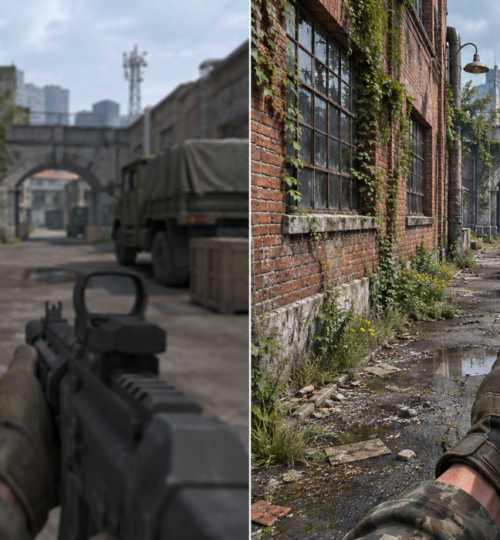
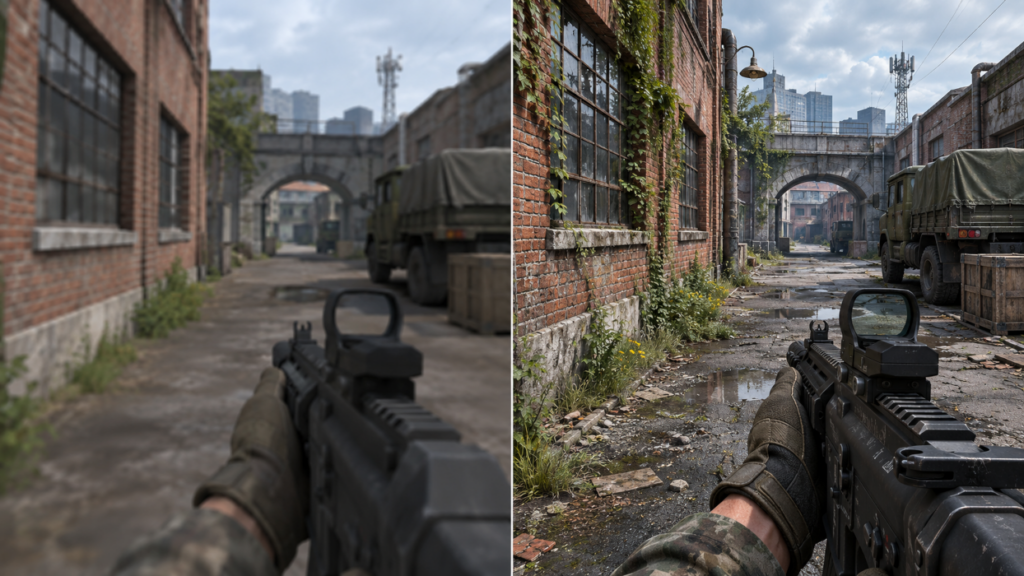
This behavior complicates hardware benchmarking because certain games respond to memory pressure by reducing texture quality automatically. Two systems running identical graphics presets may consequently deliver different visual experiences despite reporting similar frame rates. Open-world racing games and large multiplayer shooters are particularly useful for examining these differences because rapid movement through their environments continually introduces new assets.
What Modern Benchmarks Reveal About 8GB and 16GB VRAM
Graphics cards offered in multiple memory configurations provide an opportunity to examine VRAM limitations without comparing entirely different graphics processors. The 8GB and 16GB versions of the GeForce RTX 5060 Ti and Radeon RX 9060 XT are particularly useful examples. Although individual board specifications can vary, these configurations help reviewers isolate the performance consequences of memory capacity.
In May 2026, TechSpot examined the performance of 8GB and 16GB graphics cards in Forza Horizon 6. Using the RTX 5060 Ti at 1080p with the Extreme graphics preset, ray tracing, and DLSS Balanced upscaling, the 16GB model averaged 82 FPS. Its 8GB counterpart managed 55 FPS under identical conditions, despite rendering internally at a resolution below native 1080p.
The difference widened during a 12-minute gameplay test conducted at 1440p with DLSS Quality, the Extreme preset, and ray tracing enabled. The 16GB version averaged 72 FPS, while the 8GB model averaged 30 FPS. Reducing environmental texture settings improved performance on the smaller-memory configuration, but certain reductions also forced lower geometry settings, removing vegetation and other environmental details.
These results represent demanding graphics configurations rather than the experience every Forza player should expect. Nevertheless, they demonstrate the extent to which memory capacity can restrict a graphics processor otherwise capable of handling the rendering workload. Players with 8GB cards can recover substantial performance through adjusted settings, although the visual compromises may extend beyond texture sharpness.
Independent PC Gamer testing comparing 8GB and 16GB graphics cards in 2026 produced a different but equally informative result in Cyberpunk 2077. Both RTX 5060 Ti configurations averaged 91 FPS at 1080p using medium ray tracing settings and Quality upscaling. However, the 16GB model recorded 1% lows of 63 FPS, compared with 44 FPS on the 8GB card, revealing a performance difference that average frame rates alone would have concealed.
Frame-Time Consistency and Competitive Gaming
Competitive multiplayer gamers have long understood the limitations of average frame-rate measurements. A game averaging 144 FPS can still feel inconsistent if individual frames periodically take substantially longer to render. Interruptions during aiming, movement, or rapid exchanges can interfere with a player’s ability to react, even when the frame-rate counter suggests that performance remains satisfactory.
Memory pressure can contribute to these interruptions when a game must repeatedly replace resources or access data outside the graphics card’s local memory. On a conventional desktop system equipped with a discrete graphics card, accessing resources in system RAM generally involves transfers across the PCI Express connection. Available bandwidth is typically much lower than that of dedicated graphics memory, and the additional access latency can further affect performance.
Microsoft addresses these limitations in its DirectX video memory budgeting documentation. Applications exceeding their operating system-assigned memory budget may experience stuttering and performance penalties as Windows manages memory among competing applications. The usable budget for an individual game may therefore be smaller than the graphics card’s advertised memory capacity.
Extended gameplay can expose problems that shorter benchmarks overlook, particularly as players encounter different locations, additional characters, or more complex visual effects. Examining frame-time graphs and 1% low measurements alongside average FPS provides a better indication of how consistently a system performs. Additional VRAM cannot resolve stuttering caused by shader compilation, processor limitations, or other unrelated problems, but it can reduce interruptions associated with insufficient graphics memory.
Why 1080p Gaming Is No Longer Immune to VRAM Limitations
Graphics card purchasing recommendations have historically been organized around monitor resolution. Entry-level cards targeted 1080p, midrange hardware targeted 1440p, and expensive flagship models were intended for 4K. Those categories remain useful for evaluating rendering performance, although they provide an incomplete picture of graphics memory requirements.
A game running at 1080p can still load high-resolution textures, detailed character models, and complex environmental assets. Lowering the display resolution reduces the memory required by certain rendering buffers, but texture and geometry requirements do not necessarily decrease proportionally. A high-resolution weapon texture, for example, can occupy the same amount of memory at 1080p and 1440p if the engine selects the same texture detail level.
Competitive players who prioritize high refresh rates and reduced graphics settings may encounter relatively few memory restrictions in their preferred games. Established esports titles often accommodate a broad range of hardware, and reducing unnecessary visual effects remains a common practice among experienced players. The purchasing decision becomes more complicated for gamers who alternate between competitive shooters and visually demanding single-player releases, where the same graphics card may face substantially different memory requirements.
Ray Tracing, Upscaling, and Frame Generation
Ray tracing introduces additional memory requirements beyond conventional rasterized rendering. Depending on the implementation, games may need acceleration structures describing scene geometry, intermediate rendering resources, and data used to reconstruct lighting effects or remove visual noise. As ray tracing implementations become more demanding, these resources can occupy memory that would otherwise be available for textures and other assets.
Upscaling technologies such as NVIDIA DLSS, AMD FSR, and Intel XeSS reduce processing workloads by allowing games to render at lower internal resolutions. This can also reduce the size of certain rendering buffers, providing some relief for graphics cards approaching their memory limits. The savings do not necessarily extend to high-resolution textures or other environmental assets, which are managed separately according to the game’s settings and engine behavior.
Frame generation introduces further demands because producing intermediate frames requires additional processing and memory resources. A graphics card already approaching its capacity may have difficulty accommodating those requirements alongside its existing rendering workload. Although frame generation can improve perceived motion smoothness, it cannot eliminate the underlying consequences of memory exhaustion or restore the responsiveness lost through a severely restricted base frame rate.
Is 16GB Really the New Minimum for Gaming?
Official system requirements offer a useful starting point for determining how much graphics memory contemporary games expect. Bethesda’s published PC system requirements for Indiana Jones and the Great Circle list graphics cards with 8GB of VRAM for the minimum native 1080p configuration. The recommended native 1440p configuration specifies 12GB models, while the ultra native 4K configuration calls for the 16GB GeForce RTX 4080 or the 20GB Radeon RX 7900 XT.
The progression reflects differences in processing power as well as memory capacity. It also illustrates why the minimum hardware required to run a game should be distinguished from the hardware recommended for higher visual settings. A universal 16GB minimum remains unsupported by current system requirements, although demanding configurations increasingly benefit from that capacity.
An 8GB graphics card remains reasonable for budget-conscious players concentrating on older games, established esports titles, and modern releases with adjustable graphics settings. Owners of these cards can often extend their useful lifespan by selectively reducing texture quality, ray tracing, and environmental detail. The suitability of an 8GB card depends heavily on the games being played and the visual compromises its owner considers acceptable.
A powerful 12GB graphics card offers additional flexibility and remains capable of handling many contemporary gaming workloads. Existing owners should evaluate their actual performance before considering an upgrade based exclusively on memory capacity. Replacing a satisfactory graphics card simply to obtain another 4GB of VRAM may provide little immediate benefit, particularly if the replacement offers similar processing performance.
For newly built midrange and high-end gaming systems expected to remain in service for several years, 16GB is a more attractive purchasing target. The additional capacity provides room for demanding textures and rendering features without necessarily requiring a flagship graphics card. It is a practical recommendation based on current workloads and anticipated ownership periods, rather than a confirmed requirement for upcoming games.
More VRAM Does Not Automatically Mean Better GPU Performance
GPU architecture, computational resources, memory bandwidth, cache design, ray tracing capabilities, and driver support all influence graphics performance. A slower graphics card equipped with 16GB can easily fall behind a substantially more powerful 12GB model in games that fit within both cards’ available memory. Purchasing decisions based exclusively on VRAM capacity can therefore lead to disappointing results.
Memory bandwidth deserves particular attention because it determines how quickly the graphics processor can transfer data to and from its memory. Greater capacity provides room for additional assets, but the speed at which those assets can be accessed remains dependent on memory technology, bus width, operating speeds, and cache effectiveness. A large memory capacity offers little advantage when the graphics processor reaches its computational limits before exhausting that capacity.
Benchmarks conducted at the intended resolution and graphics settings remain the most useful basis for comparing graphics cards. When two otherwise comparable models offer different memory capacities, paying a reasonable premium for additional VRAM can make sense. Comparisons between different GPU architectures or performance tiers require greater consideration of overall rendering performance, image quality, and the particular games the system is expected to run.
Preparing Your Gaming PC for Larger Texture Workloads
A graphics card with sufficient VRAM still depends on the supporting hardware to deliver assets efficiently. For a newly assembled midrange or high-end gaming PC, 32GB of system RAM is a sensible configuration. Games must maintain their own working data while sharing system resources with Windows, communication software, web browsers, recording applications, and other background processes. Additional system memory can also reduce secondary performance problems when graphics resources spill beyond dedicated VRAM, although it remains a slower alternative to local graphics memory.
An NVMe SSD is another worthwhile component for systems intended to handle increasingly detailed game environments. Faster storage can improve loading times and assist asset streaming, particularly in games designed around modern storage capabilities. Actual improvements depend on the game engine and its implementation, and even a high-performance SSD cannot fully compensate for insufficient graphics memory during rendering.
Gamers upgrading older systems should also investigate their motherboard’s PCI Express capabilities. Graphics cards using fewer PCIe lanes may experience more pronounced bandwidth restrictions when installed in systems supporting older PCIe generations, particularly if limited VRAM causes frequent transfers between graphics and system memory. The significance of this restriction depends on the graphics card, motherboard, negotiated PCIe link speed, and the individual game’s resource management.
Before replacing a graphics card, players experiencing potential memory limitations should monitor dedicated GPU memory usage, shared GPU memory usage, frame rates, and frame times during extended gameplay. Comparing performance across the same locations after reducing texture quality can help identify whether graphics memory is contributing to the problem. High reported VRAM usage alone is insufficient evidence of a bottleneck because games frequently reserve or cache resources when additional capacity is available.
Graphics Card Longevity and the Cost of Fixed Memory
Replacing a graphics card every generation is a difficult expense to justify for many PC gamers. A card purchased today may remain installed for four or five years, during which its owner could move to a higher-resolution monitor, install demanding texture modifications, or purchase games developed around more capable hardware. Buying exclusively for current workloads leaves relatively little room for those changes.
Video memory presents a particularly difficult purchasing decision because it generally cannot be upgraded independently on consumer graphics cards. System RAM can be expanded, storage capacity can be increased, and processors can sometimes be replaced without rebuilding an entire system. Increasing dedicated graphics memory, however, ordinarily requires replacing the graphics card itself.
There is no guarantee that 16GB will remain sufficient for maximum graphics settings throughout the lifetime of a card. Developers may introduce more demanding rendering techniques, and future texture packages could exceed capacities that seem generous today. Additional memory is best understood as a way to reduce the likelihood of premature hardware limitations, rather than a guarantee against them.
For players who prefer keeping their hardware across several generations, the most compelling reason to purchase additional VRAM is the possibility of retaining higher texture quality as the graphics processor ages. Upscaling and carefully selected graphics settings can extend the useful rendering performance of an older GPU, sometimes allowing it to remain competitive with more recent budget hardware. A card purchased with limited memory may require reductions in texture quality and environmental detail even when its processor remains capable of delivering acceptable frame rates, leaving owners with fewer options for extending its useful life.