
Disclaimer: The views and opinions expressed in this article are solely those of the author. The mention of any products, services, or methods does not constitute an endorsement.
Gaming handhelds have reached the point where showing up to a LAN with one no longer feels like a stunt. Modern handheld PCs can run serious competitive games, drive external high-refresh displays, accept desktop peripherals, connect to wired networks, and stay powered for an entire event when the supporting gear is chosen correctly. The harder part is no longer proving that a handheld can behave like a compact gaming PC. It is building a setup that behaves predictably after it has been stuffed into a backpack, carried across town, plugged into an unfamiliar table, and expected to work five minutes before a match.
That changes how portable esports gear should be judged. Battery life matters while traveling, but once tournament play begins, stable power, wired networking, display compatibility, peripheral reliability, cable quality, and setup speed matter more. A strong handheld LAN kit is basically a miniature tournament station, with the handheld serving as the computer rather than the entire experience.
Start With the Handheld’s Ports, Not the Accessory Catalog
Before buying a dock or portable monitor, map the exact capabilities of the handheld. USB-C connectors can look identical while supporting very different combinations of charging, USB data, DisplayPort output, USB4, Thunderbolt compatibility, and power delivery. That difference determines whether a handheld can charge while driving a monitor, whether a second USB-C port remains available for another device, and how much work the dock must handle.
The variation is easy to see in current hardware. Valve’s Steam Deck OLED uses a single USB-C connection for charging, peripherals, and DisplayPort video, with a 45-watt USB Power Delivery supply, while ASUS lists two USB-C ports on the ROG Ally X (2024), including a USB4 port with DisplayPort 1.4 and Power Delivery 3.0. ASUS’s newer ROG Xbox Ally X platform also lists USB4, DisplayPort 2.1, Power Delivery 3.0, and a second USB-C connection, while Lenovo’s Legion Go S line includes dual USB4 Type-C ports with DisplayPort and Power Delivery support.
For a LAN setup, extra ports are not merely convenient. A second full-featured USB-C connection can let the display or another accessory bypass the dock entirely, which simplifies troubleshooting and may keep video traffic separate from USB peripherals. A single-port handheld can still make an excellent station, but it places more responsibility on the dock and its power input.
The Dock Is the Center of the Setup
The dock should be treated as infrastructure, not as a fancy stand. For tournament use, the most useful combination is USB-C Power Delivery input, Gigabit Ethernet, at least two or three USB-A ports, and a display output that matches the monitor you actually plan to use. DisplayPort is especially useful for PC-style gaming monitors, while HDMI remains valuable because event displays and hotel televisions often make it the easiest fallback.
Valve’s official Steam Deck Docking Station is a good example of the feature set that matters even if a player uses another handheld or third-party dock. It provides Gigabit Ethernet, three USB-A ports, DisplayPort 1.4, HDMI 2.0, and USB-C power passthrough, with official display support up to 4K at 60 Hz or 1440p at 120 Hz. The point is not that every player needs Valve’s dock. The point is that a LAN-oriented dock should solve networking, peripherals, video, and charging in one reliable box.
Cheap hubs can work, but they become harder to trust as more devices are attached. Keyboard, mouse, headset interface, Ethernet, storage, and video may all be passing through one compact device, and a marginal cable or unstable power supply can make failures appear random. For competition, boring hardware is good hardware. A dock that has already survived several long sessions at home is worth more than a newer model with extra ports that has never been tested under full load.
Power Headroom Prevents Strange Problems
A handheld that can run on a 45-watt or 65-watt charger does not automatically mean every docked setup should use the smallest adapter that technically powers it. The charger may also be feeding the dock, USB devices, storage, and sometimes a portable monitor. If the system cannot negotiate enough power for the handheld’s higher-performance mode, the player may see slower charging, battery drain while plugged in, or reduced performance settings.
USB Power Delivery itself now extends far beyond the needs of most handhelds. USB-IF states that USB PD 3.1 can deliver up to 240 watts with the appropriate USB-C cable and hardware, and its current cable labeling rules distinguish 60-watt and 240-watt capable USB-C cables. That does not mean a handheld needs a 240-watt brick. It means players should stop treating every USB-C cable as interchangeable and match the charger, cable, dock, and handheld to the wattage the setup expects.
For a tournament bag, a quality multiport USB-C charger can reduce clutter if it has enough output on the primary port while other devices are connected. Test that exact combination before the event because some chargers redistribute power when a second cable is inserted. A configuration that supplies full power with one device attached may renegotiate to a lower level when a phone or monitor begins charging.
Wired Ethernet Should Be the Default LAN Connection
A LAN tournament is one of the worst places to depend on wireless networking simply because the handheld makes Wi-Fi easy. Crowded venues contain dozens or hundreds of radios, phones, access points, Bluetooth devices, wireless headsets, and spectator hardware competing for spectrum. Even when average latency looks acceptable, consistency matters in competitive play, and a wired Ethernet connection removes one large source of variability.
Gigabit Ethernet is more than enough for the actual bandwidth requirements of multiplayer games, which usually care far more about latency, packet loss, and consistency than raw throughput. The practical concern is whether the dock’s Ethernet adapter is stable with the handheld’s operating system and whether the tournament network allows player-owned adapters. Test the same dock, Ethernet cable, and software configuration beforehand, then pack a short known-good cable rather than assuming the venue will provide one at every seat.
Network preparation also includes turning off background downloads and sync jobs. A handheld running Windows can quietly behave like any other PC, with game launchers, cloud storage, system services, and update tools all interested in the network. SteamOS users have a different software stack, but the same tournament rule applies: preinstall the game, verify files, update before arrival, and avoid discovering a mandatory download while everyone else is entering the server.
A 1080p High-Refresh Portable Display Is Often the Sweet Spot
The internal screen is excellent for travel and casual play, but serious mouse-and-keyboard competition usually benefits from a larger display placed at a normal viewing distance. Portable gaming monitors have become much more suitable for this role, and 15- to 16-inch 1080p high-refresh panels are a practical balance between size, weight, GPU load, and desk space. A 1440p or 4K portable panel can look sharper, but extra resolution is not automatically useful if the handheld has to work harder to maintain competitive frame rates.
Current portable displays show how far this category has moved. ASUS’s ZenScreen MB16AHG, for example, is a 15.6-inch 1920 by 1080 IPS portable monitor with a 144 Hz refresh rate, two USB-C connections supporting DisplayPort Alt Mode, mini HDMI, and FreeSync Premium. VESA’s DisplayPort Alt Mode standard allows DisplayPort audio and video to travel through USB-C alongside USB data and power capabilities, which is why one USB-C cable can sometimes handle a surprisingly large part of a portable setup.
The catch is that “USB-C monitor” does not guarantee the exact refresh rate and resolution will work through every dock and cable combination. Test the monitor at the refresh rate you intend to use, confirm that Windows or SteamOS is actually outputting that rate, and check whether adaptive sync remains available through the chosen connection. If the monitor has both USB-C and HDMI, pack the HDMI cable as a fallback even if USB-C is the cleaner primary setup.
Keyboard, Mouse, and Controller Choices Should Reduce Variables
Handheld controls are part of the appeal of these systems, but a portable esports station should match the input method used in actual competition. For shooters and many PC titles, that means a compact keyboard and familiar gaming mouse. A 60-percent, 65-percent, or tenkeyless keyboard reduces table space, while the mouse should be the same model, shape, DPI, polling configuration, and surface the player already practices with.
Wired peripherals remain attractive at crowded events because they remove batteries, pairing, and radio interference from the equation. Wireless gaming mice have become extremely reliable, but their receivers should be placed carefully rather than buried behind a dock surrounded by cables and other electronics. If a mouse supports both wired and wireless modes, packing its data cable creates an immediate fallback without requiring a second mouse.
Controller players have a similar decision. A wired controller eliminates pairing and charging surprises, while a wireless controller may be more comfortable if the player already trains that way. The best tournament input device is usually not the one with the most advanced specification. It is the one whose behavior, dead zones, button mapping, sensitivity, firmware, and physical feel are already familiar.
Audio Needs a Backup Path
Audio is easy to underestimate until a headset fails to enumerate through a dock or a wireless connection becomes unreliable in a busy room. A wired 3.5 mm headset has one major advantage for portable competition: it can often connect directly to the handheld and bypass the USB dock completely. USB headsets can also work well, but they add another device to the dock and may depend on software or firmware that should be tested before tournament day.
Players using a wireless headset should pack the charging or wired fallback cable if the model supports one. Bluetooth is convenient for travel but is rarely the first choice for latency-sensitive competitive audio when dedicated low-latency wireless or wired options are available. The goal is not to ban wireless gear. It is to make sure one dead battery or receiver problem does not end the setup.
Stands, Cooling, and Table Space Matter More Than They Look
A dock that also holds the handheld upright can save space, but airflow should take priority over appearance. Intake and exhaust vents need room, especially when the device is plugged in and running at a higher power profile for hours. Avoid stands or cases that partially cover vents, and do not wedge the handheld between a monitor and a pile of cables simply because the table is small.
The physical arrangement should also protect the USB-C connector. Handhelds are light enough that a stiff HDMI, Ethernet, or USB cable can pull on a dock or twist the host cable at an awkward angle. Short flexible cables, a stable dock, and a little slack around the handheld reduce strain and make accidental disconnects less likely when someone bumps the table.
A small folding stand for the portable monitor is worth testing just as carefully. Many portable displays include kickstands or covers that are fine on a hotel desk but less stable on narrow tournament tables. The monitor should remain upright when the table shakes, the mouse cable brushes it, or someone adjusts equipment beside it.
Pack Redundancy Where Failure Is Cheap to Prevent
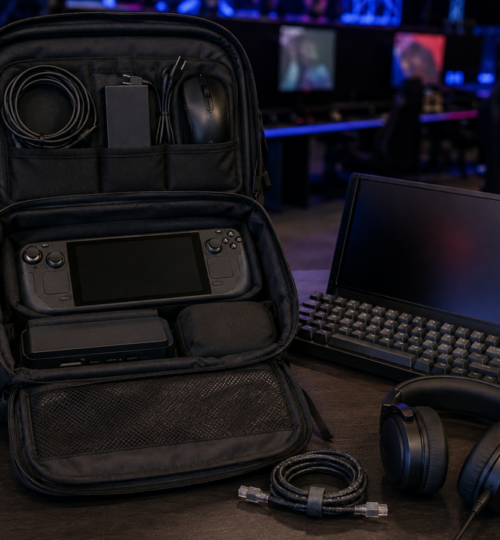
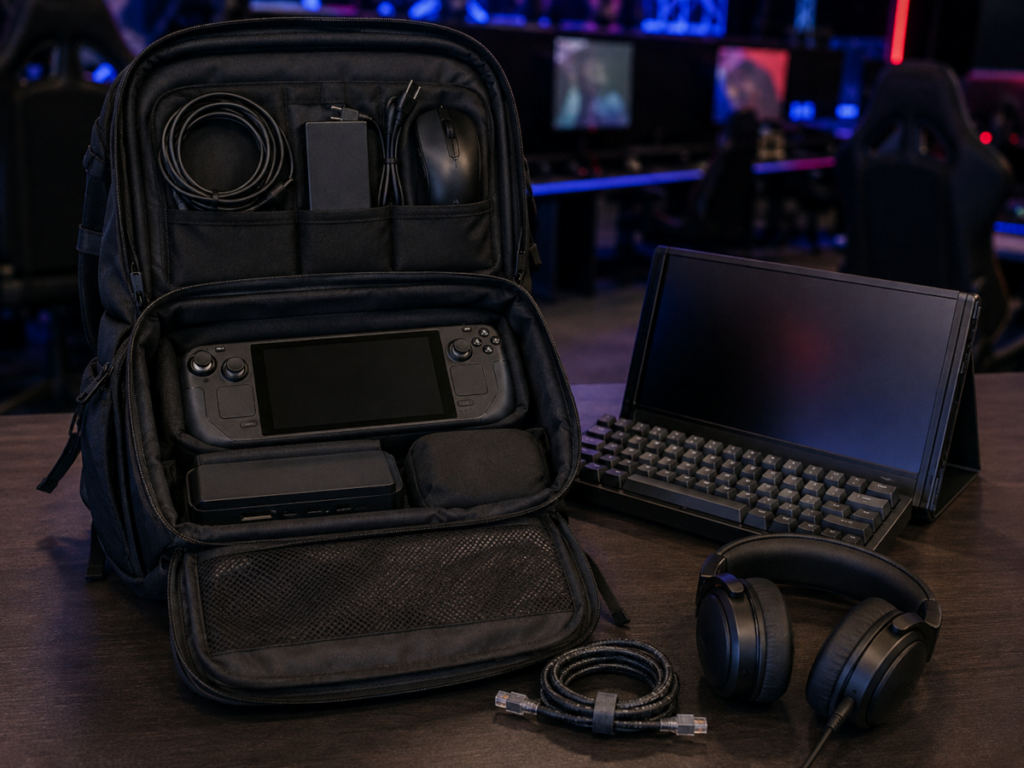
The most useful backup gear is small. A second USB-C cable, spare HDMI cable, short Ethernet cable, USB-A adapter, wired earbuds, spare mouse cable, and compact extension cord can solve a surprising number of tournament problems without turning the bag into a repair shop. These items are light, inexpensive compared with the handheld itself, and easy to verify before leaving home.
Storage deserves the same thinking. Keep enough free internal space for game updates, shader caches, recordings if required, and tournament software. An external SSD is useful for moving files or carrying a secondary game library, but it should not be inserted into the competitive setup unless there is a reason for it to be there. Every extra device adds another cable, another USB endpoint, and another thing to diagnose.
Build the Setup as a Single Tested System
The final preparation should happen at home with every piece connected exactly as it will be at the event. Run the handheld from the tournament charger, through the tournament dock, over Ethernet, into the portable monitor at the intended refresh rate, with the actual keyboard, mouse, controller, and headset attached. Play long enough to expose heat, power, display, USB, and sleep-wake issues rather than stopping after the desktop appears.
That rehearsal also exposes setup order problems. Some combinations behave differently depending on whether power, video, or the handheld is connected first, and a firmware update can change behavior that seemed settled a month earlier. Write down the connection order if necessary, keep firmware current before event day rather than during it, and avoid last-minute driver experiments unless something is genuinely broken.
A good portable esports rig should become almost forgettable once the match begins. The handheld goes into the dock, Ethernet clicks into place, the display comes up at the expected refresh rate, the peripherals behave exactly as they did in practice, and nothing demands attention until the games are over. That is the standard worth chasing, because portability in competition is not about carrying the fewest objects. It is about carrying a complete station that can be rebuilt quickly, reliably, and without surprises on somebody else’s table.