
Disclaimer: The views and opinions expressed in this article are solely those of the author. The mention of any products, services, or methods does not constitute an endorsement.
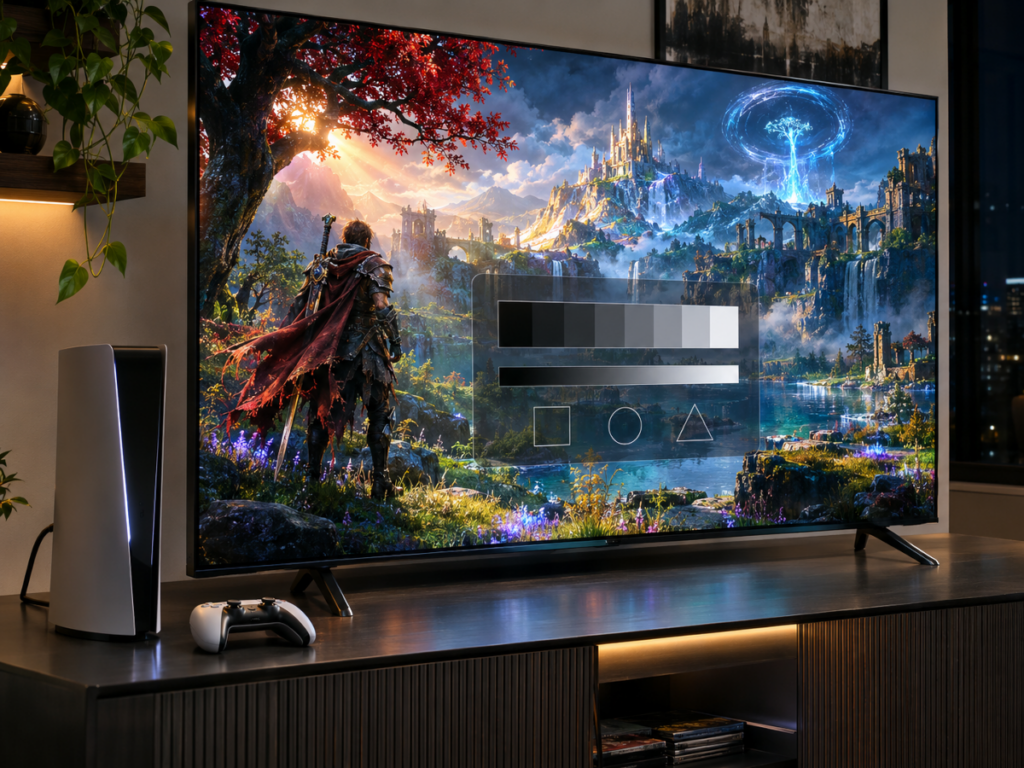
For years, setting up a new gaming console involved spending time in menus before playing anything. Gamers adjusted brightness sliders, selected resolutions, enabled HDR, changed television picture modes, and worked through calibration screens featuring symbols that were supposed to be barely visible. Getting everything right often required understanding settings scattered across the console, television, and individual games.
Modern consoles are gradually taking over parts of that process. The PlayStation 5, Xbox Series X|S, and Nintendo Switch 2 can automatically detect compatible display capabilities, while certain console and television combinations go further by coordinating HDR settings and picture modes. Technologies such as Auto Low Latency Mode (ALLM), Dolby Vision gaming, and automatic HDR tone mapping are reducing the adjustments required before a game looks and performs as intended.
The distinction between automatic display setup and genuine calibration remains important. Current systems can exchange information about supported features and optimize certain video settings, but they cannot universally measure or correct every television’s picture performance. The setup menu is becoming less demanding, although eliminating it entirely remains a considerably more difficult technical challenge.
From Manual Calibration to Automatic Display Detection
Older console generations offered relatively limited control over video output. Players generally selected an appropriate resolution, adjusted television brightness and contrast, and occasionally configured screen boundaries to compensate for overscan. With the widespread adoption of HDR gaming, display configuration became more complicated because the relationship between a game’s output and a television’s capabilities began affecting picture quality more directly.
High Dynamic Range introduced additional variables involving peak brightness, shadow detail, color reproduction, and tone mapping. A game might produce highlights exceeding a television’s physical capabilities, requiring the display or console to compress those brightness values into a range the screen can reproduce. Poor configuration can eliminate detail from bright clouds, dark corridors, or reflective surfaces, even when the television itself supports HDR.
Modern HDMI communication provides part of the solution. When a console connects to a compatible display, it can read information describing supported resolutions, refresh rates, color formats, and HDR capabilities. Extended Display Identification Data (EDID), along with related HDMI signaling mechanisms, allows the console to select compatible output settings without requiring players to identify every television specification.
Sony’s PS5 video output documentation describes automatic resolution selection and the ability to inspect information about the connected HDMI device. Xbox consoles provide similar detection through their television compatibility information and display settings. These features simplify initial setup, although recognizing that a television supports HDR does not establish how accurately it reproduces brightness or color.
A television advertising HDR support may have considerably different capabilities from another model carrying the same designation. Peak luminance, black-level performance, and tone-mapping behavior vary across display technologies and price categories. Automatic configuration becomes more useful when it accounts for those differences rather than treating every HDR-compatible screen as equivalent.
Sony’s Auto HDR Tone Mapping Goes Beyond Basic Detection
One of the clearest examples of console-specific display automation emerged from Sony’s collaboration between PlayStation and BRAVIA televisions. In October 2021, the company announced its Perfect for PlayStation 5 initiative, introducing Auto HDR Tone Mapping and Auto Genre Picture Mode for supported BRAVIA XR models.
Auto HDR Tone Mapping allows the PS5 to recognize compatible BRAVIA televisions and automatically select HDR settings based on the identified display model. Instead of relying entirely on the player to determine appropriate brightness parameters through calibration patterns, the console uses information associated with that television to establish an initial configuration. The process reduces the likelihood of incorrect settings during initial setup, particularly for owners unfamiliar with HDR calibration.
The practical benefit becomes apparent in games containing demanding contrasts. Consider a racing game that places bright sunlight over reflective vehicle bodywork while preserving darker details along the track. Incorrect HDR mapping can cause highlights to lose detail or make shaded areas unnecessarily difficult to distinguish. An appropriate configuration helps distribute the game’s brightness range more effectively across the display’s available capabilities.
Sony also introduced Auto Genre Picture Mode, which changes the television’s processing behavior according to the content being displayed. During gameplay, supported BRAVIA televisions automatically enter Game Mode to reduce input lag. When the console switches to movie or streaming playback, the television can return to a picture mode designed for video entertainment.
These features depend on compatible television models and software. They also represent model-aware configuration rather than continuous measurement of the individual screen. The console applies information about the display’s expected behavior without independently measuring its current brightness, color accuracy, or changes caused by panel aging.
Sony’s implementation demonstrates how much configuration can disappear when the console manufacturer and television manufacturer coordinate their hardware. Extending comparable behavior across unrelated television brands is more difficult because each manufacturer uses different display technologies, processing algorithms, and internal picture controls.
Xbox Combines Automatic HDR Processing With Display Compatibility
Microsoft has approached display automation through several complementary technologies rather than relying primarily on a close relationship with one television manufacturer. Xbox Series X|S consoles detect supported output capabilities and provide options for HDR10, Dolby Vision gaming, variable refresh rates, and low-latency operation.
The Xbox HDR Game Calibration tool remains part of this arrangement. Players use reference patterns to establish suitable brightness boundaries for HDR presentation, allowing compatible games to work with the resulting calibration information. The process provides more control than an entirely automatic setup, although it still requires user involvement and appropriate television settings.
Microsoft also introduced Auto HDR, a feature that enhances compatible games originally designed for Standard Dynamic Range displays. As explained in Xbox’s official display setup guidance, Auto HDR uses console-side processing to add HDR enhancements to supported older games. This enables selected titles to benefit from HDR presentation without requiring developers to create a completely new HDR implementation.
Despite the similar terminology, Auto HDR and automatic HDR calibration perform different functions. Auto HDR processes a game’s image to expand its presentation into HDR, while calibration establishes information about how HDR content should be displayed. A game benefiting from Auto HDR can still look incorrect if the television’s brightness or tone-mapping configuration is unsuitable.
Xbox’s support for Dolby Vision gaming provides another form of automated HDR processing. Introduced for Xbox Series X|S in September 2021, Dolby Vision allows compatible games and televisions to use a more adaptive HDR presentation system. Microsoft’s Dolby Vision gaming announcement describes how the technology maps HDR content to compatible television capabilities, reducing some of the adjustment work otherwise required.
Dolby Vision can improve consistency across supported displays, but its results depend on the television’s implementation and available gaming features. Compatibility with 120 Hz output, VRR, and low-latency processing varies between television models. A display supporting Dolby Vision for movies does not necessarily provide the same combination of features or responsiveness during gaming.
Why HGiG Matters for Consistent HDR Gaming
A persistent problem with HDR gaming is the possibility that both the game and television will attempt substantial tone mapping. A game may already compress bright highlights to fit the display’s expected capabilities, only for the television to apply another layer of processing. The resulting image can lose highlight detail, reproduce shadows incorrectly, or appear brighter than intended.
The HDR Gaming Interest Group (HGiG), developed through industry cooperation involving Microsoft, Sony, and display manufacturers, established recommendations intended to improve consistency. Its HDR gaming best-practice recommendations describe an approach in which displays provide information about their HDR behavior, consoles communicate relevant information to games, and developers account for those capabilities during rendering.
The objective is to allow a game to manage HDR output using information about the display’s effective brightness range. A television operating in an appropriate HGiG-compatible mode can avoid unnecessary additional tone mapping when the game has already prepared its output for the display.
This coordination matters because HDR specifications alone do not determine how an image should appear. Two televisions may accept identical HDR10 signals while having very different peak brightness limits and black-level performance. A system that accounts for those physical differences has a better chance of preserving the intended relationship between bright and dark objects.
HGiG remains a collection of industry recommendations rather than a universal calibration system. Compatibility and behavior depend on the television, console, and game, while manufacturers use different terminology for supported settings. Some displays offer an explicit HGiG option, whereas others provide different tone-mapping controls with related purposes.
LG’s 2026 guidance on HGiG and Tone Mapping Compensation illustrates the remaining complexity. Owners may need to select the appropriate Game Optimizer settings, and an HGiG configuration can appear darker than the television’s more aggressive tone-mapping mode. That difference does not automatically indicate an inferior image, since additional brightening can change the contrast intended by the game’s developers.
Nintendo Switch 2 Retains Manual HDR Controls
Nintendo entered this discussion more directly with the Switch 2, which introduced HDR output and expanded display configuration options compared with the original Switch. The console supports automatic resolution selection, HDR output preferences, VRR, and ALLM for compatible television connections. These features allow much of the initial display setup to occur through compatibility detection.
Nintendo nevertheless retains manual adjustments alongside those automatic capabilities. Its official Switch 2 display settings documentation includes an Adjust HDR option for compatible televisions, allowing players to modify HDR color balance according to their preferences. Users can also control whether HDR output applies to all software, compatible software only, or remains disabled.
The Switch 2 illustrates how automatic detection and user control can coexist. The console can establish compatible output settings while leaving room for adjustments when a television behaves unexpectedly or the player prefers another presentation. Its handheld display introduces a separate set of considerations because Nintendo controls the integrated screen hardware, while external television output must accommodate many different manufacturers and display models.
HDMI Source-Based Tone Mapping Could Reduce Setup Further
The broader effort to automate HDR handling extends beyond individual console manufacturers. In February 2022, the HDMI Forum introduced Source-Based Tone Mapping (SBTM) as part of the HDMI 2.1a specification.
As described in the HDMI Forum’s SBTM announcement, the technology allows some HDR tone-mapping work to occur within the source device rather than leaving it entirely to the television. Its design also supports situations where HDR and SDR material appear together, such as application interfaces displayed alongside HDR content.
For gaming consoles, that capability presents several possibilities. A source device could coordinate its HDR output with supported display characteristics while managing game graphics, menus, notifications, and other on-screen elements more consistently. Better handling of these different image types could reduce the need for application-specific brightness adjustments.
Mixed HDR and SDR presentation can be awkward when switching between gameplay and system interfaces. A console dashboard designed around conventional brightness levels may appear unusually bright or dim relative to the HDR game beneath it. Source-based processing offers another way to manage those differences before the combined image reaches the display.
SBTM remains a specification feature whose practical benefits depend on hardware and software support. Its inclusion in HDMI documentation does not mean every HDMI 2.1 television or current console implements it, and it should not be treated as evidence that future systems will provide complete calibration automatically.
Its broader significance lies in the additional cooperation it permits between source devices and displays. If manufacturers adopt compatible implementations, consoles could take greater responsibility for preparing an HDR signal suited to the connected television. How consistently that information is exchanged will determine whether the feature produces noticeable improvements for ordinary users.
Why Automatic Configuration Cannot Guarantee an Accurate Picture
Even sophisticated automatic setup systems encounter a limitation: detecting a display’s advertised capabilities differs from measuring its actual performance.
Two units of the same television model can exhibit differences in white balance, color accuracy, uniformity, and brightness. Manufacturing tolerances, firmware changes, operating conditions, and panel aging can all affect the image. A console recognizing a television model generally cannot identify these individual differences through ordinary HDMI capability detection.
Professional display calibration addresses those problems through physical measurement. Colorimeters or spectroradiometers measure the screen’s actual output, and calibration software compares those readings with defined targets. Corrections can then be made through supported display controls, including grayscale balance, color behavior, and brightness tracking.
Automatic HDR configuration does not ordinarily perform those measurements. It establishes a usable relationship between the console’s output and the display’s expected capabilities, which may be sufficient for most gaming situations but does not guarantee reference-level accuracy.
Room lighting adds another complication. An HDR image configured in a dark room may become difficult to see in a brightly lit living room, particularly when a game contains extensive shadow detail. Automatic adjustments based on ambient-light sensors can improve visibility, but changing brightness dynamically may also alter the intended presentation.
Television processing introduces further variables. Dynamic contrast, automatic brightness limiting, local dimming, and other image-processing features can change the relationship between an incoming HDR signal and the final picture. Their behavior may differ between Game Mode and movie-oriented picture presets, making one set of calibration values less appropriate under certain conditions.
The hardware connection itself can interfere with automatic detection. An AV receiver, HDMI switch, capture device, or incompatible cable may restrict available display modes or affect how capabilities are reported. Some televisions also require users to enable enhanced HDMI features on specific inputs before their full capabilities become available.
This explains why automatic configuration can occasionally produce an unexpected resolution, refresh rate, or HDR setting. A console cannot reliably activate features that another component in the signal chain fails to expose. Troubleshooting may still require checking television input settings, firmware versions, cables, and intermediary equipment.
What Automatic Calibration Means for Competitive Gaming
Competitive players have traditionally approached display settings differently from gamers focused primarily on cinematic presentation. Input latency, motion clarity, visibility, and consistent image behavior frequently take priority over elaborate picture processing.
Automatic Low Latency Mode is particularly useful in that environment. A compatible television can switch into a low-latency configuration when gameplay begins, reducing the possibility of accidentally playing a fast-paced shooter with a movie-oriented picture mode that introduces unnecessary processing delay. The feature also removes one routine adjustment when moving between games and video entertainment.
VRR provides another example of automatic cooperation between the console and display, although it addresses frame presentation rather than color calibration. By allowing compatible screens to adjust their refresh timing to the console’s output, VRR can reduce tearing and stutter when frame rates fluctuate. It does not automatically correct HDR brightness or guarantee that the television’s image processing remains unchanged.
HDR presents a more complicated competitive consideration. In a tactical shooter, small changes in shadow visibility can influence how clearly an opponent appears against a dark background. Excessive brightening may reveal additional shadow detail, but it can also flatten contrast and reduce separation between objects elsewhere in the scene.
An accurately configured HDR image provides a more consistent starting point, especially when moving between games using different rendering methods. Some competitive players may still prefer SDR or a carefully configured display preset because of visibility preferences, tournament requirements, or the behavior of a particular title.
System-wide calibration also depends on whether individual games use the information provided by the console. Some titles work with platform-level HDR calibration, while others implement their own brightness and tone-mapping adjustments. A correctly configured console cannot guarantee an appropriate picture if the game’s rendering system ignores or overrides those values.
That inconsistency places responsibility on game developers as well as hardware manufacturers. Display automation becomes more effective when rendering engines follow consistent methods for interpreting calibration information. Without that cooperation, players can still encounter different HDR behavior across games running on the same console and television.
The Remaining Challenge Is Cooperation Between Consoles, Games, and Displays
Further progress in display automation depends heavily on how consistently manufacturers exchange and interpret HDR information. Consoles already recognize many supported output features, and selected hardware combinations can automatically configure picture modes and tone-mapping parameters. Extending that cooperation across different television brands, display technologies, and game engines presents a more demanding engineering problem.
A common system that reliably communicates usable brightness information would reduce one source of inconsistency. Developers could work with more predictable display parameters, while televisions could avoid unnecessary processing of HDR content already prepared for their capabilities. Players would encounter fewer repeated calibration procedures when changing games or replacing hardware.
There are practical reasons to retain accessible controls, however. A competitive player may prefer a different configuration from someone playing a cinematic single-player title in a dark room, even when both use the same television. Accessibility requirements, ambient lighting, and individual preferences can justify adjustments that an automatic system would not necessarily choose.
One area worth improving is the handling of different picture modes and display operating conditions. A television’s HDR response can change when VRR is enabled, when local dimming behaves differently in Game Mode, or when brightness limits vary with the amount of bright content on the screen. More sophisticated cooperation could help source devices account for some of those changes, provided manufacturers supply dependable information and implement compatible processing.
The next meaningful improvement may come from making HDR calibration data more consistent across games rather than adding another collection of television presets. A console capable of communicating reliable display limits still depends on developers using those values correctly, and the television must reproduce the resulting signal without unwanted processing.
For players, the practical difference would be fewer occasions when a new game launches with crushed shadows, clipped highlights, or brightness settings that bear little resemblance to the previous title. The technology needed to address parts of that problem already exists, but its effectiveness continues to depend on compatibility and implementation across the entire display chain.