
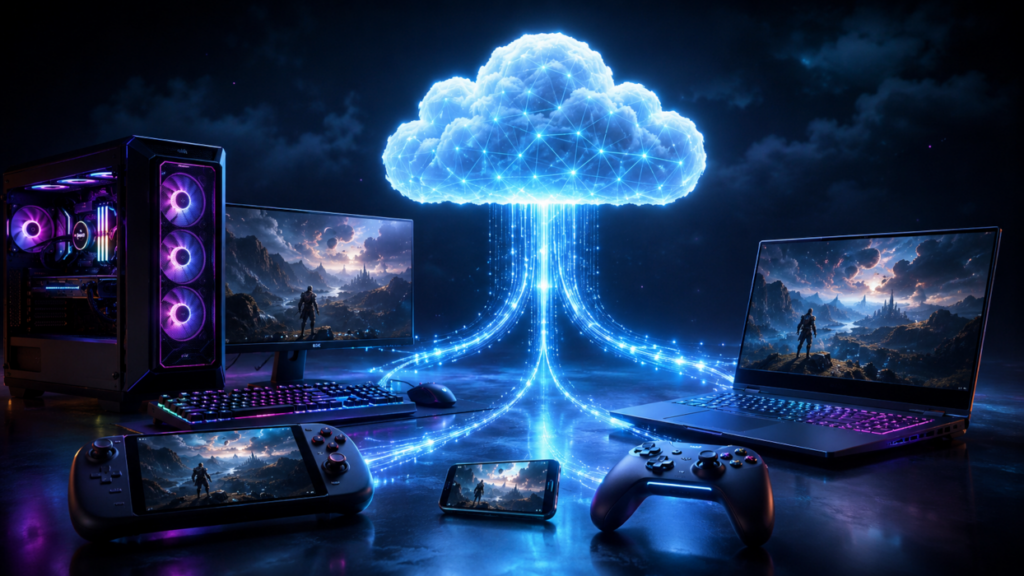
For years, PC gaming had a simple tradeoff: your main rig was where the real power lived, and everything else was a compromise. The desktop had the big GPU, the mechanical keyboard, the wired connection, the ultrawide monitor, the tuned settings, the Discord setup, and the save files you actually cared about. Portable devices were convenient, but they often felt like side systems. You could play something smaller on the couch or during travel, but the serious campaign progress, competitive grind, modded setup, and account continuity usually stayed anchored to the desk.
That line is fading fast.
Cloud synchronization has become one of the quietest but most important shifts in modern gaming. It does not always get the same spotlight as ray tracing, frame generation, OLED handheld screens, or new GPU launches, but it is changing how players move between devices. A desktop rig, a Steam Deck, a Windows handheld, a console, a laptop, a phone, and even a smart TV can now feel less like separate islands and more like different access points to the same gaming life.
For a legacy multiplayer community, that matters. We remember when your “main machine” was practically your identity. Your configs, profiles, screenshots, match demos, and saved progress lived on a specific hard drive. Lose that drive, lose that era. Today, the goal is different: your platform should follow you.
The Save File Became the Bridge
The most obvious form of cloud synchronization is the humble cloud save. At its simplest, the game uploads your save data after a session and downloads it when you launch the game elsewhere. That sounds basic now, but the effect is massive. A player can grind on a desktop at night, suspend a handheld session before leaving the house, then continue later without dragging files around manually.
Steam Cloud is one of the most visible examples, especially because of the Steam Deck. Valve’s Dynamic Cloud Sync was designed for exactly this modern use case: a player suspends a game on Steam Deck, the modified save data uploads to Steam Cloud, and another device can pick up that progress. Valve’s own documentation describes dynamic sync as a way for cloud changes to be downloaded during an application session, with Steam Deck suspend behavior as a key example.
That matters because handheld PC gaming is not just “mobile gaming.” It is increasingly the same library, the same account, and the same progression loop as desktop PC gaming. The handheld is not replacing the tower. It is extending it.
The Desktop Rig Is Still the Home Base
Let’s be real: the desktop rig is not going anywhere. A serious PC setup still wins on raw performance, cooling, upgrade paths, input flexibility, storage, streaming tools, multitasking, and competitive precision. If you are playing a shooter at high refresh rates, managing overlays, recording footage, running Discord, tuning mouse DPI, and using a wired connection, the desktop remains king.
But cloud sync changes the desktop’s role. Instead of being the only place where your gaming life exists, it becomes the main command center. The heavy lifting happens there, but the progress does not have to stay locked there. That shift is especially important for longer games. RPGs, survival games, roguelikes, strategy titles, sports games, co-op campaigns, and open-world grinds all benefit from portability.
You may not want to play a ranked match on hotel Wi-Fi with a handheld, but knocking out side quests, tuning a character build, managing inventory, or continuing a single-player campaign on the couch is a different story. The desktop still delivers the best version of the experience. Cloud sync lets every other device carry the thread.
Xbox Is Building Around Continuity
Microsoft has pushed this idea hard through Xbox Play Anywhere, Game Pass, cloud gaming, and Windows handheld support. Xbox Play Anywhere allows supported games to work across Xbox consoles, Windows PCs, and supported handhelds at no extra cost, with saves, game add-ons, and achievements carrying across devices.
That is a big deal because it treats the player’s account as the center of the ecosystem, not the box under the TV. Microsoft has also leaned into handheld gaming through its Xbox on handhelds messaging, promoting Windows and Android handhelds, cloud gaming, remote play, and supported Xbox experiences on portable devices.
In January 2026, Xbox also highlighted a cloud save sync indicator for PC, designed to show players real-time visibility into whether their progress is synced before they move between devices. That may sound like a small interface detail, but anyone who has ever lost progress knows it is not small at all. Confidence is part of the user experience.
The real win here is not just streaming or subscriptions. It is continuity. Microsoft is trying to make the question less about “Where did I install this?” and more about “Where do I want to play right now?”
Portable Devices Are No Longer Sidekicks
The rise of handheld PCs changed the conversation. Devices like the Steam Deck, ROG Ally family, Lenovo Legion Go, MSI Claw, and other portable Windows or Linux-based systems have made PC libraries more mobile than ever. These devices are not perfect substitutes for full rigs, but they are good enough to make players rethink their habits. Cloud synchronization is what makes that rethink practical.
Without sync, a handheld can become a chore. You install a game, realize your save is somewhere else, hunt for folders, mess with launchers, discover one version uses a different save location, then give up and play something else. With cloud sync, the device fades into the background. You launch, continue, suspend, and move on. That friction reduction is the real story. Players do not adopt ecosystems just because they are technically possible. They adopt them when they feel painless.
Cross-Progression Goes Beyond Save Files
Cloud synchronization is bigger than campaign saves. In modern gaming, a player’s progress includes unlocks, cosmetics, battle pass levels, achievements, friend lists, matchmaking ratings, settings, and sometimes even input preferences. Cross-progression turns all of that into a shared identity layer.
That is why live-service games and competitive ecosystems have become so tied to account infrastructure. Fortnite, Call of Duty, Destiny 2, Warframe, Diablo IV, Minecraft, Rocket League, and many others have trained players to expect some level of account portability. The game is no longer just installed software. It is a persistent profile.
For esports and multiplayer communities, this has major implications. A player might practice on PC, check loadouts on a handheld, watch replays on a tablet, manage clan activity on a phone, then compete from a full setup. The community layer, the stats layer, and the identity layer become more important than the individual device.
That is where old-school online gaming history meets the modern cloud era. Back in the day, a player profile on a ladder site carried reputation across servers and teams. Today, platform accounts and cloud sync are trying to do the same thing across hardware.
The Console Side Is Catching Up Differently
Nintendo’s approach has historically been more controlled, but even there, the direction is clear. Nintendo’s Switch 2 transfer guide says players can transfer digital games purchased on Switch along with save data to Switch 2 using System Transfer.
That is not the same as universal cross-progression across every platform, and Nintendo still has game-by-game limitations around cloud saves, but the broader expectation is obvious: players want their history to come with them when hardware changes.
This is especially important as handheld and hybrid devices become normal. Players are no longer shocked by the idea of starting a game on a TV and continuing in portable mode. The next step is expecting that same flexibility across console, PC, handheld, and cloud.
The Hidden Problem: Not Every Game Syncs Cleanly
For all the progress, cloud synchronization is still messy. Some games support cloud saves perfectly. Some support them only on one storefront. Some have separate save formats between PC and console. Some sync campaign progress but not settings. Some use publisher accounts. Some rely on Steam, Xbox, Epic, Ubisoft Connect, EA app, Battle.net, GOG, Nintendo Switch Online, or PlayStation cloud storage. Some games support cross-progression only after account linking. Others do not support it at all.
The result is a patchwork. One game feels magical. Another feels trapped in 2007. There are also conflict problems. What happens when a player opens the same game on two devices? Which save wins? What if the handheld was offline? What if the desktop uploaded an older file? What if the game stores settings and saves together, and a handheld layout overwrites a desktop setup?
These issues are why sync indicators and clearer cloud status messages matter. Players do not just need cloud sync. They need understandable cloud sync.
Competitive Gaming Still Has Special Concerns
Cloud sync is great for convenience, but competitive gaming has a sharper edge. Moving across devices can create inconsistency in input latency, display refresh rate, controller settings, network stability, and performance. A player may technically be able to continue anywhere, but that does not mean every device is suitable for ranked play.
A desktop rig with wired peripherals and a stable connection will still be the preferred battlefield for serious matches. Handhelds and cloud-streamed sessions are better suited for casual play, progression, spectating, community management, or practice in lower-pressure modes.
There is also the anti-cheat question. Portable Windows devices are still PCs, which means they can run many PC games natively, but compatibility with kernel-level anti-cheat, Linux-based handheld environments, and cloud-streaming restrictions can vary. Cloud sync solves save portability. It does not automatically solve competitive integrity.
For league operators, this matters. If a player can access their account across multiple devices, rules need to focus on match environment, platform eligibility, input method, evidence requirements, and account ownership. The future is flexible, but competitive rulings still need structure.
Cloud Gaming and Cloud Sync Are Not the Same Thing
It is easy to mix these terms together, but they are different. Cloud gaming means the game runs on a remote server and streams video to your device. Cloud sync means your local or account-based data moves between devices. They often work together, but they are not interchangeable.
Xbox Cloud Gaming, for example, allows players to stream supported games to devices they already own, depending on game access and subscription requirements. That can be powerful on a handheld, phone, tablet, or smart TV because the local device does not need to render the game. But for many players, the best setup is hybrid: install locally when performance matters, stream when convenience matters, and rely on cloud saves to keep progress unified.
That hybrid model is probably the near future. Players will not choose only desktop, only handheld, only console, or only cloud. They will bounce between them depending on the moment.
Why This Matters to Legacy Communities
For a revived esports hub, cloud synchronization is more than a technical convenience. It changes player behavior. A veteran player who once needed to be at a desk to participate can now stay connected from more places. A team captain can manage rosters from a phone. A casual member can keep progressing on a handheld. A returning player can revisit old franchises without feeling chained to one setup. A community can become part of a player’s daily rhythm again, not just something they visit when seated at the main battlestation.
That is a major cultural shift. The old internet gaming community was built around scheduled presence: be home, be online, join the server, report the match. The new version is persistent. Players are always partially connected through cloud profiles, mobile apps, cross-save systems, and portable hardware.
The challenge for modern gaming communities is to respect both eras. Keep the depth, identity, and competitive seriousness of the old ladder days, but adapt to the way players now move across devices.
The Future Is One Library, Many Screens
The dream is simple: buy a game once, play it where it makes sense, keep your progress everywhere, and never think about save files again. We are not fully there yet. Storefront fragmentation, publisher accounts, platform policies, licensing issues, anti-cheat conflicts, and inconsistent save support still get in the way. But the direction is obvious. Steam’s Dynamic Cloud Sync, Xbox Play Anywhere, handheld PC growth, cloud gaming expansion, and console transfer systems all point toward the same future: the player’s identity and progress matter more than the device.
For desktop loyalists, this is not a threat. It is an upgrade. Your rig remains the flagship. Your portable device becomes the scout. Your cloud account becomes the supply line. Your progress follows the mission.
That is the real bridge being built. Not just between desktop and handheld, but between old habits and new expectations. The next generation of gaming will not be defined by one box. It will be defined by continuity. Wherever the player goes, the game goes with them.