
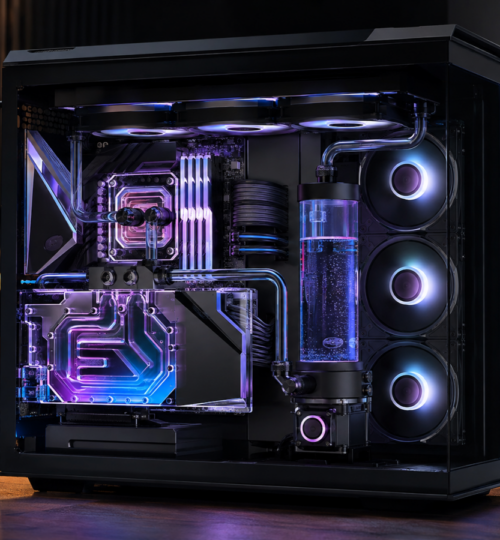
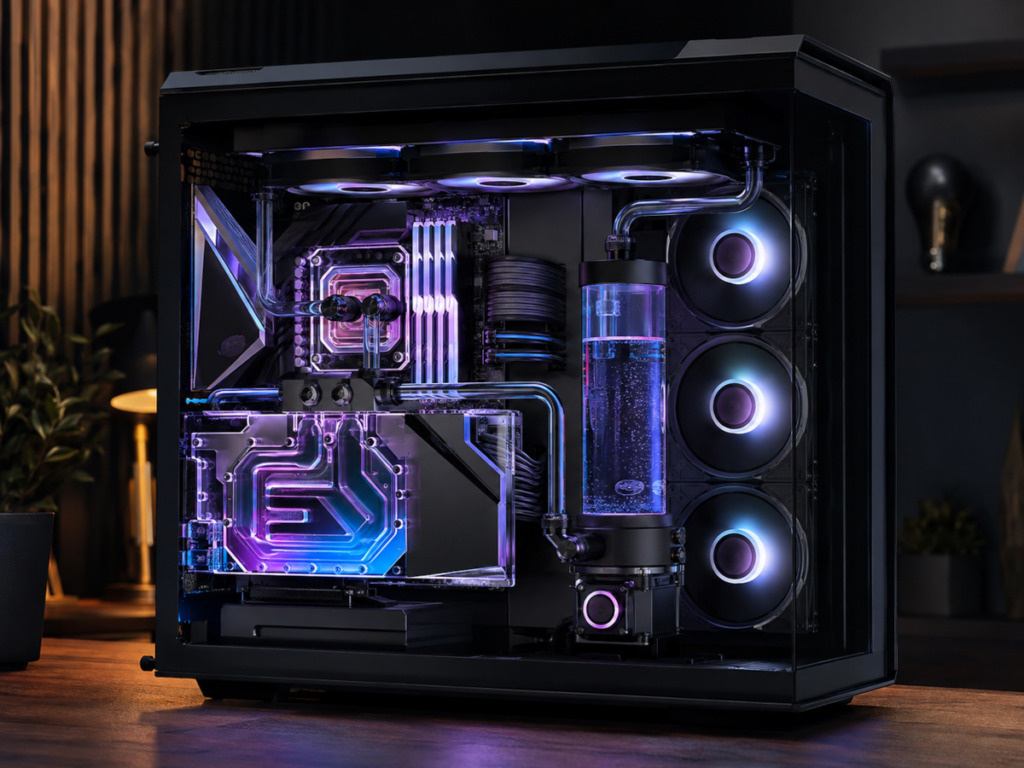
The thermal problem at the top end of PC gaming has changed from “keep the GPU reasonably cool” to “move several hundred watts of heat out of one small area without turning the entire system into a hot box.” NVIDIA’s GeForce RTX 5090 is the clearest example. Its official Total Graphics Power is 575 watts, with NVIDIA listing a 90 C maximum GPU temperature, while AMD’s Radeon RX 9070 XT sits at a much lower 304 watts of typical board power. Those numbers make one thing obvious: there is no single 2026 definition of a flagship thermal load, but the upper end now demands serious attention to airflow, radiator capacity, and sustained cooling rather than just oversized heatsinks.
For competitive players, this is not only about protecting expensive hardware. Modern GPUs constantly adjust clocks according to available power, voltage, temperature, and workload conditions, so a machine that starts a match cool and slowly heat-soaks over an hour can behave differently from one that remains thermally stable. In lighter esports titles, a 5090 may never approach its full board power because the game becomes CPU-bound first, but high-resolution competitive play, heavy rendering, streaming, recording, shader compilation, and newer graphically demanding shooters can push far more heat into the chassis. Consistency matters more than a benchmark screenshot taken during the first two minutes of a run.
The 575-Watt GPU Changed the Cooling Equation
The RTX 5090 Founders Edition is unusual because NVIDIA managed to package a 575-watt card into a two-slot design measuring 304 mm long and 137 mm wide. NVIDIA describes the cooler as a “Double Flow Through” design built around a vapor chamber, heat pipes, active fins, and liquid-metal thermal interface material. Gamers Nexus also documented the use of liquid metal and the engineering required to contain it safely in a cooler designed for this heat density.
That compactness does not make the heat disappear. A 575-watt graphics card under sustained load is effectively a small space heater mounted inside the case, and almost all of that electrical power eventually becomes heat that must reach the room. The stock cooler’s job is to move heat from the silicon, memory, and power stages into the air efficiently enough that the GPU can maintain its intended operating behavior. The case then has to provide the cooler with cool intake air and remove the heated exhaust before it recirculates.
This is where older case assumptions begin to fail. A chassis that was perfectly adequate for a 250-watt or 300-watt GPU can become restrictive when the graphics card alone approaches 600 watts, especially if a high-power CPU shares the same chamber. Large glass panels, decorative front plates, packed drive cages, restrictive dust filters, and weak exhaust can all turn a strong GPU cooler into a recirculation system that keeps inhaling its own waste heat.
Liquid Cooling Moves the Heat Somewhere More Useful
Liquid cooling does not reduce the amount of heat a GPU creates. It changes where that heat is transported and increases the surface area available to transfer it into the surrounding air. A full-cover GPU block picks up heat from the core and, depending on the design, the memory and power-delivery components, then carries that energy through coolant to one or more radiators placed at the perimeter of the chassis.
That distinction is why liquid cooling becomes more attractive as GPU power rises. Instead of asking a heatsink and several fans beside the motherboard to dump hundreds of watts into the middle of the case, a loop can carry the heat directly to a 360 mm or 420 mm radiator next to an exhaust path. The GPU itself can also become physically smaller once the huge air cooler is removed, which improves access around expansion slots and can reduce the wall of metal blocking case airflow.
The market has already moved in this direction at the factory level. ASUS sells an ROG Astral LC RTX 5090 with a 360 mm AIO radiator and full-coverage copper plate, MSI’s RTX 5090 SUPRIM LIQUID uses hybrid air and liquid cooling with a 360 mm radiator, and Gigabyte’s AORUS RTX 5090 XTREME WATERFORCE pairs the card with a 360 mm radiator and three 120 mm fans. These are not niche proof-of-concept products. They are direct responses to the cooling requirements of a GPU generation where the highest-end board can draw well over half a kilowatt.
AIO Cards Solve Complexity, Custom Loops Solve Capacity
A factory liquid-cooled graphics card is the simpler route because the pump, block, tubing, coolant, and radiator arrive as a closed system. Installation is closer to mounting a large CPU AIO than building a custom loop, and the card manufacturer controls the block contact and cooling layout. For a player who wants lower GPU temperatures and less heat concentrated around the motherboard without becoming a water-cooling hobbyist, this is the most practical liquid option.
The tradeoff is radiator real estate. A 360 mm GPU radiator occupies one of the most valuable mounting positions in the case, and a high-end CPU may already have its own 280 mm, 360 mm, or 420 mm AIO. Suddenly the build is not just about whether the graphics card fits. It is about whether two large radiators, their fans, their tubing, the motherboard, tall memory, power cables, and the GPU can coexist without blocking one another.
Custom loops offer more freedom because radiator area can be spread across the chassis. Large cases such as Lian Li’s O11 Dynamic EVO XL support up to three 420 mm radiators, while the LANCOOL III supports a 420 mm radiator or multiple 360 mm units. That much mounting capacity allows a builder to cool both CPU and GPU while running more radiator surface at lower fan speeds, although the actual result still depends on radiator thickness, fan pressure, coolant flow, case restriction, and room temperature.
The cost is complexity. A custom loop adds a pump, reservoir, fittings, tubing, drain planning, leak testing, coolant maintenance, and more points of failure than an air-cooled card. GPU blocks are also model-specific, so a future graphics-card upgrade may require a new block and partial loop rebuild. For competitive players who value serviceability and fast recovery after a hardware problem, those costs deserve as much attention as the temperature graph.
Case Design Is Now GPU-Centric
Modern high-airflow cases increasingly treat the graphics card as the dominant heat source instead of designing the entire chassis around the CPU tower cooler. Fractal Design’s Torrent is a clear example of the approach, using large front intake fans, an open internal path, and expansive bottom intakes aimed at improving GPU airflow. NZXT has used a similar idea in cases such as the H6 Flow, which supports bottom-mounted 140 mm fans directly beneath the graphics card.
Corsair pushed the separation idea further with the AIR 5400, introduced as a triple-chamber case. Corsair describes a dedicated CPU cooling area and a central chamber with directed airflow, an approach meant to keep cooling zones from interfering with one another as much as they do in a conventional single-chamber tower. That kind of physical separation makes more sense as CPUs and GPUs both become capable of dumping large amounts of heat during sustained workloads.
The best case for a hot GPU is not automatically the largest case. What matters is whether fresh air can reach the graphics card with minimal obstruction and whether the heated air has an obvious exit. A huge full tower with a closed front panel and weak intake can perform worse than a smaller mesh case with strong bottom or front airflow, while a dual-chamber or triple-chamber design can help by moving the power supply, cables, and radiators out of the main GPU intake path.
Radiator Placement Becomes a System-Level Decision
Once both CPU and GPU use liquid cooling, radiator placement affects the temperature of every component. A front-mounted radiator configured as intake receives cool room air, which is good for the component attached to that radiator, but the warmed air then enters the case. A top-mounted radiator configured as exhaust removes its heat directly from the chassis, but it is working with air that has already been warmed by the motherboard, GPU, memory, storage, and other components.
There is no universal layout that wins in every case because the hotter component, radiator size, fan configuration, and case geometry change the balance. In a GPU-heavy system, placing the GPU radiator where its heat can leave the chassis quickly is often attractive, while dedicated bottom or side intake can feed the rest of the system with fresh air. Factory AIO cards also have tubing and pump-location requirements that differ by model, so the manufacturer’s mounting guidance matters more than a generic diagram copied from another build.
Fan selection matters more with radiators than it does with an unrestricted mesh panel. Radiators and dust filters create resistance, so fans designed for stronger static pressure are better suited to pushing or pulling air through dense fins than low-pressure airflow fans. NZXT’s current fan lineup, for example, separates high-airflow models from static-pressure models intended for radiators, reflecting a distinction that matters much more once a build contains several restrictive heat exchangers.
Thermal Throttling Is Often a Case Problem Before It Is a GPU Problem
A hot GPU does not automatically mean the GPU cooler is inadequate. The simplest diagnostic test is still to compare behavior with the side panel installed and removed. If temperatures or fan speeds drop sharply when the panel comes off, the card is telling you that the chassis cannot feed or exhaust air efficiently enough.
Testing also needs enough time for the entire cooling system to reach a steady condition. Air coolers respond quickly, while large liquid loops can absorb heat into the coolant and radiator mass before temperatures level off. A five-minute benchmark may therefore flatter a loop that becomes much warmer during a long session. Competitive rigs should be evaluated under the kind of sustained load they will actually see, with GPU temperature, hotspot or junction readings where available, memory temperature where exposed by monitoring software, clock behavior, fan speed, coolant temperature if the loop reports it, and case ambient all considered together.
Power limiting and undervolting belong in the same conversation because cooling a watt is easier than removing a watt after it has been generated. A 575-watt ceiling does not mean every player needs to run a 5090 at that ceiling, particularly in competitive games where the CPU or engine may set the frame-rate limit first. A carefully tested power cap or voltage reduction can cut heat and noise while preserving most of the performance that matters to a given game, but the result is workload-specific and should be validated with frame-time data rather than assumed.
The Competitive Build Is Shifting From Maximum Power to Sustained Power
The old enthusiast instinct was to buy the biggest GPU, raise the power limit, add more fans, and chase the highest boost clock. That approach becomes less attractive when a single graphics card can consume 575 watts and premium partner cards are designed around 360 mm liquid systems. The more useful target is sustained performance: clocks that remain stable after the case is heat-soaked, fan noise that stays tolerable through a long match, and component temperatures that do not force the system to change behavior halfway through a session.
For 2026 hardware, the case and cooling system have effectively become part of the GPU specification. A flagship card can be electrically and mechanically compatible with a system yet still be a poor thermal match if the chassis lacks direct intake, radiator space, or enough exhaust capacity. Liquid cooling solves the heat-density problem by moving energy to larger radiators, while modern case design solves the airflow problem by giving those radiators and GPU coolers cleaner paths to outside air.
That combination is why the best high-end builds increasingly look engineered around heat flow rather than assembled around component dimensions. A 600-watt-class thermal load does not require exotic cooling in every game, but it leaves far less room for sloppy airflow. The rigs that hold their performance together are the ones that treat heat as a system-wide design constraint from the first fan mount to the last radiator.