
Disclaimer: The views and opinions expressed in this article are solely those of the author. The mention of any products, services, or methods does not constitute an endorsement.
Compact gaming PCs used to feel like compromise machines. They looked sharp on a desk, traveled well, and saved space, but they often came with a catch. More heat. More fan noise. Less upgrade room. The old joke was simple. Small case, big problem. That joke is getting stale.
Small form factor builds have grown into serious competitive rigs, not novelty boxes. Modern cases breathe better, motherboards are stronger, riser cables are more reliable, and high-end components now ship with better power controls than the brute-force hardware of the past. For a player who cares about frame pacing, input response, stable clocks, and tournament-ready consistency, a compact PC can absolutely hang. It just cannot be thrown together like a full tower.
A compact competitive build is less forgiving. Every part choice matters. Every cable matters. Every fan curve matters. The goal is not only to hit big FPS numbers in a benchmark. The goal is to keep those numbers stable after three hours of ranked matches, Discord, anti-cheat, capture software, and a room that slowly turns into a space heater.
Small Builds Win When Heat Has a Plan
The first mistake people make with compact builds is treating cooling as an afterthought. They pick the CPU, GPU, motherboard, RAM, storage, case, and power supply, then ask what cooler fits at the end. That is backward. In a small case, cooling is the build.
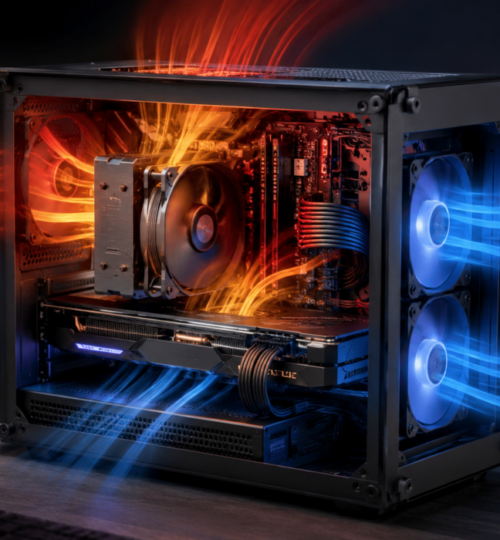
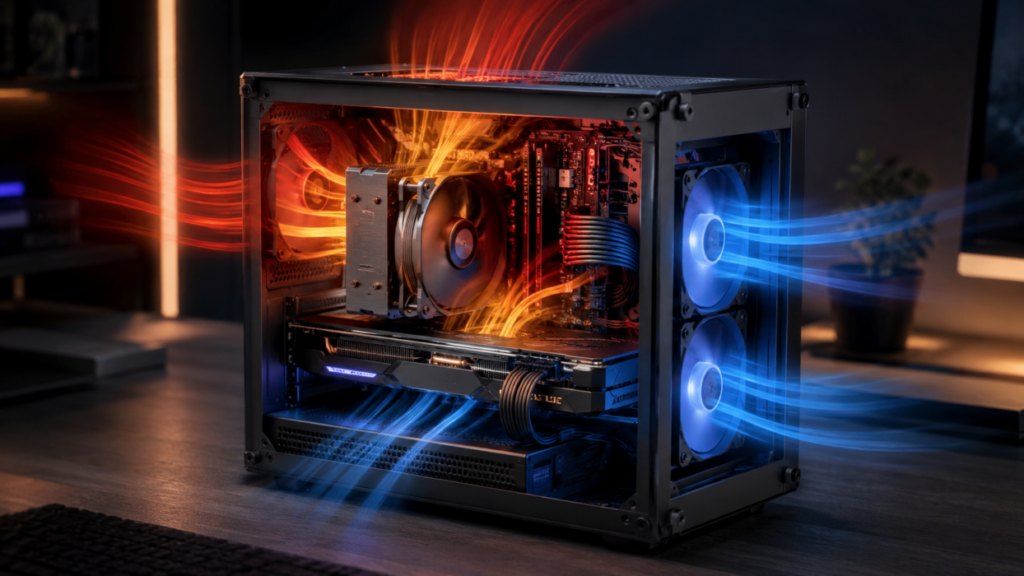
Airflow paths decide what hardware makes sense. A console-style case with a vertical GPU behaves differently from a sandwich-layout case. A mesh cube has different strengths than a slim living room build. Some cases favor big top exhaust fans. Others depend on side intake. Some need negative pressure to pull heat out quickly, while others work better with controlled positive pressure to keep dust down.
For competitive play, the priority is repeatable performance. You want the system to behave the same in match five as it did during warmup. Spikes are the enemy. CPU temperature spikes can cause boost clocks to bounce. GPU hot spots can push fans into sudden ramps. VRM heat can reduce motherboard stability. Storage heat can even hurt load times or recording performance if an NVMe drive gets cooked behind a graphics card. Small does not mean fragile. Small means planned.
The GPU Is Usually the Main Heat Source
In most gaming builds, the graphics card dominates heat output. That is even more true in a compact case. High-end GPUs can dump hundreds of watts of heat into a tight space, and if the case does not move that heat out quickly, every other component suffers.
NVIDIA’s SFF-Ready Enthusiast GeForce guideline gives a useful size target for compact high-performance cards, with listed limits of 151 mm maximum height including cable bend radius, 304 mm maximum length, and 50 mm or 2.5 slots maximum depth for qualifying RTX 70-class or higher cards. That standard matters because card length alone does not tell the whole story. Cable clearance and cooler thickness can make or break a build.
The power side is just as serious. NVIDIA lists the GeForce RTX 5090 Founders Edition at 304 mm long, 137 mm wide, 2-slot, and 575 watts total graphics power. That is a monster amount of heat for any PC, but in a compact case it becomes the central engineering problem.
Competitive players do not always need the biggest GPU on the shelf. That is the part many builders hate hearing. If the target is 1080p or 1440p high-refresh esports performance, the smarter choice may be a more efficient card with better thermals rather than a flagship that spends half its life fighting the case. A slightly lower-tier GPU with a cooler that fits perfectly can outperform a hotter card that constantly rides thermal limits. The best compact GPU choice is not always the fastest one. It is the fastest one your case can cool without drama.
CPU Choice Should Match the Games You Actually Play
CPU selection for competitive gaming has changed a lot. More cores are nice, but many esports titles still care heavily about cache, clock behavior, memory latency, and stable single-thread performance. That is why gaming-focused CPUs remain popular for players chasing high average FPS and smooth low-percentile frame rates.
AMD’s Ryzen 9000X3D lineup is built around 2nd Gen 3D V-Cache, and AMD markets its desktop Ryzen X3D chips with up to 208MB of on-chip memory across flagship models. That cache can help in games that respond well to reduced memory trips and larger working data close to the CPU.
Intel has also pushed lower-power performance with its Core Ultra 200S desktop family. Intel describes the Core Ultra 200S series as enthusiast desktop AI PC processors with gaming performance and lower power compared with prior desktop designs. For small builds, that power behavior matters almost as much as raw benchmark rank, because lower sustained heat can mean quieter fans and steadier clocks.
The right CPU depends on the actual workload. A pure competitive shooter box does not need the same processor as a player who streams, records, edits clips, runs browser dashboards, and keeps voice chat active. More cores help with multitasking, but dumping extra wattage into a tiny chassis can backfire if the cooler cannot keep up. A smart compact build often starts with a CPU that is easy to cool, not one that looks strongest in a product chart.
Air Cooling Still Belongs in Competitive Builds
Liquid cooling gets most of the attention, but air cooling remains a strong option in compact systems. A good low-profile air cooler has fewer failure points, no pump noise, no radiator placement headache, and no fluid loop concerns. In cases designed around direct side intake, a quality air cooler can perform extremely well.
The weakness is heat capacity. Small air coolers react quickly to temperature spikes. That can lead to fast fan ramping, especially in CPU-heavy games. If the cooler is too small for the CPU, the system may still benchmark fine for a few minutes, then start bouncing around during long sessions.
For competitive play, a low-profile air-cooled build works best with efficient CPUs, sane power limits, and case panels that feed the cooler directly. Mesh side panels are not just aesthetic. They can be the difference between clean boost behavior and a CPU fan screaming into a solid wall. Air cooling is not the budget option. It is the simple option. Simple wins when it is matched to the right hardware.
AIO Cooling Solves Some Problems and Creates Others
A 240 mm or 280 mm AIO can be excellent in compact builds when the case supports it properly. The radiator gives the CPU more thermal headroom, which can smooth out boost behavior and reduce sudden temperature spikes. For players who stream or run heavy background tasks, that extra cooling mass can be valuable.
The tradeoff is case airflow. A radiator can block intake or exhaust paths. It can also dump CPU heat into the case, depending on orientation. In a small system where the GPU already runs hot, that can create a thermal tug-of-war.
Radiator placement needs intent. A top-mounted radiator as exhaust often works well when the GPU has strong access to fresh air. A side-mounted radiator as intake can feed the CPU cooler with cooler outside air, but it may raise internal case temperature and make the GPU work harder. Neither setup is always correct. The case layout decides.
Pump noise is another factor. Competitive players often wear headphones, but a high-pitched pump whine on a quiet desk is annoying. It can also interfere with recording setups. AIOs are powerful, but they are not magic. They need clean mounting, good fan curves, and enough open space to move air through the radiator.
Undervolting Is the Compact Builder’s Secret Weapon
Undervolting is one of the best tools for compact gaming PCs. Done properly, it can lower heat and noise while keeping nearly the same real-world performance. Sometimes it even improves performance because the GPU or CPU stops slamming into thermal or power limits.
For GPUs, undervolting usually means setting a lower voltage target for a given clock speed. The card consumes less power, produces less heat, and often holds clocks more steadily. A player might give up a tiny amount of peak benchmark performance, but gain better consistency in actual matches.
For CPUs, the approach depends on the platform. Some builders use curve optimization, power limits, eco modes, or voltage offsets. The goal is not to starve the chip. The goal is to remove waste. Many modern processors push aggressive voltage by default to cover a wide range of silicon quality. A tuned chip can often run cooler with no visible downside in games.
There is a warning here. Stability matters more than a pretty temperature chart. A system that crashes once during a match is worse than one that runs five degrees hotter. Every undervolt needs stress testing, game testing, and a few long sessions before it earns trust.
Fan Curves Should Be Built for Matches, Not Screenshots
Default fan curves are often bad for compact competitive rigs. They can be too passive at low temperatures, allowing heat to build inside the case, then too aggressive once the system is already hot. That creates the classic small-PC behavior, quiet for ten minutes, then jet engine mode.
A better fan curve starts earlier and ramps smoother. Case fans should begin moving air before the GPU turns the interior into an oven. CPU fans should avoid sudden jumps unless temperatures demand it. GPU fans should be tuned with the case airflow in mind, not treated as a separate system.
Fan placement also matters. Intake fans should feed the hottest parts directly. Exhaust fans should remove heat from the zones where it naturally collects. In many compact cases, top exhaust is powerful because heat rises and GPU exhaust often drifts upward. In sandwich cases, side panel airflow can be more important than rear exhaust.
Static pressure fans help when air must pass through tight grills, filters, or radiators. Airflow-focused fans work better in open mesh layouts. The best setup is not the one with the most fans. It is the one with fans placed where pressure and direction make sense.
Cable Management Is Performance Management
In a full tower, bad cable management looks ugly. In a compact build, it can hurt airflow. Thick power cables, poorly routed PCIe cables, extra SATA leads, and tangled front-panel wires can block intake paths or create hot pockets around the motherboard.
This is why modular power supplies are worth it in small systems. SFX and SFX-L units are common choices, and custom-length cables can make a build dramatically cleaner. The goal is not Instagram perfection. The goal is open air paths.
The new generation of high-power GPU cabling also deserves care. Builders need to respect bend radius, connector seating, and case clearance. A panel pressing hard against a GPU power cable is not a minor issue. It is a build quality problem. Compact rigs reward patience. Route once, test fit, reroute, then close the panel. If the side panel needs force, something is wrong.
Memory, Storage, and Motherboard Heat Still Count
The GPU and CPU get the spotlight, but supporting parts can create problems too. High-speed DDR5 can run warm in tight builds, especially with tall heat spreaders sitting near a radiator tube or low-profile cooler. The memory kit also needs to physically clear the cooler, which sounds obvious until the parts are on the table and the fan no longer fits.
NVMe storage is another quiet trouble spot. Drives mounted on the back of Mini-ITX boards can get very hot, especially when trapped behind a GPU area with limited airflow. A drive used for game captures, large updates, or editing clips can throttle under heat. Motherboard heatsinks help, but airflow still matters.
VRM cooling is usually fine on quality Mini-ITX boards, but compact cases can punish weak airflow around the socket. A board that looks great on paper may still run hot if the CPU cooler does not move air across nearby components. This is one reason downdraft air coolers can still be useful. They cool more than the CPU.
Competitive Settings Reduce Heat Without Sacrificing Wins
Competitive players already turn down many graphics settings for clarity and FPS. That habit helps compact builds. Lower shadows, reduced volumetrics, simpler post-processing, and sensible texture settings can cut GPU load without making the game harder to read. In some titles, it makes enemies easier to spot.
Frame caps are underrated. Running uncapped menus at 700 FPS is just wasted heat. A smart cap near the monitor’s refresh target can reduce power draw, lower fan noise, and improve consistency. For a 240 Hz display, a stable frame cap that the system can hold is often better than wild swings between 220 and 400 FPS.
Background software deserves discipline too. RGB suites, hardware dashboards, launchers, overlays, capture tools, and browser tabs all add overhead. Some are small. Together, they become clutter. A competitive compact PC should have a clean game profile with only the services that need to run. Performance is not only built in hardware. It is protected in software.
Testing Should Look Like Real Play
A compact PC can pass a synthetic stress test and still behave badly in actual games. Stress tests are useful, but they do not always mimic shader compilation, loading screens, anti-cheat behavior, voice chat, streaming tools, or sudden CPU and GPU load changes.
Testing should include the games you actually play. Run a long bot match. Sit in a busy lobby. Record gameplay. Keep Discord open. Let the system heat soak for an hour. Watch CPU temperature, GPU temperature, GPU hot spot, clock speeds, fan RPM, and frame-time consistency.
Average FPS can lie. Frame-time graphs tell the truth. A compact build that averages 300 FPS but stutters every few seconds is not ready. A build that holds 240 FPS with clean frame pacing is far better for competitive play.
Noise testing matters too. A fan curve that sounds fine for five minutes may become irritating after an evening. Good cooling is not just lower temperature. It is controlled behavior.
The Best Compact Builds Are Honest Builds
The worst compact PCs are built around ego. Oversized GPU, overheated CPU, tiny case, no airflow plan, and a side panel that barely closes. That machine might look impressive in a parts list, but competitive play exposes weak decisions fast.
The best compact builds are honest. They match the case to the parts. They accept that efficiency matters. They use undervolting, smart fan curves, and clean cabling. They pick hardware for steady match performance, not just launch-day bragging rights.
A small rig can be a serious weapon. It can sit cleanly on a desk, travel to a LAN, run quiet during practice, and still push high-refresh gameplay with confidence. The catch is simple. Compact performance has to be earned before the first match starts.