
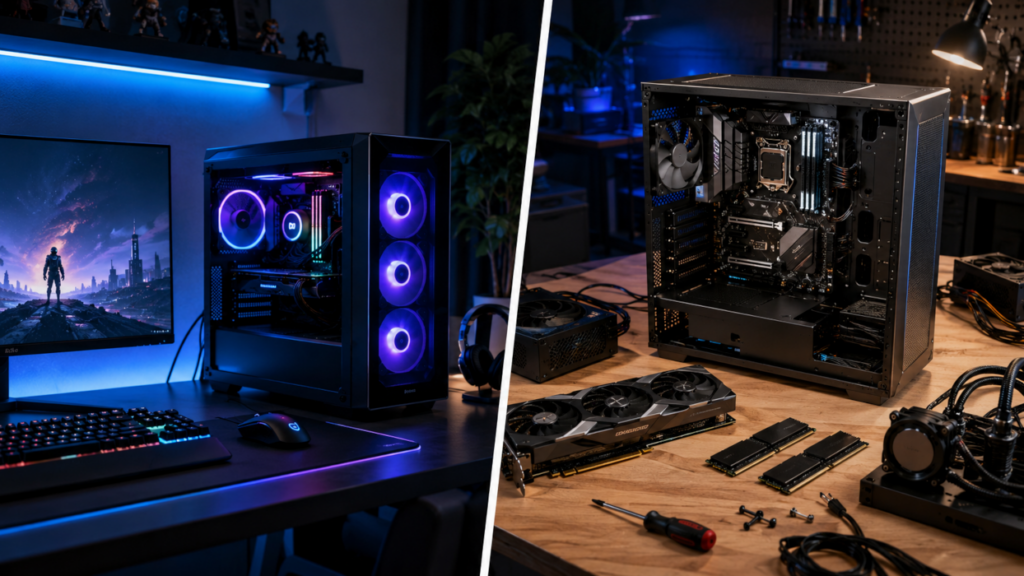
For most of PC gaming history, buying a prebuilt desktop came with an understood penalty. The buyer paid more, received cheaper supporting components, and often ended up with a machine that was harder to repair or upgrade. Building your own rig was not merely a hobby. It was the smart financial move. That old rule no longer holds in every price bracket.
Major manufacturers and specialist system builders now sell gaming PCs that arrive with balanced processors, current-generation graphics cards, fast DDR5 memory, solid-state storage, competent cooling, and enough performance to drive high-refresh competitive gaming immediately. Some prebuilts are still overpriced. Some are still assembled around mystery power supplies and questionable motherboards. The best ones, however, have become legitimate competition for a carefully planned custom build. The value gap has not disappeared. It has become harder to measure.
Esports Performance Is Easier to Reach
Competitive gaming does not require the most expensive hardware available. It requires consistent frame delivery, low input latency, stable network performance, and enough processing headroom to avoid major drops during crowded fights.
Games such as Counter-Strike 2, Valorant, Rocket League, Rainbow Six Siege, Fortnite, Overwatch 2, and League of Legends can produce high frame rates on modest modern hardware. A system does not need a flagship graphics card to feed a 144Hz or 240Hz monitor in many esports titles. That changes the prebuilt discussion.
Manufacturers no longer need to build an affordable gaming desktop around hardware that barely qualifies. A current midrange processor, 16GB or 32GB of DDR5 memory, an NVMe drive, and a graphics card in the GeForce RTX 5060, RTX 5070, or comparable Radeon class can form a serious competitive machine. NVIDIA lists the RTX 5070 with 12GB of GDDR7 memory, 6,144 CUDA cores, and a 250-watt total graphics power rating. That is far beyond an entry-level display adapter dressed up with RGB lighting.
The practical target has moved from “can it run the game?” to “can it maintain the monitor’s refresh range under match conditions?” Many prebuilts can.
Manufacturers Are Building Better Balanced Machines
Older mass-market gaming PCs were notorious for pairing an impressive graphics card with a weak processor, one stick of slow memory, a tiny SSD, or inadequate cooling. The large number on the retail box mattered more than the complete system. Modern configurations are often more sensible.
Lenovo, for example, currently lists a Legion Tower 5i configuration with an Intel Core Ultra 7 265F, an RTX 5070, 32GB of dual-channel DDR5-5600 memory, a 2TB PCIe 4.0 SSD, an 850-watt power supply, and a 240mm liquid cooler. That is not a machine requiring immediate memory, storage, or cooling surgery. It is a complete high-refresh 1080p and strong 1440p gaming desktop.
NZXT markets its RTX 5070-equipped Player Two directly as a high-frame-rate 1440p system. Its listed configurations use recognizable cases and mainstream desktop hardware rather than sealed proprietary assemblies. One recent configuration combined a Ryzen 5 9600X, RTX 5070, 16GB of DDR5, and a 1TB SSD for $1,899, although prices and available options shift regularly.
Alienware, iBUYPOWER, CyberPowerPC, Corsair, MSI, and smaller boutique builders compete across the same broad territory. The buyer can now choose between heavily integrated systems, mostly standard component builds, and fully configurable boutique machines. That variety matters. “Prebuilt” no longer describes one type of computer.
Bulk Purchasing Can Reverse the Price Advantage
A custom builder pays public retail prices. A large system integrator does not. Manufacturers buy processors, graphics cards, memory, storage, cases, and power supplies in volume. They negotiate supply contracts, receive OEM pricing, and can distribute costs across thousands of systems. During periods of high graphics card prices or restricted availability, that purchasing advantage can become large enough to offset assembly labor and warranty expenses.
The mid-2026 component market has made this especially visible. Current price trackers report elevated graphics card costs, with several upper-tier models selling well above their original suggested prices. Recent buying guides have also identified the $1,000 to $1,500 range as a strong prebuilt category for capable 1440p gaming, depending on sales and configuration.
This creates situations where a complete discounted machine costs little more than buying its CPU and GPU separately. Add a Windows license, motherboard, memory, SSD, power supply, case, cooler, fans, and shipping, and the custom build may lose the price battle.
Sales make the comparison even messier. Large vendors routinely discount complete systems to clear inventory, promote a new processor generation, or move a configuration tied to a retail event. Individual DIY parts may not receive matching discounts at the same time. A prebuilt purchased at full list price can be poor value. The same machine discounted by several hundred dollars may be difficult to beat.
The Hidden Value of One Warranty
A custom rig spreads responsibility across multiple companies. If the system becomes unstable, the builder must identify whether the problem comes from the memory, motherboard, processor, graphics card, storage drive, power supply, BIOS settings, cooling, or operating system. A defective part can require its own return authorization, packaging, shipping, and replacement process.
Experienced builders accept this. Troubleshooting is part of owning a custom machine. Many players do not want that job.
A prebuilt provides one support contact for the whole computer. Lenovo’s cited Legion configuration includes a one-year mail-in warranty. Dell advertises limited hardware warranty coverage and onsite service options after remote diagnosis for current Alienware Aurora desktops. iBUYPOWER advertises two years of parts coverage and three years of labor service on selected RDY systems.
Warranty quality varies, and support experiences are not identical across brands. Still, single-system coverage has real financial value. It also has emotional value. A player preparing for league matches may prefer shipping one tower to one company over spending three evenings swapping components and reading motherboard diagnostic codes. Convenience is part of the price.
Custom Builds Still Win on Component Control
The custom rig remains the cleaner choice for buyers who care about every component. A product listing may advertise the processor, graphics card, memory capacity, and storage size while saying little about the motherboard model, SSD controller, power supply platform, memory timings, cooling fans, or graphics card manufacturer. Those supporting parts determine noise, thermals, stability, expansion options, and future upgrade paths.
A custom builder can choose a proven power supply with a long warranty, a motherboard with the needed USB ports and expansion slots, low-latency memory, a quiet air cooler, and a case with strong airflow. Nothing is left to the manufacturer’s current supply pool.
This is also where boutique prebuilts separate themselves from mass-market systems. Some specialist companies publish nearly every installed part and assemble the machine from standard retail components. That makes them easier to evaluate and upgrade, but their labor and service costs can push prices above both DIY builds and discounted systems from major brands.
Mass-market desktops may contain proprietary motherboards, unusual front-panel connectors, custom power supplies, restricted BIOS settings, or cases shaped around one cooling design. These choices are not automatically defective. They can make a future case swap, motherboard replacement, or power supply upgrade far more difficult.
A buyer planning to replace the graphics card two years later should inspect the case clearance, power supply wattage, power connectors, airflow, and BIOS support before purchasing.
The DIY Savings Often Get Miscalculated
Custom build comparisons frequently ignore costs that do not appear in the core parts list. Windows is one. Additional fans are another. Shipping charges, thermal paste, fan splitters, wireless networking, keyboard and mouse bundles, and replacement cables can add more. A builder without tools may also need a screwdriver set, antistatic equipment, or a USB drive for installation media.
The time investment is real too. Selecting compatible hardware, checking motherboard support, updating firmware, assembling the system, installing Windows, loading drivers, configuring memory profiles, testing temperatures, and verifying stability can consume an entire evening or weekend.
For an enthusiast, that process is enjoyable. It creates familiarity with the machine and makes future repairs easier. For someone who wants to install Steam and join a match, it is unpaid technical labor.
DIY comparisons should count all required parts, not just the headline components. They should also compare equivalent quality. A custom build using a premium power supply, high-airflow case, retail motherboard, and quiet cooler should not be judged against a prebuilt containing cheaper supporting hardware as though the two machines are identical. Price matters. So does what the price buys.
Competitive Players Need Stability More Than Spectacle
An esports-ready computer should not be judged by how many lights it has or whether its case resembles a spacecraft. Stable frame times matter more than maximum benchmark numbers. Thermal control matters because a processor or graphics card that reduces clock speed during a long session can produce inconsistent performance. Memory should operate in dual-channel mode. Storage should be large enough to prevent constant uninstalling. The power supply should have enough capacity for sustained load and future upgrades.
Network hardware deserves attention as well. Wired Ethernet remains the preferred connection for serious competition. Wi-Fi 6E or newer support can still be useful, but it does not replace a stable wired connection when one is available.
Noise also affects real use. A machine that sounds acceptable during a short store demonstration may become irritating after three hours of practice. Smaller cases and aggressive fan curves can create more noise even when component temperatures remain within safe limits.
A good prebuilt review should include thermal readings, sustained clock behavior, fan noise, upgrade access, memory configuration, and power supply details. Average frame rates alone do not tell the full story.
The Best Value Depends on the Buyer
A first-time PC gamer can gain more from a prebuilt than an experienced hardware enthusiast. The machine arrives assembled, tested, licensed, and covered as one product. There is no compatibility research, no installation process, and no risk of bending socket pins during a first build.
A veteran builder gains more from custom hardware. That buyer may already own transferable storage drives, fans, a Windows license, tools, and reusable components. They know which parts deserve extra money and which ones do not. They can troubleshoot failures without paying someone else.
Competitive teams and community organizers face another calculation. Standardized prebuilts can simplify tournament stations, practice rooms, local events, and content production setups. Matching machines are easier to image, maintain, replace, and support. Custom systems make more sense when each station has a specialized role or when staff members can handle hardware service internally.
The smartest purchase may also sit between the two extremes. A buyer can purchase a discounted prebuilt with a strong processor and graphics card, then replace the memory, storage, cooler, or power supply later. That approach can capture manufacturer pricing without accepting every factory decision permanently.
Shopping by the GPU Sticker Is Still a Mistake
The graphics card usually determines most gaming performance, but it should not control the entire purchase. A powerful GPU paired with an older low-end processor can struggle in high-frame-rate esports games. A single 16GB memory module can reduce performance compared with a matched pair. A 512GB drive can become cramped after Windows, applications, recordings, and several modern games. A weak power supply can restrict future upgrades.
Buyers should verify the exact processor model, memory arrangement, storage capacity, cooling method, power supply wattage, case airflow, port selection, warranty duration, and use of standard components. “RTX 5070 gaming PC” is not a complete specification.
The RTX 5070 itself carries 12GB of memory, while the RTX 5070 Ti carries 16GB. That difference can matter for higher resolutions, demanding texture settings, content creation, and the useful life of the machine.
Processor spending should match the target games. AMD’s Ryzen 7 9800X3D offers eight cores, sixteen threads, a boost clock up to 5.2GHz, and a 120-watt default thermal design power. It is an exceptional gaming processor, but installing one beside a modest graphics card may be wasteful for a player focused on visually demanding 1440p games. It makes more sense for CPU-heavy titles, very high refresh rates, simulation workloads, or a later graphics upgrade.
The New Line Between Prebuilt and Custom
The old divide placed knowledgeable gamers on the custom side and uninformed buyers on the prebuilt side. That distinction is outdated. A well-researched prebuilt purchase can be every bit as informed as a custom parts list. The buyer is simply assigning assembly, initial testing, operating system setup, and full-system warranty service to someone else. A careless custom build can also waste money through poor component balance, excessive cooling, an oversized power supply, or cosmetic parts that add nothing to performance.
The strongest prebuilt values tend to appear during sales, especially in the midrange. The strongest custom values appear when component prices are stable, the builder can reuse parts, and long-term upgrade freedom matters more than immediate convenience.
Prebuilt manufacturers have become dangerous competitors because they no longer sell only convenience. Their better systems now sell credible performance, recognizable hardware, sensible configurations, and pricing that occasionally undercuts the public component market.
Custom rigs still offer the highest degree of ownership. Every part is known. Every compromise is intentional. Every future upgrade remains in the builder’s hands. That control is worth paying for, but it is no longer accurate to assume the person building the machine always pays less.